

Idea

Button to toggle smart containers

Related products:Lucidchart
  • June 5, 2025
  • 3 replies
  • 25 views

Forum|alt.badge.img+3
  • Lucid Legend Level 1

I want to create a button to allow users to quickly toggle the layout of a smart container from ‘assignee’ to ‘status’.


How do I do this? 

Comments

Leianne C
Forum|alt.badge.img+15
  • Lucid support team
  • June 6, 2025

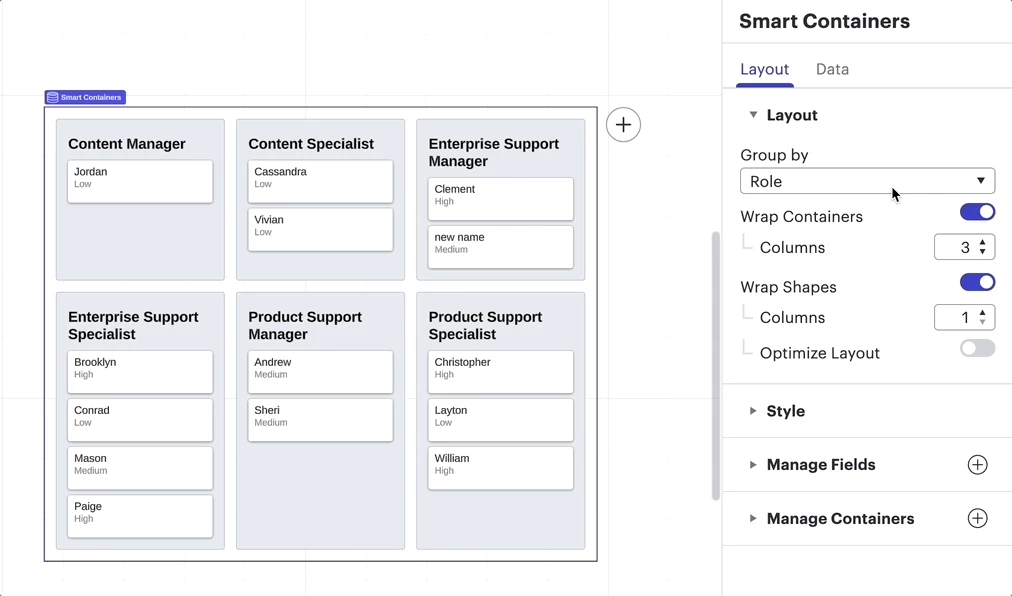
Hi ​@S2319, thank you for posting in the community! To confirm, are you referring to the dropdown menu options from the “Group by” menu in the “Layout” tab of the data panel for Smart Containers

If not, could you please share a brief description and any relevant screenshots (feel free to censor any important information) so that we can take a closer look? Thanks! 


Forum|alt.badge.img+3
  • Author
  • Lucid Legend Level 1
  • June 9, 2025

Hey, yes! 


I wanted to use a button to allow the change in layout so those less familiar with Lucid can quickly alter views


Leianne C
Forum|alt.badge.img+15
  • Lucid support team
  • June 10, 2025

Hi ​@S2319, thank you for clarifying this! While it is possible to create a button to toggle layers using a combination of layers and actions, there isn’t currently a way to toggle Smart Containers in Lucid this way. 

However, we’re very interested in your feedback and committed to continually improving our products. If you’re willing to share, we’d love to hear more details about your use case or what you’d like to see in this experience within this thread. I’ve also converted this post to an idea so that it’s visible to others within the Product Feedback section of the community - from here, they can upvote it and add details of their own.

Finally, for more information on how Lucid manages feedback via this community, take a look at this post:

Thank you for sharing your ideas and feedback in the community! Please don’t hesitate to let us know if you have any questions.