Bernie W101
March 2, 2021

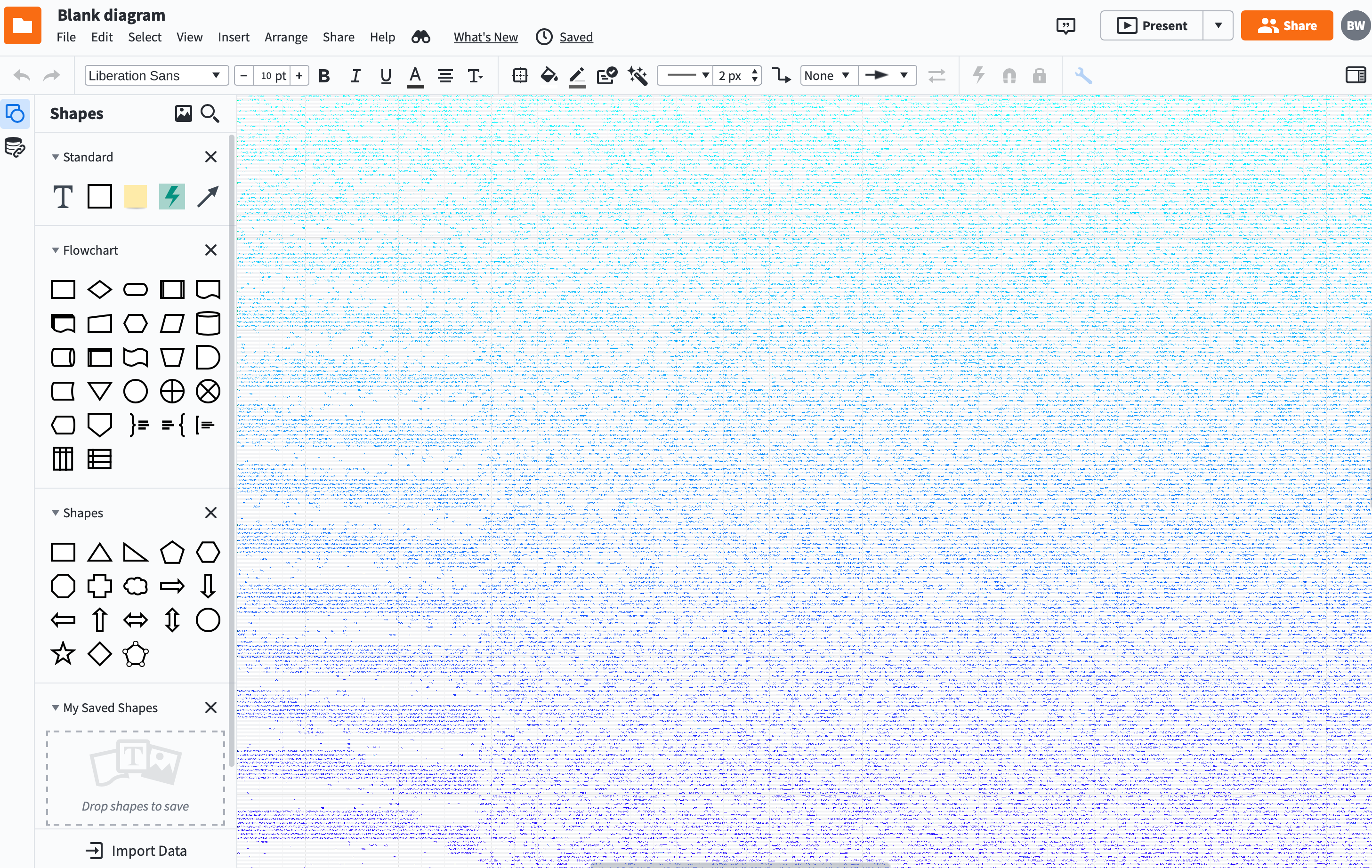
Blue striped lines across all of my diagrams

  • March 2, 2021
  • 2 replies
  • 56 views

LucidChart today started to show blue striped lines across all of my diagrams including new diagrams. Do you know what I can do to stop these striped lines. I tried Chrome and Safari -- same issue. I am running Lucid from a macOS Catalina version 10.15.7 on a MBP 16".  

Thanks in advance for your help. 
    Comments

    Bernie W101
    March 2, 2021

    Found the problem -- the problem disappeared after I disconnected and reconnected my LG external monitor. I read that others had to reboot their system. 

    Thanks

    Shanna H
    Lucid support team
    March 2, 2021

    Hi Bernie

    Thanks for posting on the community and for following up with the solution that worked for you! 

    If anyone else is running into this issue please try rebooting your system as explained above. WebGL might be also causing an issue with the graphics card on your computer. To discover if this is the case you can try toggling WebGL off. This can be done by going to View > Use WebGL and un-selecting this option.