
Currently conditional formatting is universal across a document. But sometimes you want to show data one way on one tab, and another way on another tab. Think current & future states. On current state I might want to show a “sunset” application as yellow. On future state I might want to show it as red. But currently this is impossible since you cannot set the formatting specific to separate tabs.
Solved
Support Conditional Formatting by Tab
 +1
+1Best answer by cbailey
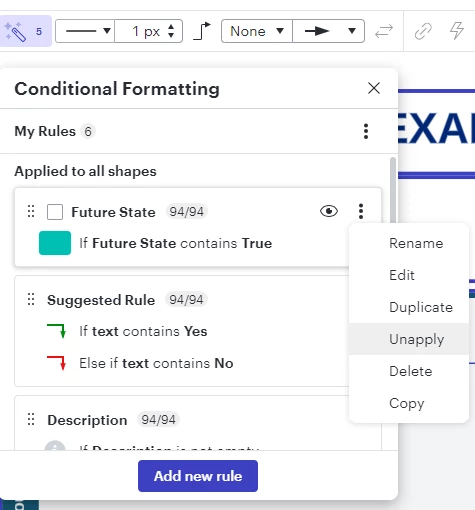
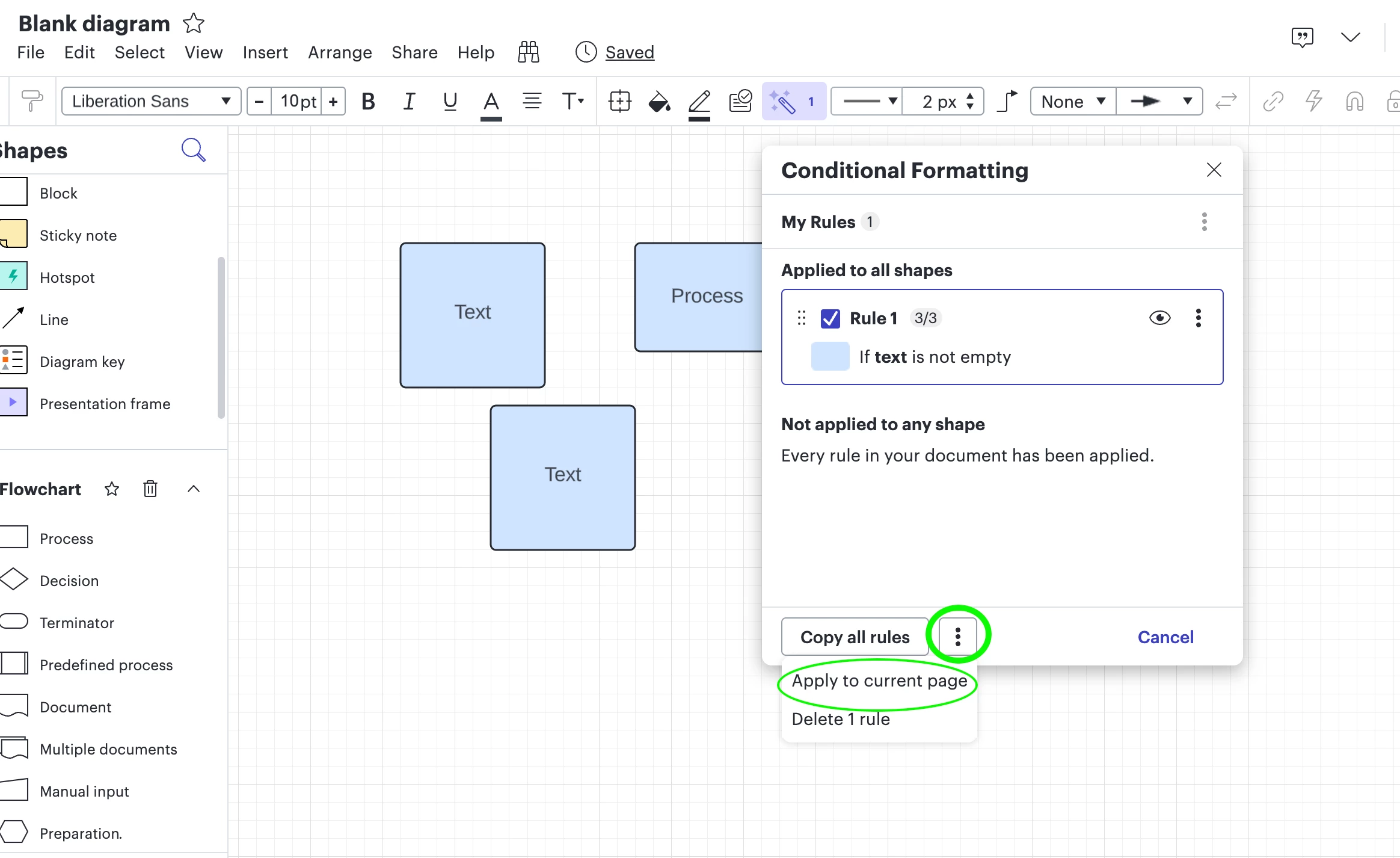
Good question, you can accomplish what you’re looking to do by making the conditional formatting shape specific. This will allow you to apply different conditional formatting to different shapes on different pages.
Next to each rule, hit the 3 dots and select unapply. And then select the shapes you want to apply the rule to and then click on “apply” again for that specific rule. Give that a go and let us know.



Create an account in the community
A Lucid or airfocus account is required to interact with the Community, and your participation is subject to the Supplemental Lucid Community Terms. You may not participate in the Community if you are under 18. You will be redirected to the Lucid or airfocus app to log in.
Log in to the community
A Lucid or airfocus account is required to interact with the Community, and your participation is subject to the Supplemental Lucid Community Terms. You may not participate in the Community if you are under 18. You will be redirected to the Lucid or airfocus app to log in.
Log in with Lucid Log in with airfocus
or
Enter your E-mail address. We'll send you an e-mail with instructions to reset your password.
 Your privacy choices


