When i add a share, one of the pre-provided/default Lucid shapes, how do i increase the size (left - to - right) of the text ‘box’ of the shape?
I dont want to resize the shape. I just want to fit more on a single line below the shape. I want the text to move with the shape/be a part of the shape.
Best answer by alison cheney
Hi @jeffp2020,
Thank you for posting in the Lucid Community!
Here are some step-by-step instructions when it comes to resizing the text in your shape and having the text move with your shape.
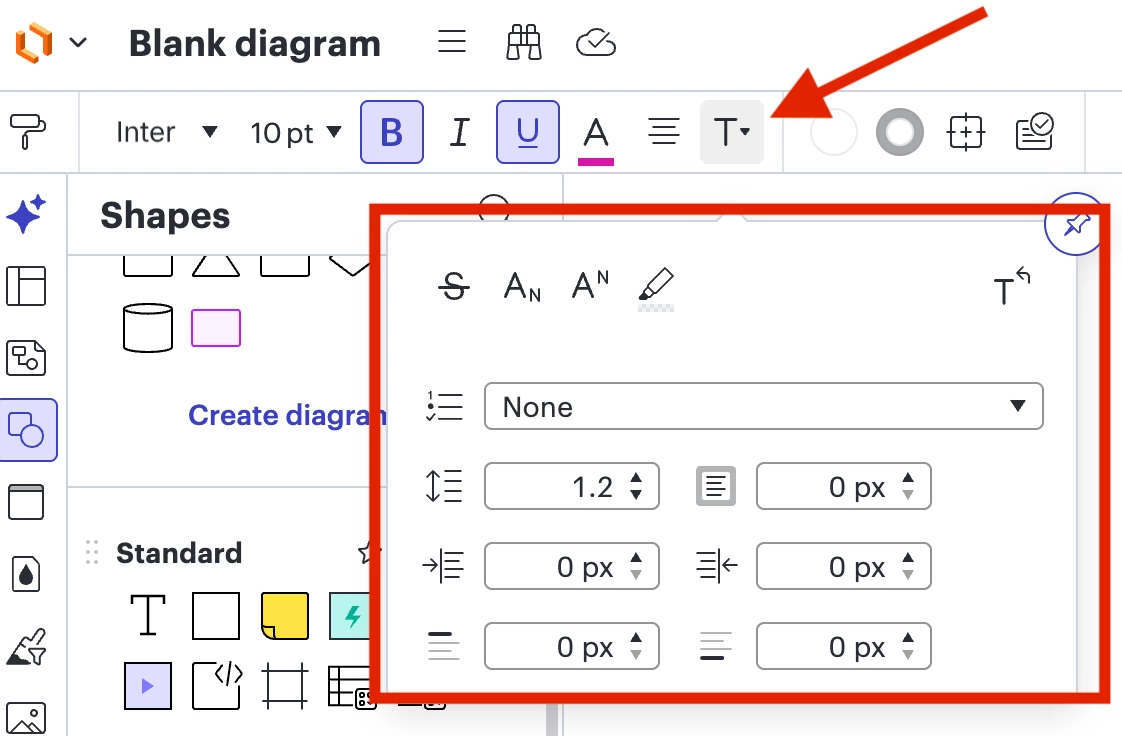
To resize the text to better fit your shape, please select your text box so it is highlighted, and select “Text Options”. at the top left of your Lucidchart document.
Then, adjust the settings (line height, padding, left indent, right indent, space before, space after). (see screenshot below)
Note: Decreasing the padding and line height will help you fit more text on a single line below your shape.
Please follow the steps below to move text with your shape:
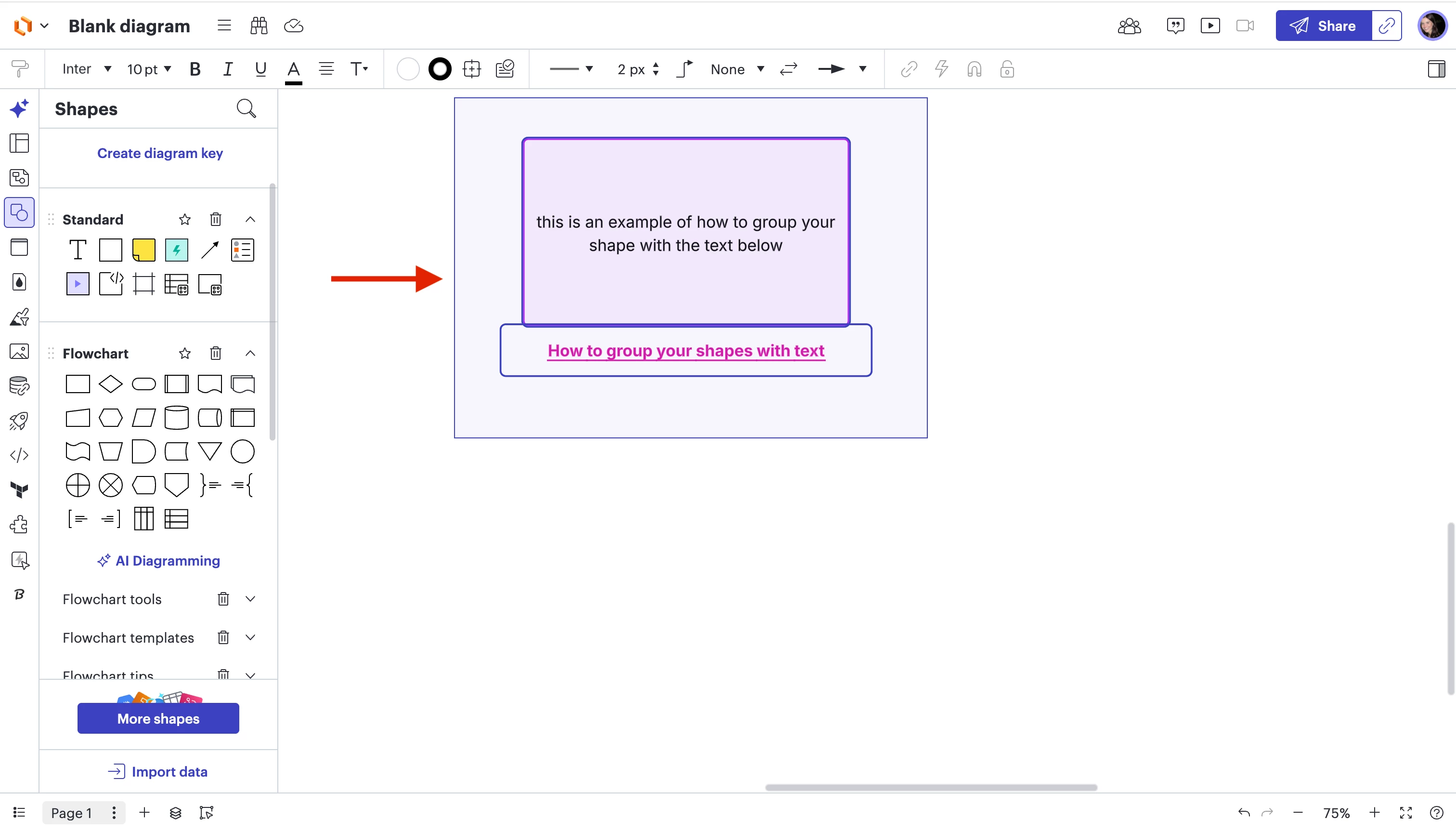
1. With your cursor, select the shape and the text below the shape.
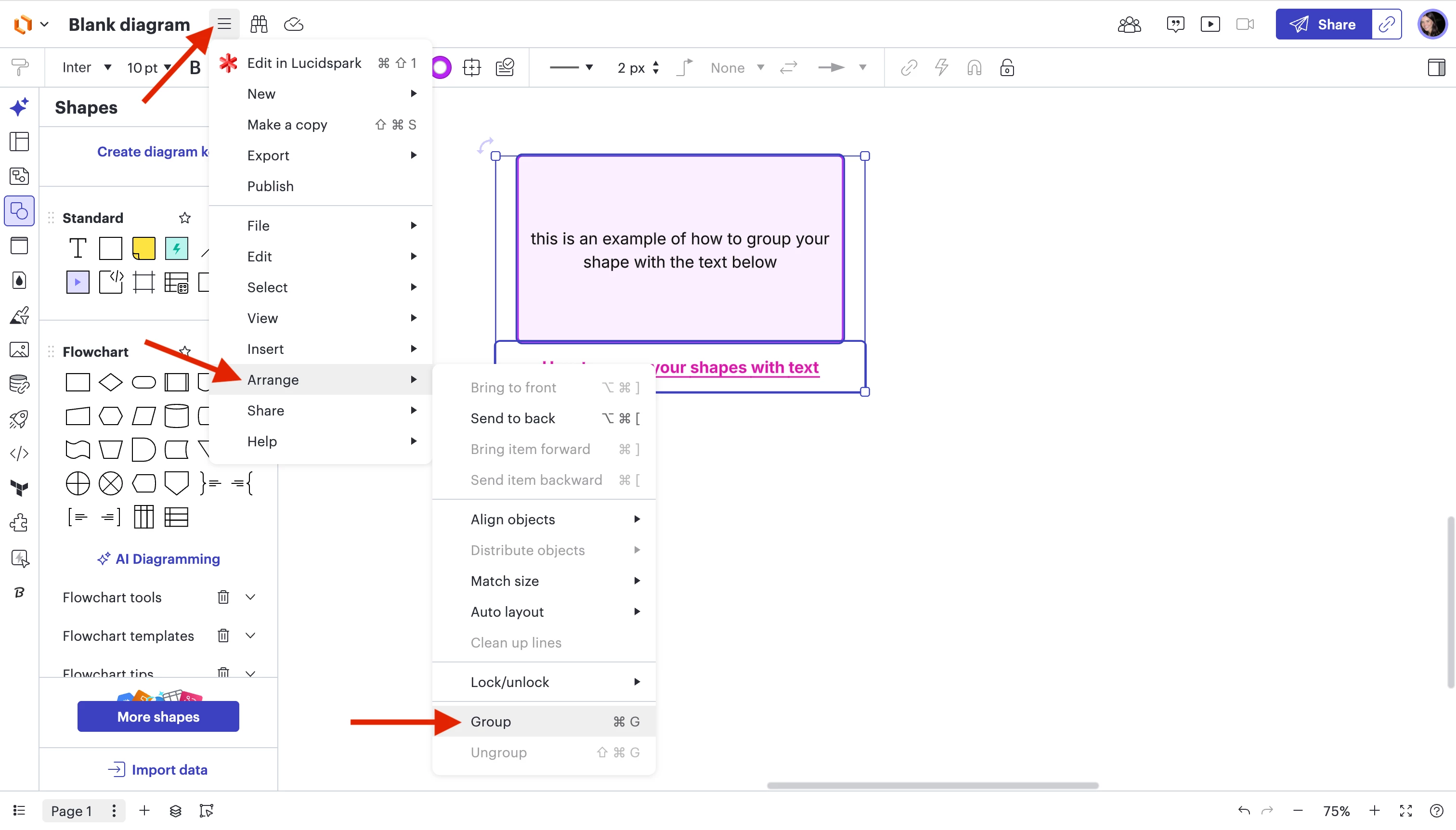
2. Select Menu > Arrange > Group
Once you group your shape and text, you will be able to move your shape and text together on your canvas.
Please let me know if you have any additional questions, and thank you for engaging in our Community!
Here are some step-by-step instructions when it comes to resizing the text in your shape and having the text move with your shape.
To resize the text to better fit your shape, please select your text box so it is highlighted, and select “Text Options”. at the top left of your Lucidchart document.
Then, adjust the settings (line height, padding, left indent, right indent, space before, space after). (see screenshot below)
Note: Decreasing the padding and line height will help you fit more text on a single line below your shape.
Please follow the steps below to move text with your shape:
1. With your cursor, select the shape and the text below the shape.
2. Select Menu > Arrange > Group
Once you group your shape and text, you will be able to move your shape and text together on your canvas.
Please let me know if you have any additional questions, and thank you for engaging in our Community!
A Lucid or airfocus account is required to interact with the Community, and your participation is subject to the
Supplemental Lucid Community Terms.
You may not participate in the Community if you are under 18. You will be redirected to the Lucid or airfocus app to log in.
A Lucid or airfocus account is required to interact with the Community, and your participation is subject to the
Supplemental Lucid Community Terms.
You may not participate in the Community if you are under 18. You will be redirected to the Lucid or airfocus app to log in.




 Your privacy choices


