
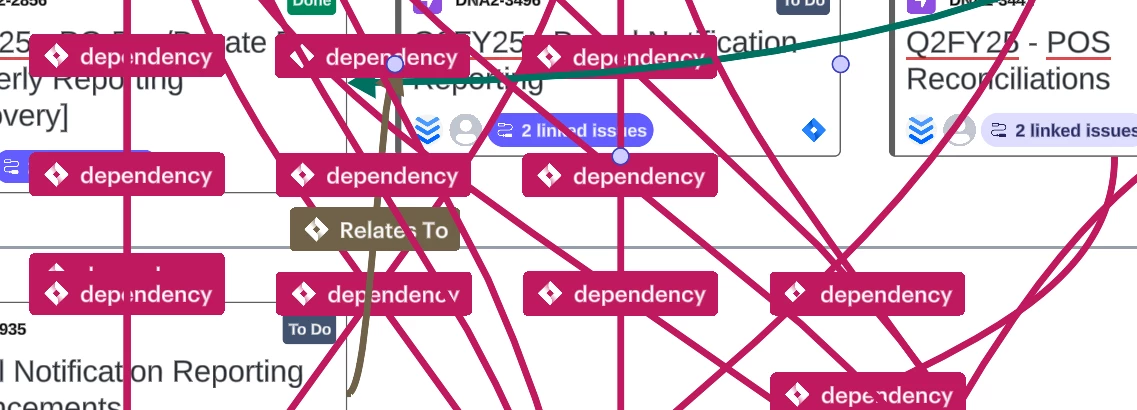


Best answer by Spencer Cowley
Hi VJ,
Thank you for reaching out about this issue with dependency mapping. Currently we don’t support “send to back” for Dependency Lines but you can turn off dependency lines for an individual card or for the full board. Here’s how:
Turn off dependency lines for the full board:
1. Click on the Jira icon in the left toolbar and click on “Visualize linked issues”
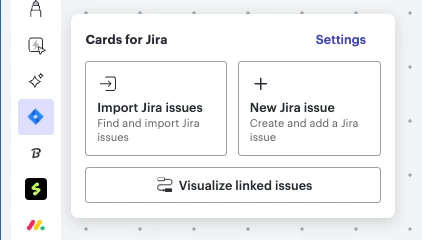
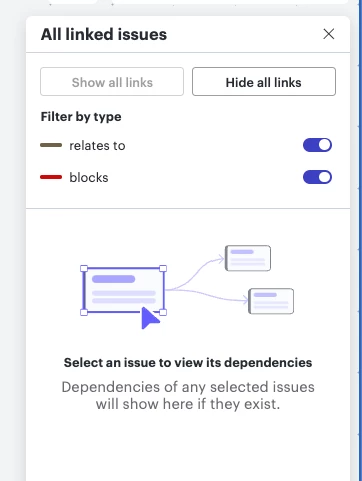
You can also use the “Filter by type” to turn off lines of a specific type if you’d like to focus on a specific issue link type.
Turn on / off lines for a specific card:
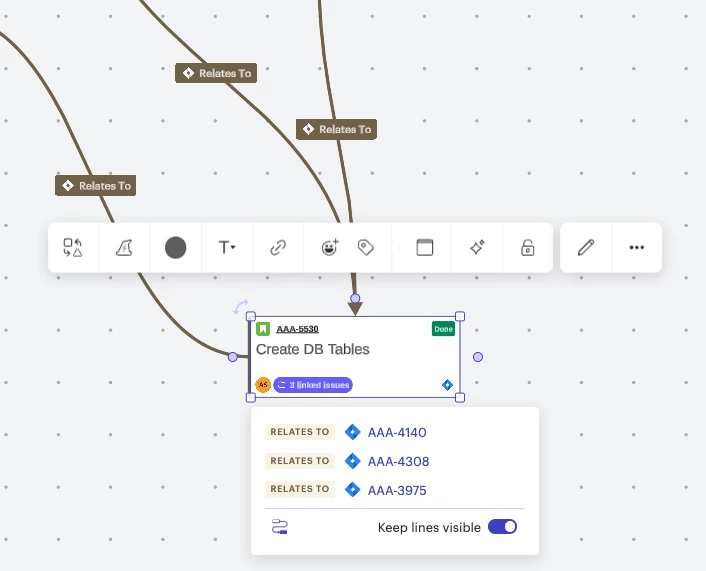
Thank you for sharing your experience with this feature with us! I’m the Product Manager over the dependency mapping and Jira integration features and would love any additional feedback you have to share with us. Feel free to respond in this thread or to private message me.
Thanks,
Spencer Cowley
A Lucid or airfocus account is required to interact with the Community, and your participation is subject to the Supplemental Lucid Community Terms. You may not participate in the Community if you are under 18. You will be redirected to the Lucid or airfocus app to log in.
A Lucid or airfocus account is required to interact with the Community, and your participation is subject to the Supplemental Lucid Community Terms. You may not participate in the Community if you are under 18. You will be redirected to the Lucid or airfocus app to log in.
Enter your E-mail address. We'll send you an e-mail with instructions to reset your password.






 Your privacy choices


