Answer

Cannot reorder formula icons in LucidChart

  • October 14, 2024
  • 5 replies
  • 29 views

Forum|alt.badge.img+3

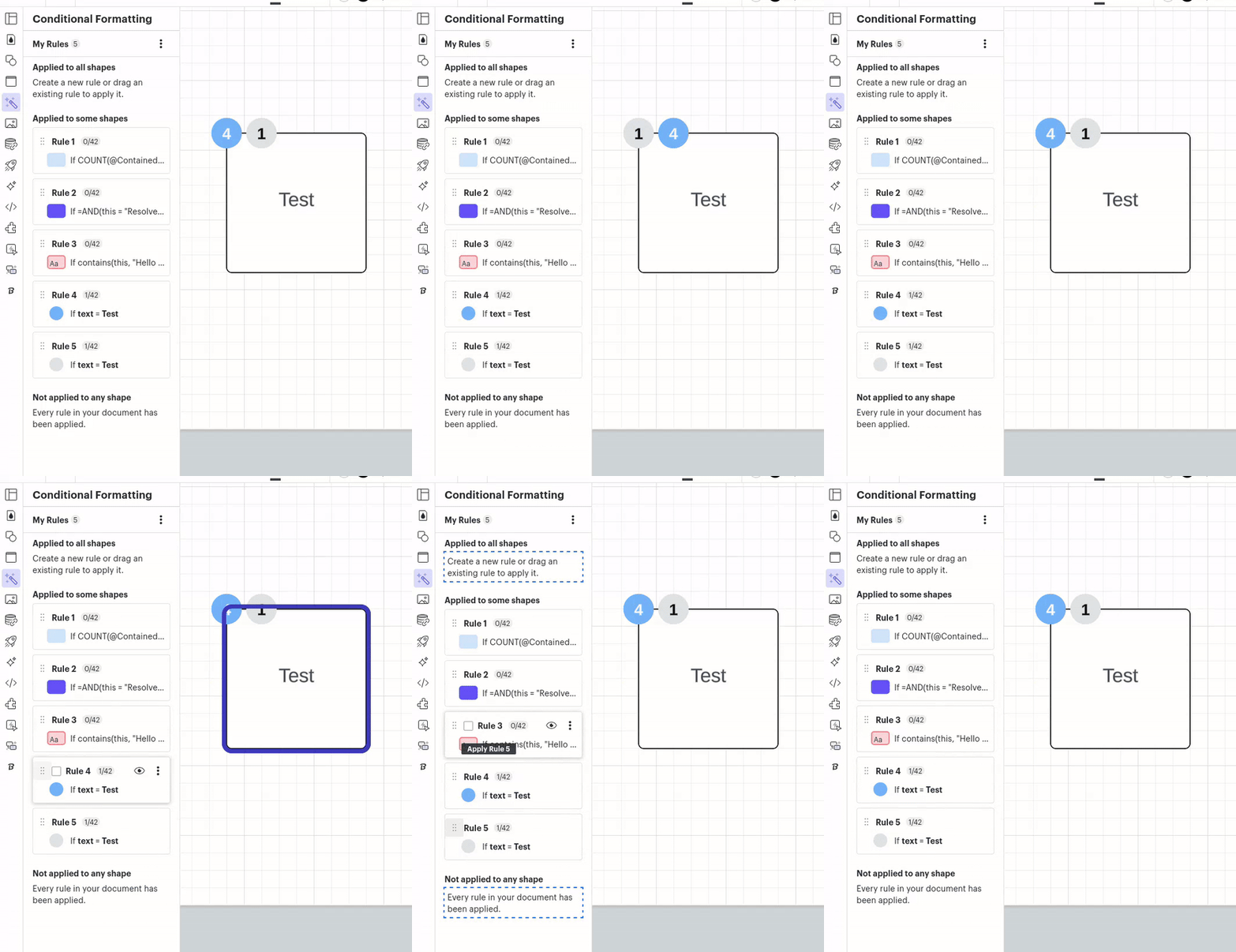
Cannot reorder formula icons in LucidChart. So, I made icons to count how many tickets are in a frame and to sum up the story points. I want them to appear in the same (top left) location, one after the other. Always the newest icon (2) appears first (before 1). It looks like I should be able to change the order with the drag and drop in the wand dialog but it never works.

(2)(1)

Best answer by Amelia W

Hi @Shawn Giese, thank you for trying those steps, I apologize for the continued trouble. Can you please share a temporary Support PIN for this document? This will allow me to take a closer look at the issue you’re experiencing. For more information on generating a Support PIN, check out this Help Center article.

Comments

Amelia W
Forum|alt.badge.img+9
  • Lucid support team
  • October 14, 2024

Hi @Shawn Giese, thanks for posting in the Lucid Community! Can you please provide a screenshot of what you are seeing to help me better understand your question? I appreciate your help and patience!


Forum|alt.badge.img+3
  • Author
  • October 16, 2024

So I wanted to show the gray one first and I thought I could just reorder in the area where I made the text icons but it does not appear to work.


Amelia W
Forum|alt.badge.img+9
  • Lucid support team
  • October 16, 2024

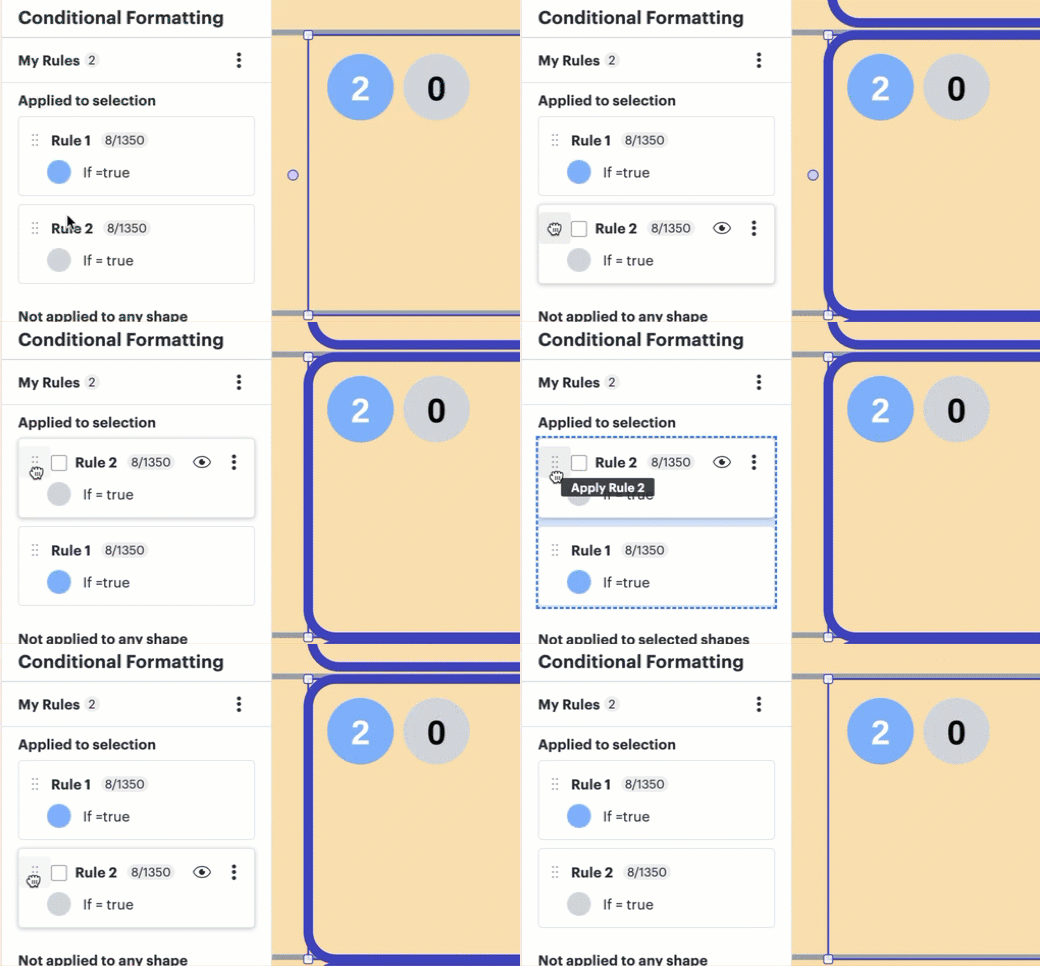
Hi @Shawn Giese, thanks for providing that screenshot! Can you please provide the formula you are using to order these icons? Additionally, if you are using conditional formatting rules, it’s worthing noting that your specific shape will need to be selecting when you reorder your rules to adjust they order they are shown in. (see example below)

If the shape is not selected and you reorder the rules, the icons are not reordered. Please let me know if you have any further questions!


Forum|alt.badge.img+3
  • Author
  • October 17, 2024

Does not work for me. 


Amelia W
Forum|alt.badge.img+9
  • Lucid support team
  • Answer
  • October 17, 2024

Hi @Shawn Giese, thank you for trying those steps, I apologize for the continued trouble. Can you please share a temporary Support PIN for this document? This will allow me to take a closer look at the issue you’re experiencing. For more information on generating a Support PIN, check out this Help Center article.