
Solved

custom chape change default line

  • October 1, 2024
  • 2 replies
  • 33 views

Forum|alt.badge.img+1

Hello 


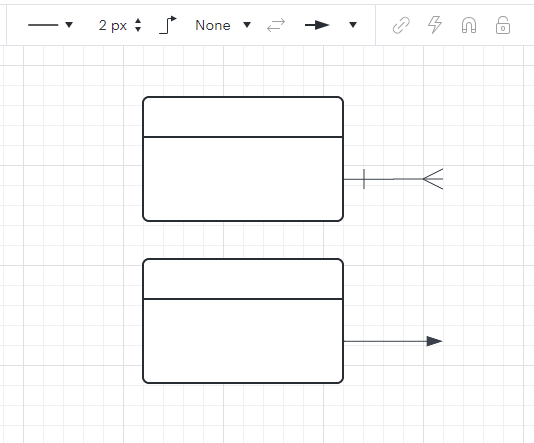
In the expanded shapes library, I saw a shape I want to use. Within Lucidcharts, that shape has a purpose. I want to use this shape for a completely different one. There seems to be a default line style associated with this shape. I want to change it but using the set default style button doesn't work. 

I have also tried adding this shape as a ‘custom shape’ but the original purpose of the original shape remains. Can anyone help me? 

The original shape is: Enity Relationship > Enity
At the top, you can see the linked line style. 
At the bottom is what I would like to have. 
 

Thanks in advance
Best answer by Humas1985

Hi @Annelies_VA 

Can you take a look at this comment and see if this clarifies.

Setting the default line type in Lucidchart (curved, straight, orthogonal) | Community


We also look forward to hearing from other community members and associates, who may have alternative suggestions that could better address your requirements.

Hope this helps - Happy to help further!!
Thank you very much and have a great one!
Warm regards

Comments

Humas1985
Lucid Legend Level 10
Forum|alt.badge.img+24
  • Lucid Legend Level 10
  • Answer
  • October 1, 2024

Hi @Annelies_VA 

Can you take a look at this comment and see if this clarifies.

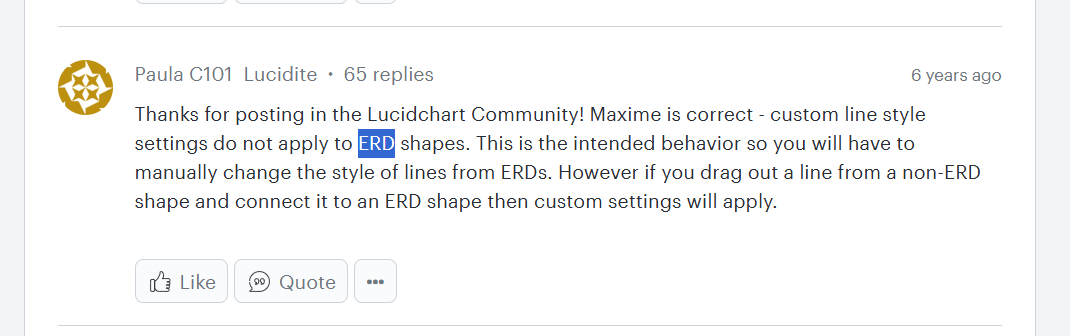
Setting the default line type in Lucidchart (curved, straight, orthogonal) | Community


We also look forward to hearing from other community members and associates, who may have alternative suggestions that could better address your requirements.

Hope this helps - Happy to help further!!
Thank you very much and have a great one!
Warm regards


Forum|alt.badge.img+1
  • Author
  • October 3, 2024
Hi Yes, it explains why it doesn't work. Unfortunately, the workaround no longer works.

Thank you for your time. 


Kind regards



