

Using Lucid to create engaging Asynchronous Online Courses
Teaching in an asynchronous online environment often feels like shouting into the void: video lectures go unwatched, discussion boards dissolve into rigid, performative "I agree with your point" posts, and students navigate course material in total isolation. Without the natural spark of real-time classroom dynamics it becomes difficult to hold student attention and foster a genuine active learning environment.
Many instructors are turning to digital engagement tools to replicate the learning spark experienced in face-to-face synchronous classes. By integrating dynamic visual collaboration tools like Lucid, instructors can transform passive, solitary coursework into vibrant, interactive learning hubs where students map out complex concepts, collaborate on shared whiteboards, and visually track their own progress at their own pace.
Let’s start off with a couple tips to help you set this up in an asynchronous course, then we’ll take a look a few specific examples.
Engaging Assignments
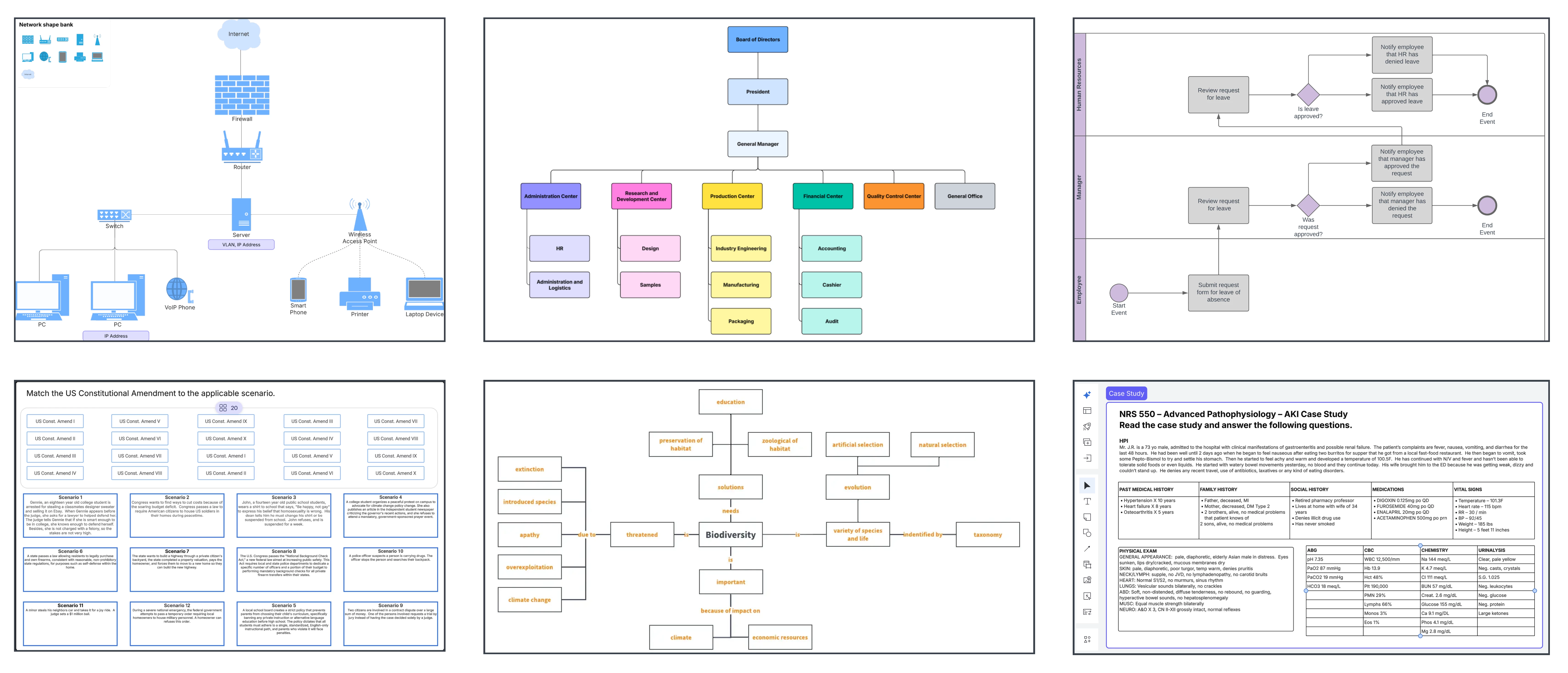
Many instructors are using hands-on Lucid activities to bridge the gap between classroom theory and real-world application. These immersive experiences cultivate critical thinking, adaptiveness, and skills that endure far beyond the classroom. Take a look at a few examples.
- Lisa gives students a chance to apply their learning to real life scenarios in History 101
- Dr. Kirsch gives students practical, hands-on learning experiences with process mapping
- Dr. Samuel helps students develop transferable skills to their future careers
- Baron helps students apply theoretical knowledge to real-world application
- Help students break down complex concepts with Facilitating interactive case studies
Interactive Online Presentations
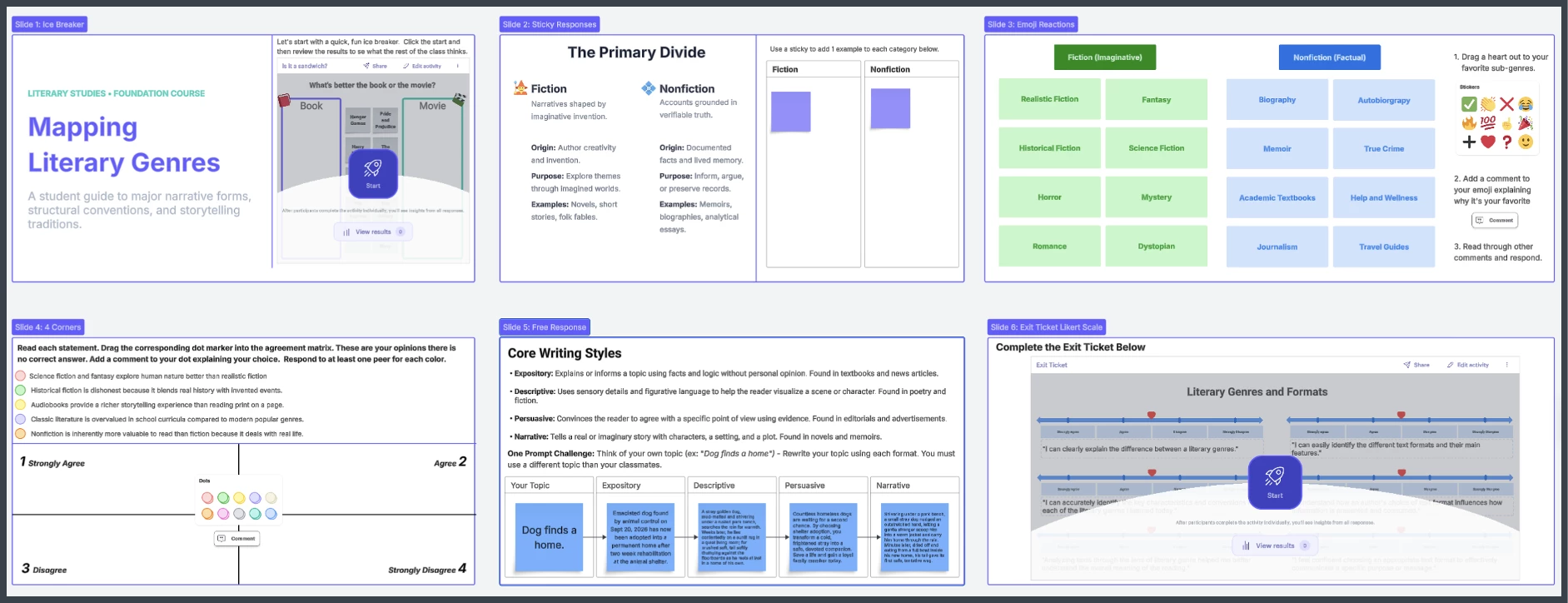
In this second example, the instructor wanted to incorporate engagement opportunities during their asynchronous online content presentations.
- Review the view-only completed example
- Open and customize the template
- Embed in Canvas and direct students to the Table of Contents for navigation
Structured Discussion Boards
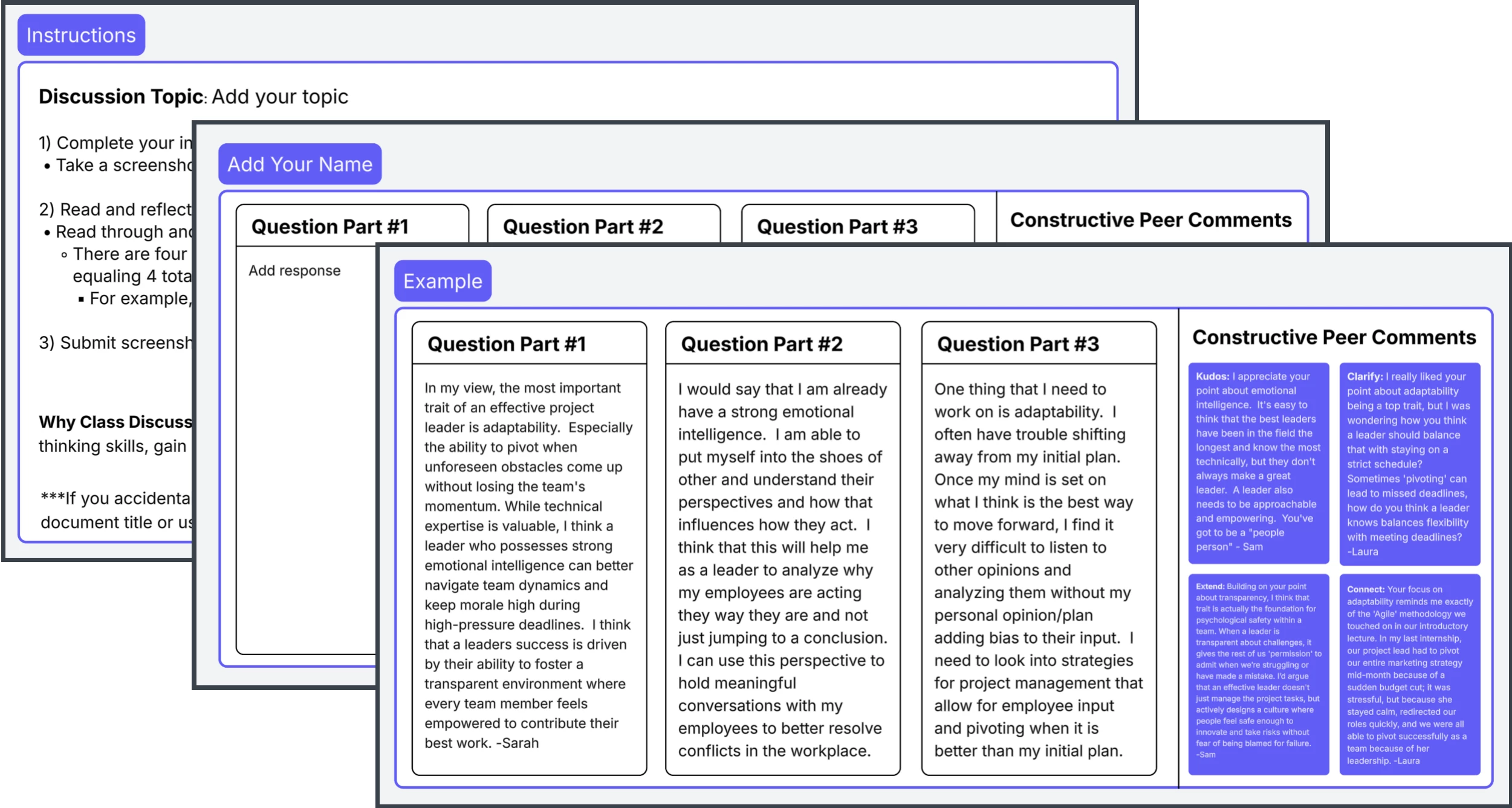
In this third example, the instructor wanted to encourage authentic-feeling discussions in their asynchronous course. A well organized and structured activity was the solution. Review these tips for setting up successful asynchronous discussions.
- Incorporate detailed instructions and expectations
- Create an organized response board
- Share a completed high quality example
- Provide specific prompts for peer-to-peer commenting
Incorporate Some Fun
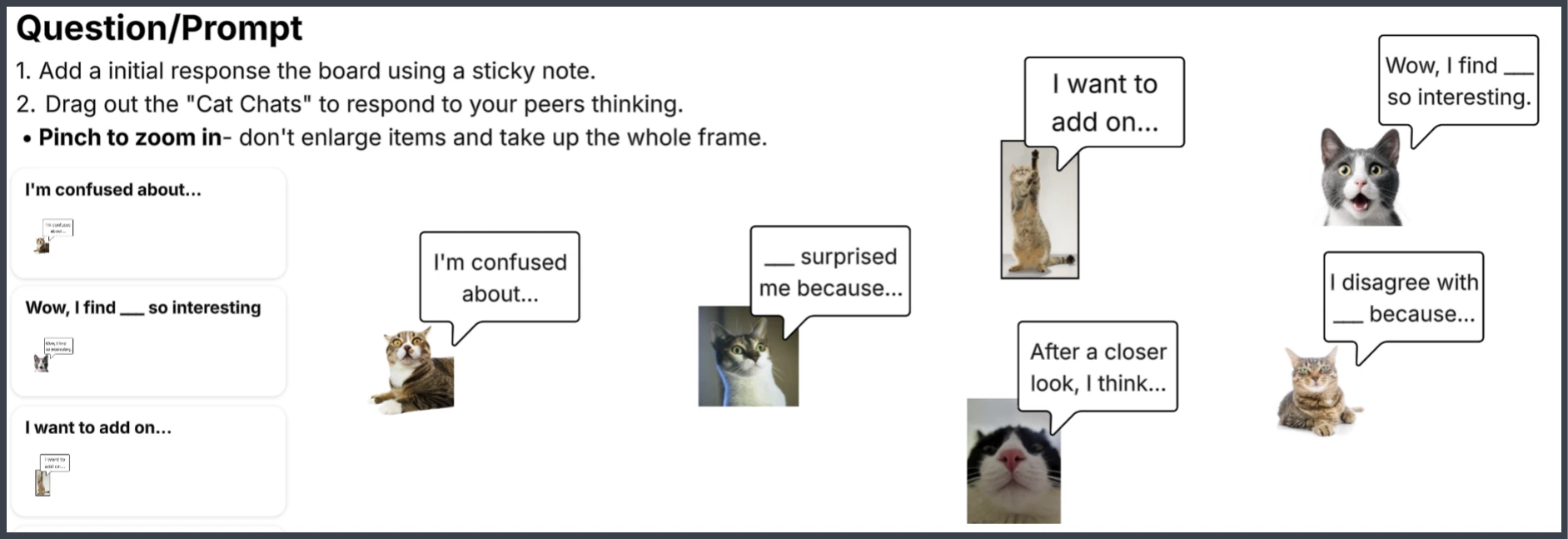
In this fourth example, the instructor wanted to avoid boring online discussions that feel like a checkbox instead of an engaging, meaningful learning activity. Injecting some humor turned their discussions into something students actually wanted to do. Follow these simple steps.
- Incorporate funny reaction images and gifs
- Encourage short, thoughtful comments
- Provide purposeful prompts that deepen student thinking
Got a great way to use Lucid asynchronously? Don't keep it to yourself!
💡 Drop your favorite tips, tricks, or examples in the comments below to help fellow instructors boost student engagement when teaching async. What's worked best in your course?
 Your privacy choices


