Answer

My first API call - all keys are 'view only' - 403 response

  • February 10, 2025
  • 8 replies
  • 96 views

Forum|alt.badge.img+5

I have followed the instructions here
https://lucid.readme.io/reference/obtaining-an-access-token
and here
https://lucid.readme.io/docs/api-keys


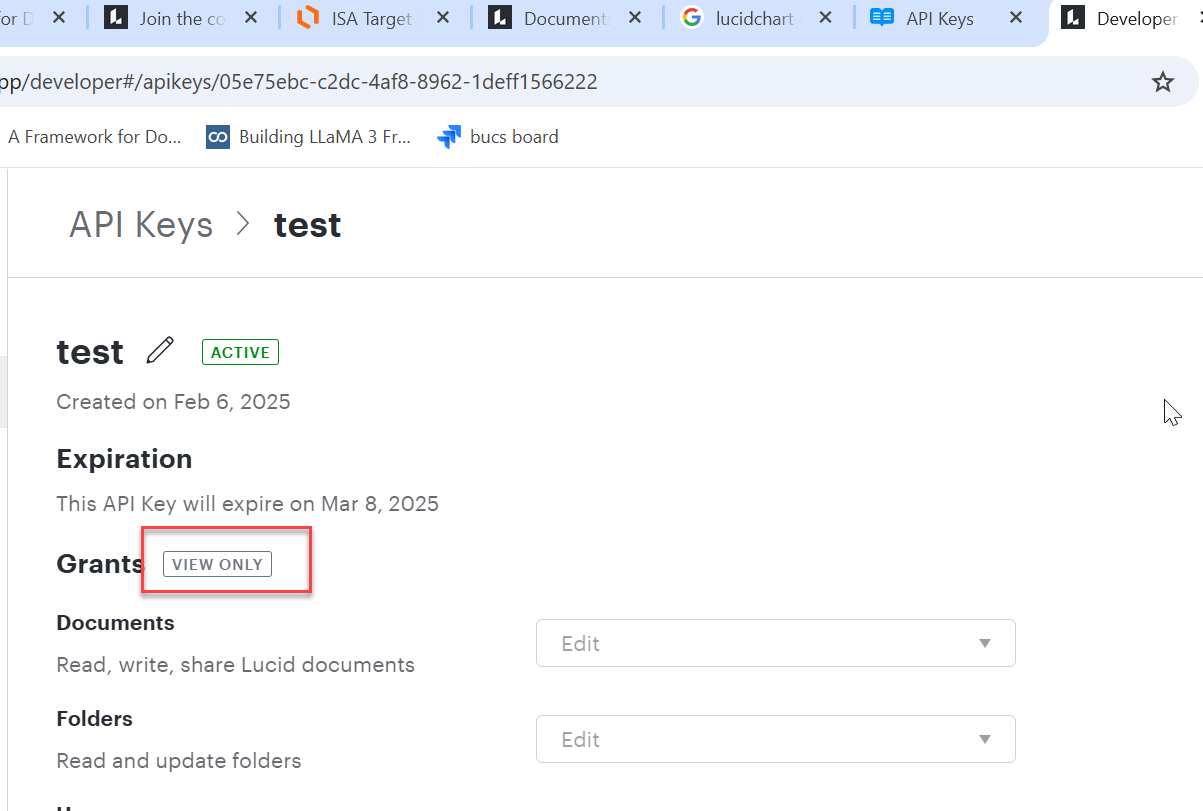
but it is not working.  I keep geting a 403 unauthorized error.  There is also something on the apikey page saying ‘view only’.  This ‘view only’ is not mentioned in any instructions.  I have tried searching for this ‘view only’ issue but have not found any matches.  

Ps. I can read using the API, but cannot write/create.

Anyone have any ideas?


Best answer by Michael B

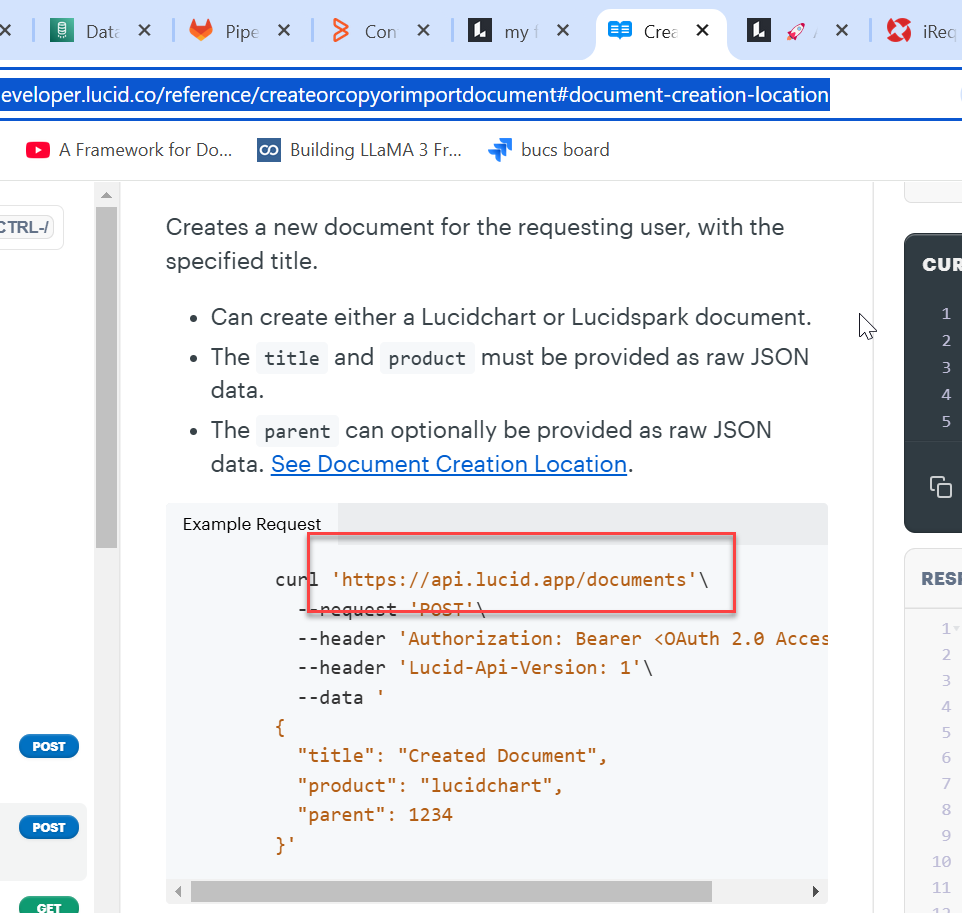
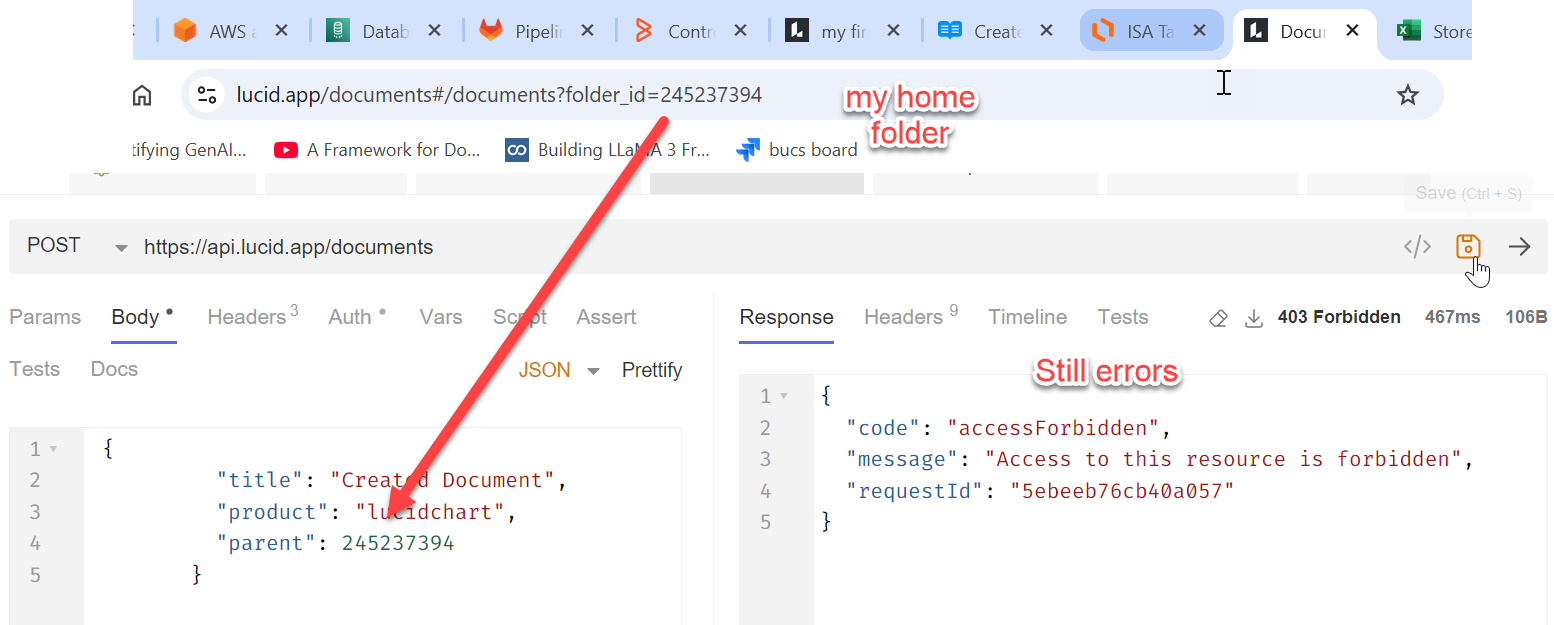
I think I figured it out. The `parent` field corresponds to which folder you want the document to be created in, but you do not have write access to `folderId 1234` (or it doesn’t exist). Remove that parameter or change it to a folder on your account.


I notice the domain is `api.lucid.app`. I believe that works, but technically should be `api.lucid.co`.  Is that taken directly from our tutorial, or did you type it manually? (Just in case we need to update something somewhere).

Comments

Michael B
Forum|alt.badge.img+4
  • Lucid product team
  • February 10, 2025

Hello johntejik,


The `view only` you are seeing on the API Key details page is intended to indicate that the permissions of the key can not be modified once the key is created.


In that screenshot we can see that the key has `write` permissions for documents and folders. If you can provide the request the you are making which is unexpectedly returning a 403, we may be able to help identify why.


Forum|alt.badge.img+5
  • Author
  • February 10, 2025

I am using the example request in the tutorial

curl --request POST \
  --url https://api.lucid.app/documents \
  --header 'accept: application/json' \
  --header 'authorization: Bearer key-<masked>' \
  --header 'content-type: application/json' \
  --header 'lucid-api-version: 1' \
  --data ' {
          "title": "Created Document",
          "product": "lucidchart",
          "parent": 1234
        }'


Michael B
Forum|alt.badge.img+4
  • Lucid product team
  • Answer
  • February 10, 2025

I think I figured it out. The `parent` field corresponds to which folder you want the document to be created in, but you do not have write access to `folderId 1234` (or it doesn’t exist). Remove that parameter or change it to a folder on your account.


I notice the domain is `api.lucid.app`. I believe that works, but technically should be `api.lucid.co`.  Is that taken directly from our tutorial, or did you type it manually? (Just in case we need to update something somewhere).


Forum|alt.badge.img+5
  • Author
  • February 10, 2025

Michael B
Forum|alt.badge.img+4
  • Lucid product team
  • February 10, 2025

Thanks, I’l get this updated to have the correct domain and not include the optional parent parameter.


Forum|alt.badge.img+5
  • Author
  • February 10, 2025

I have tried setting the parent folder to be my main folder, same results


Forum|alt.badge.img+5
  • Author
  • February 10, 2025

removing the ‘parent’ parameter worked.  Thank you!


Forum|alt.badge.img+5
  • Author
  • February 12, 2025

I also suggest moving that ‘view only’ to somewhere other than right next to ‘grants’, or better yet, remove it completely.  If there’s no ‘edit’ button, users assume its view only.