Idea

Visible tags on sticky notes in Lucidspark

Related products:Lucidspark
  • April 1, 2024
  • 12 replies
  • 112 views

Forum|alt.badge.img+13

Hello.

In Lucidspark when we create and name a tag it always reverts back to a pill-shaped icon. Without tapping on the pill-shaped icon there is no way to know what we typed. To make matters worse there are only twelve tag colors to choose from. So after that twelfth tag then overlap begins. Without seeing what name we gave to a coloured tag we don’t know which one is which. 
Miro and Mural have their tag feature visible on objects all the time. I am looking for the same thing. Perhaps we could toggle on/off tag visibility just like we can with the “Show Authors” toggle option.

Thank you for your time. Bye. 

April 21, 2025

Hi ​@PiotrMadej

Thank you for the reply! There are currently no updates on this feature request at the moment. For more information on how Lucid manages feedback via this community, take a look at this post:


Comments

Preston H
Forum|alt.badge.img+2
  • Lucid product team
  • April 1, 2024

Thank you for your feedback Patrick! We will take note of this


Forum|alt.badge.img+13

Without using any additional features in Lucidspark if we have twelve sticky notes on a board and assign one tag with a different color to each one then sit back and not touch our keyboard we have no idea what each one says just by looking at them. That’s the issue. By making them visible we can sit back and look at our tags and see the text name we assigned to each one without using any additional features like the sort feature or the dynamic table feature. 


Forum|alt.badge.img+13

A show/hide option for tags would be useful. That way the user gets to choose if they want the tags to automatically change to pill shaped icon or remain open to show the tag text everytime they add a new one. 


Forum|alt.badge.img+13

There is no way to know what these tags say when scrolling around the board. There should be an option to leave the tags open so the text is visible. There is only twelve colors to work with so I used two red tags- do they say the same text or different text? There is no way to know just by looking at it.


Forum|alt.badge.img+13

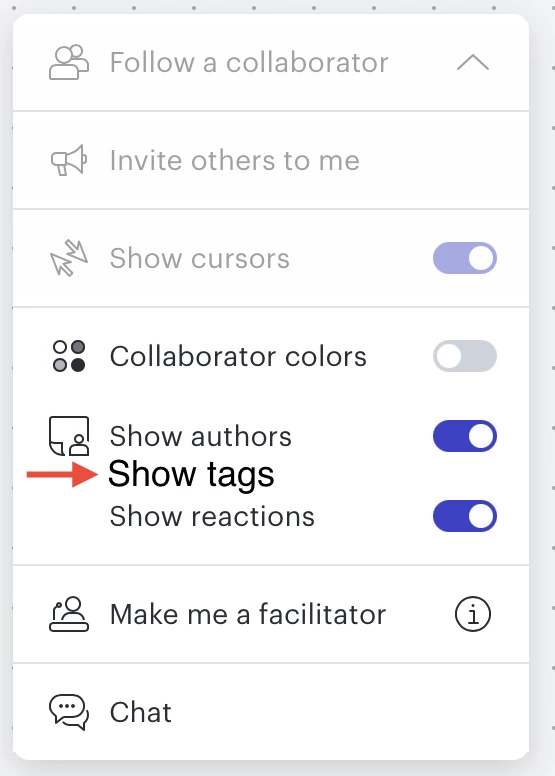
In Lucidspark there is a drop-down menu at the top with options to toggle on/off Collaborator colors, Show authors and Show reactions. What if there was a new option to toggle on/off called Show tags? That way we can see what the tags say for the entire board especially when we use duplicate colors.


Micah
Forum|alt.badge.img+20
  • Lucid community team
  • July 26, 2024

@patrickpereira1988 These details are excellent! Appreciate you taking the time to let us know what would work best for you with this experience. 


Forum|alt.badge.img+13

What if you introduced a new Show Tags option in this menu that we could toggle on or off?


Micah
Forum|alt.badge.img+20
  • Lucid community team
  • August 26, 2024

@patrickpereira1988 Great suggestion!


Forum|alt.badge.img+13

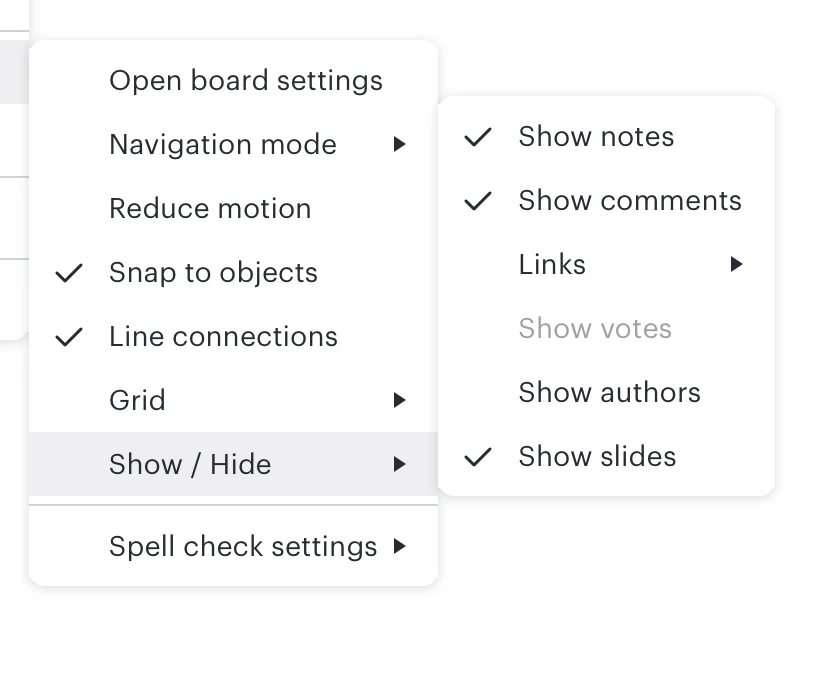
Here is another place to add “show tags”. 


Micah
Forum|alt.badge.img+20
  • Lucid community team
  • October 28, 2024

@patrickpereira1988 Thanks for the additional idea!


Forum|alt.badge.img
  • April 17, 2025

Any updates on this one Lucid team please?


Kelsey Gaag
Forum|alt.badge.img+16
  • Lucidite
  • April 21, 2025

Hi ​@PiotrMadej

Thank you for the reply! There are currently no updates on this feature request at the moment. For more information on how Lucid manages feedback via this community, take a look at this post: