
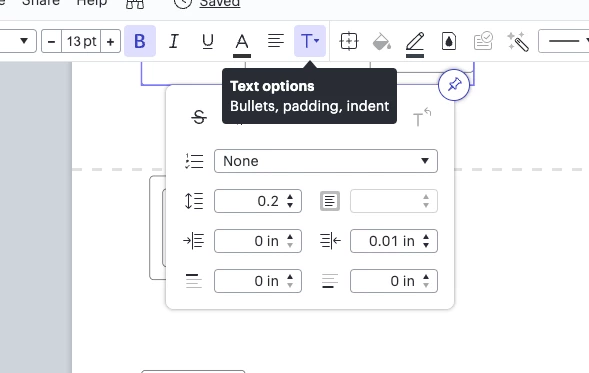
After much searching I finally found the answer to my question "If you are adding a text label by double-clicking on a line however the padding feature does not apply. If you would like to use the padding feature with a text label you will have to create the label by dragging out a shape from the toolbox and placing it on the line." The process as described above is a workaround. This behavior (padding functionality) should also apply to those text labels added by double-clicking on a line.
Idea
Text padding on lines

This topic has been closed for replies.





Create an account in the community
A Lucid or airfocus account is required to interact with the Community, and your participation is subject to the Supplemental Lucid Community Terms. You may not participate in the Community if you are under 18. You will be redirected to the Lucid or airfocus app to log in.
Log in to the community
A Lucid or airfocus account is required to interact with the Community, and your participation is subject to the Supplemental Lucid Community Terms. You may not participate in the Community if you are under 18. You will be redirected to the Lucid or airfocus app to log in.
Log in with Lucid Log in with airfocus
or
Enter your E-mail address. We'll send you an e-mail with instructions to reset your password.
 Your privacy choices


