
Idea

Resize multiple rows in a table at once

Related products:Lucidchart
  • September 2, 2025
  • 3 replies
  • 23 views

CHTR_JRB_CO
Forum|alt.badge.img

I found this old post:

I wanted to see how I can bump/push this into an official feature request for Lucid.  

There should be a way to resize all rows (ideally it would be a “resize rows to content” feature) in a table with existing data.  today each row is independent and hard to make them the same and look good.

September 4, 2025

Hi ​@CHTR_JRB_CO, thanks for this idea!

We encourage anyone else who’s interested in this to upvote this post and share any additional details about your use case or what you’d like to see in this experience. For more information about how we manage feedback in this community, please take a look at this post:


Comments

Ambar D
Forum|alt.badge.img+12
  • Lucid community team
  • September 4, 2025

Hi ​@CHTR_JRB_CO, thanks for this idea!

We encourage anyone else who’s interested in this to upvote this post and share any additional details about your use case or what you’d like to see in this experience. For more information about how we manage feedback in this community, please take a look at this post:


Forum|alt.badge.img+1
  • May 5, 2026

I can’t even get the width of my table to go bigger - its incredibly frustrating software


Ambar D
Forum|alt.badge.img+12
  • Lucid community team
  • May 5, 2026

Hi ​@lauraaa, thanks for adding to this thread! I’m sorry you’re running to trouble with this but I’m happy to help.

We actually have multiple different types of tables in Lucid, and they may behave differently depending on what it is that you’re trying to accomplish! Since this is a bit of an older post, I’d love to dig into your particular problem to see if there’s something we can do to help you edit the width. Would you mind clarifying what type of table you’re using? 

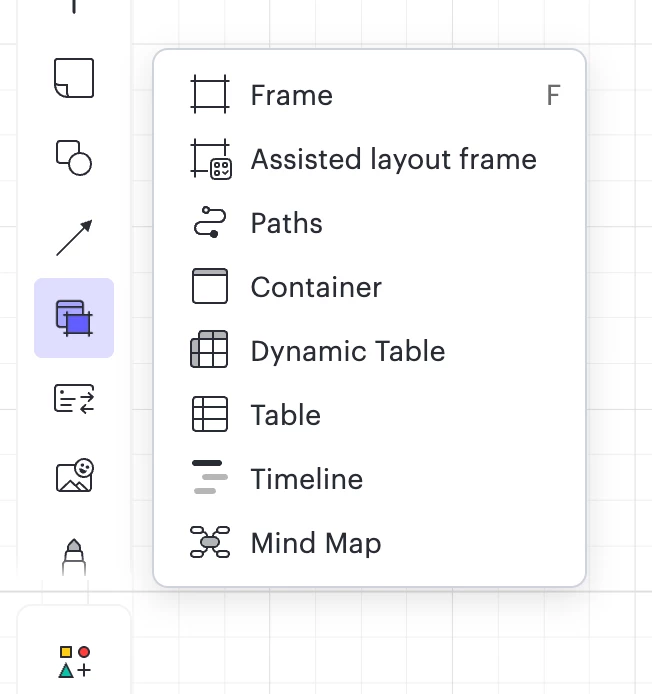
Are you in Lucidspark using the Dyanmic Table or Table shape from the menu shown below?

Lucidspark menu showing dynamic table and table option


Or are you using the Smart Table or Tables shape libraries from Lucidchart?

Lucidchart menu with two different shape libraries with tables