Idea

Polyline drawing tool in Lucid

Related products:Lucidchart
  • August 22, 2025
  • 2 replies
  • 39 views

Forum|alt.badge.img+2

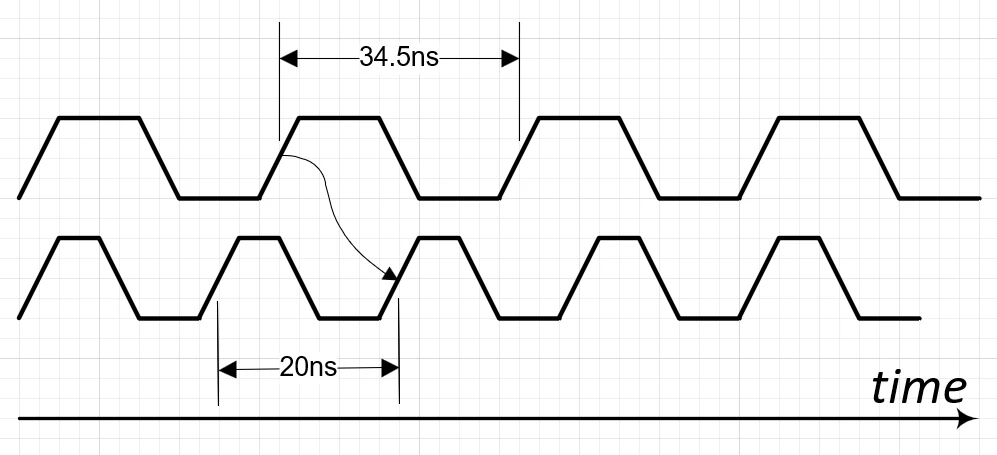
Currently, Lucid only allows drawing one independent line segment. Drawing more complex objects and shapes usually requires polyline, i.e. the drawing where one segment may be immediately linked to another segment to draw waveforms, open and closed polygons and such. The created polyline shall be referenced as a single object, i.e. its area shall be resizable horizontally or vertically with or without preserving aspect ratio. The knee points shall be editable after polyline was created. The segments of polyline shall be made editable, or may be locked to preserve aspect ratio and angular dimensions.

The knee points (vertices) of polyline should be also the anchors to snap for dimensioning tool. 

See how it works in Visio and many popular CAD system.  

August 22, 2025

Hi, thanks for this idea! We encourage anyone else who’s interested in this to upvote this post and share any additional details about your use case or what you’d like to see in this experience. For more information about how we manage feedback in this community, please take a look at this post:


Comments

Forum|alt.badge.img+2
  • Author
  • August 22, 2025


Kelsey Gaag
Forum|alt.badge.img+16
  • Lucidite
  • August 22, 2025

Hi, thanks for this idea! We encourage anyone else who’s interested in this to upvote this post and share any additional details about your use case or what you’d like to see in this experience. For more information about how we manage feedback in this community, please take a look at this post: