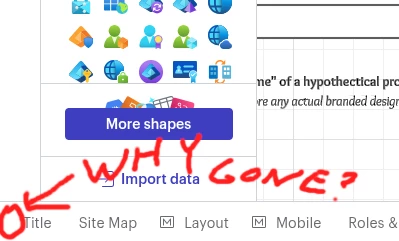
There used to be a quick way to list all the tabs in a LucidChart document on the bottom left, and jump to them, but something changed and now the button is gone!
How do I quickly jump to a specific tab in a document without having to horizontally scroll through them all? That was a great feature and now it’s gone! It was awesome for navigation!
Hi @nrichards, thank you for adding to this thread with your feedback!
I am converting this post into an idea post within the Product Feedback section of this community. From there, other users can easily see your feedback on this topic, upvote the post and add their comments to the thread. It’ll also be more visible to our product teams.
I apologize for the frustration here. We’ve shared this feedback directly with our product team and as Shantel mentioned, the list view of pages has been re-introduced in the footer.
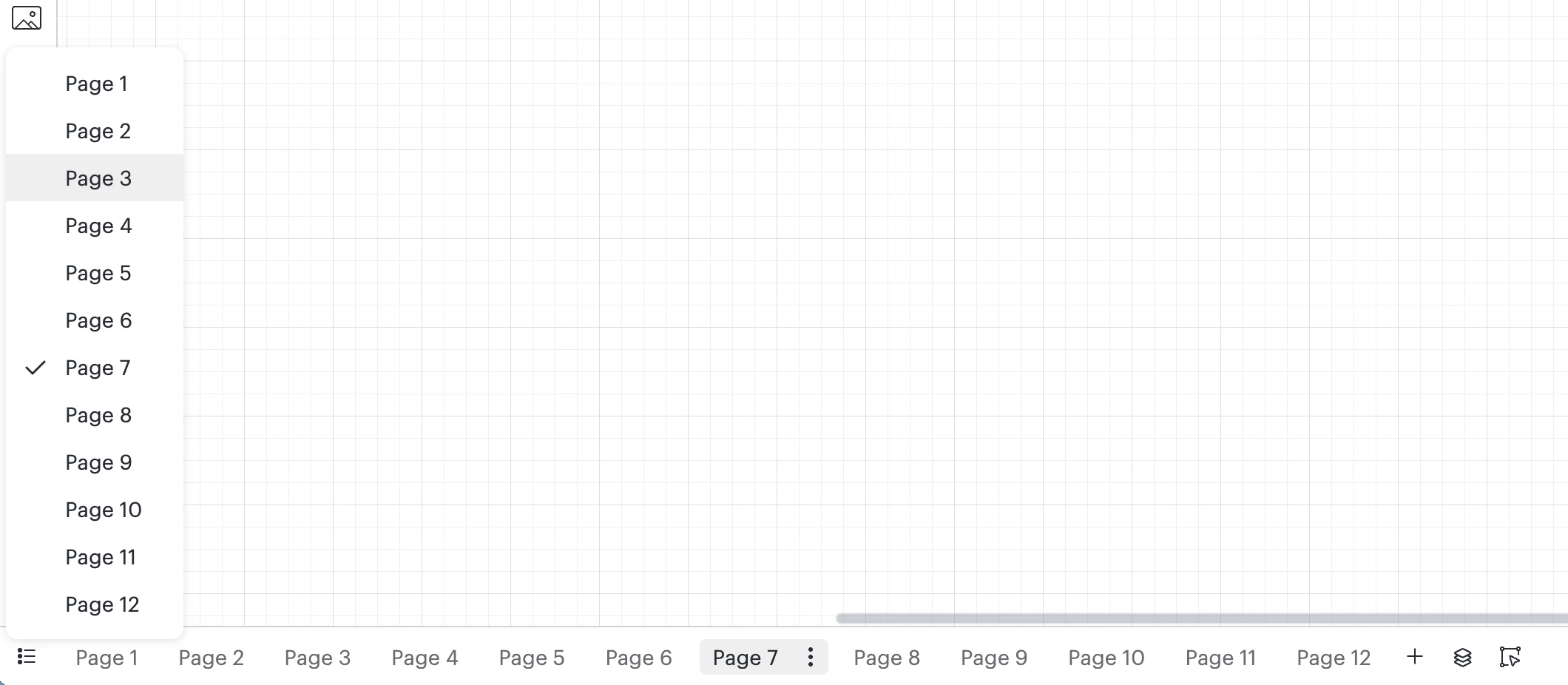
This still looks a bit different than before, but in the bottom-left portion of the footer in Lucidchart, you can select the list view as shown below. I hope this helps with page navigation!
As always, we still encourage and welcome your feedback on this feature!
If you’d like, please continue to let us know what you think in this thread. Each of your comments is extremely valuable to our product team as they continue to work on product enhancements.
Thank you for reaching out. We recently updated the footer in Lucidchart, and as a result, we removed the list and grid views for pages. This change was part of a larger effort to simplify the interface and make the most used features easier to find.
While those specific views are no longer available, you can now access page navigation from the left side of the footer.
We're still updating our help center to reflect these changes, but we hope this information helps.
This feature is essential for teams managing complex documents with multiple tabs and collaborators. Please consider reinstating the thumbnail view that displays all tabs within a document — it was a critical part of our workflow and significantly improved navigation and visibility across pages.
Hi @nrichards, thank you for adding to this thread with your feedback!
I am converting this post into an idea post within the Product Feedback section of this community. From there, other users can easily see your feedback on this topic, upvote the post and add their comments to the thread. It’ll also be more visible to our product teams.
I apologize for the frustration here. We’ve shared this feedback directly with our product team and as Shantel mentioned, the list view of pages has been re-introduced in the footer.
This still looks a bit different than before, but in the bottom-left portion of the footer in Lucidchart, you can select the list view as shown below. I hope this helps with page navigation!
As always, we still encourage and welcome your feedback on this feature!
If you’d like, please continue to let us know what you think in this thread. Each of your comments is extremely valuable to our product team as they continue to work on product enhancements.
A Lucid or airfocus account is required to interact with the Community, and your participation is subject to the
Supplemental Lucid Community Terms.
You may not participate in the Community if you are under 18. You will be redirected to the Lucid or airfocus app to log in.
A Lucid or airfocus account is required to interact with the Community, and your participation is subject to the
Supplemental Lucid Community Terms.
You may not participate in the Community if you are under 18. You will be redirected to the Lucid or airfocus app to log in.






 Your privacy choices


