Idea

How to show lines of overlapping shapes?

  • June 4, 2025
  • 1 reply
  • 18 views

Forum|alt.badge.img

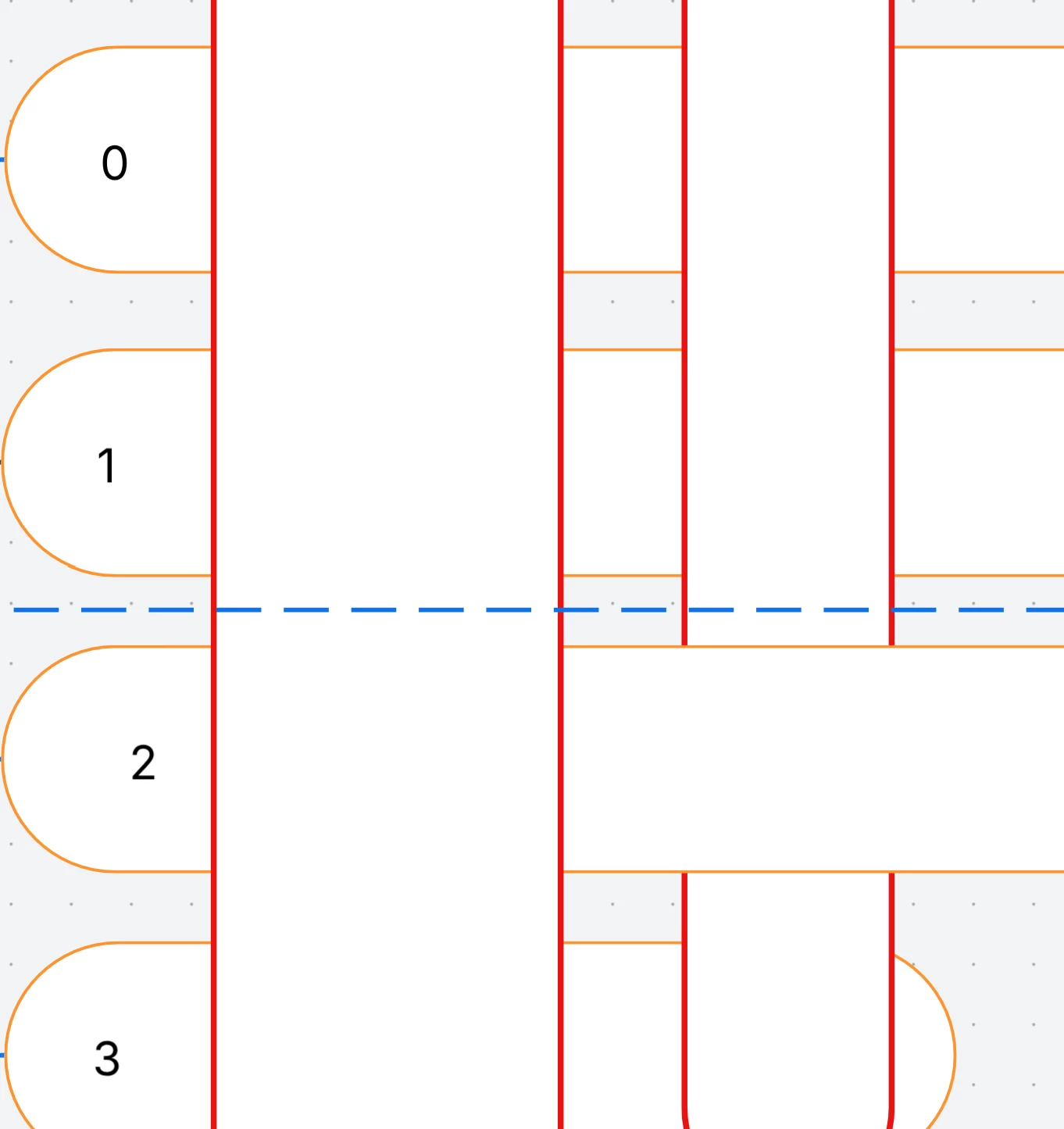
When two shapes are overlapping, how can I show both at the same time with dotted (hidden) lines? I can only find a way to display one on top of the other (via layers). I.e. keep shapes on the “same layer/level” and dot their outlines wherever they overlap.


June 6, 2025

Hi ​@DSch503, thanks for your post! While it’s possible to show overlapping lines, displaying outlines of overlapping shapes unfortunately isn’t currently supported in Lucid. The best workaround is to use layers to add the dotted lines as you’ve described. 

However, we’re very interested in your feedback and committed to continually improving our products. If you’re willing to share, we’d love to hear more details about your use case or what you’d like to see in this experience within this thread. I’ve also converted this post to an idea so that it’s visible to others within the Product Feedback section of the community - from here, they can upvote it and add details of their own.

Finally, for more information on how Lucid manages feedback via this community, take a look at this post:

Thank you for sharing your ideas and feedback in the community. Please let us know if you have any questions! 


Comments

Leianne C
Forum|alt.badge.img+15
  • Lucid support team
  • June 6, 2025

Hi ​@DSch503, thanks for your post! While it’s possible to show overlapping lines, displaying outlines of overlapping shapes unfortunately isn’t currently supported in Lucid. The best workaround is to use layers to add the dotted lines as you’ve described. 

However, we’re very interested in your feedback and committed to continually improving our products. If you’re willing to share, we’d love to hear more details about your use case or what you’d like to see in this experience within this thread. I’ve also converted this post to an idea so that it’s visible to others within the Product Feedback section of the community - from here, they can upvote it and add details of their own.

Finally, for more information on how Lucid manages feedback via this community, take a look at this post:

Thank you for sharing your ideas and feedback in the community. Please let us know if you have any questions!