Idea

How to make an object appear in more than one layer in Lucid?

Related products:Lucidchart
  • March 21, 2023
  • 7 replies
  • 456 views

Dave S101

Hello! I have a complex flow chart that two different groups of users need to refer to. There are several early steps in the flow chart that apply to both groups but otherwise the processes are separate. I would like to be able to create a layer for each of those user groups so that they can view only what is relevant to them. But I cannot find a way to have some objects (such as a decision node or starting point etc.) visible on both layers. It seems like they can only be made visible for one layer.

Is there a way to do this?

Comments

Micah
Forum|alt.badge.img+20
  • Lucid community team
  • March 21, 2023

Hi Dave thanks for posting in the Lucid Community! Currently adding a single object to more than one layer isn't currently supported in Lucidchart. However I definitely understand how this would be useful in the diagram you described above and I've logged your idea for review by our development team - they utilize ideas like these when prioritizing improvements to Lucidchart. If you'd like to share additional detail about what you'd like to see in an experience like this we'd love to hear further feedback in this thread or via the Product Feedback space in our community. Thanks for your request and apologies for any inconvenience. 

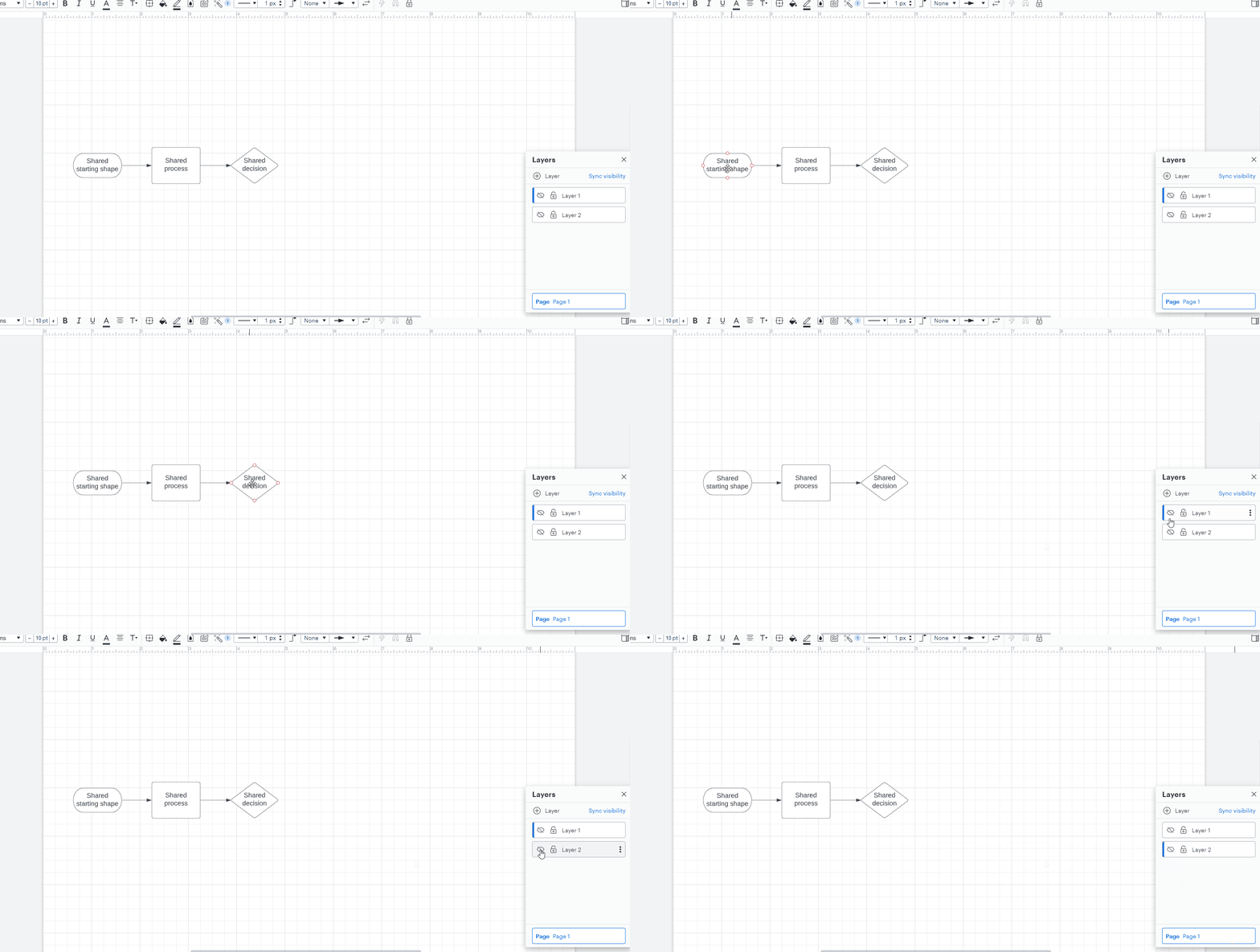
As a workaround could you add the shapes that are relevant to both user groups to the main page? This way they can view the main page + the layer that contains the specified information. I've demonstrated a simple example of this in the GIF below:

HuVRclERzozNxRXXZRZ8Zg.gif


Forum|alt.badge.img
  • December 5, 2023

I would like to add my vote for this functionality! :-)

The issue with having it on the main page only is that in some instances I need to display the information in more than one scenario, but not all, meaning I cannot leave it universally visible. 

The option to copy and paste is available, but that means I now have to edit multiple items if the process changes and the goal is to have single sourcing as the best practice.

Thanks!


Addie
Forum|alt.badge.img+23
  • December 5, 2023

Hi @Chris 7, thanks for posting your feedback in the community!

We appreciate the time you’ve taken to share your ideas with us! We have a new space you can post in where we are collecting feature ideas in the community: Product feedback. Here, you can post your idea, it can be upvoted, and the top requests will be looked at by our team! 

For more information on how our new feedback system works, please review this post:

Thanks so much for being a helpful contributor here in the Lucid Community! 


Forum|alt.badge.img
  • September 3, 2024

Hello!

This would be a really useful feature for highlighting subsystems within a system diagram.  Is there a noticeable way for me to “upvote” this?


Amelia W
Forum|alt.badge.img+9
  • Lucid support team
  • September 3, 2024

Hi @jtravis, thank for adding to this thread! I’ve converted this post to an idea so you and other users can now upvote it directly! It’s also now visible to others within the Product Feedback section of the community. For more information on how Lucid manages feedback via this community, take a look at this post:

We appreciate your feedback!


Forum|alt.badge.img
  • September 3, 2024

Oh wow, thanks for your fast response!


Amelia W
Forum|alt.badge.img+9
  • Lucid support team
  • September 3, 2024

@jtravis, Happy to help!