

How are you using Grid Layout? (formerly known as Assisted Layout)
Hello Lucid community members!
I am the product manager for the teams who developed our recent grid layout (formerly known as assisted layout) feature.
Grid layout makes it quick and easy to keep your canvas content organized. We do this by aligning shapes and automatically routing lines in a simplified grid-based layout:
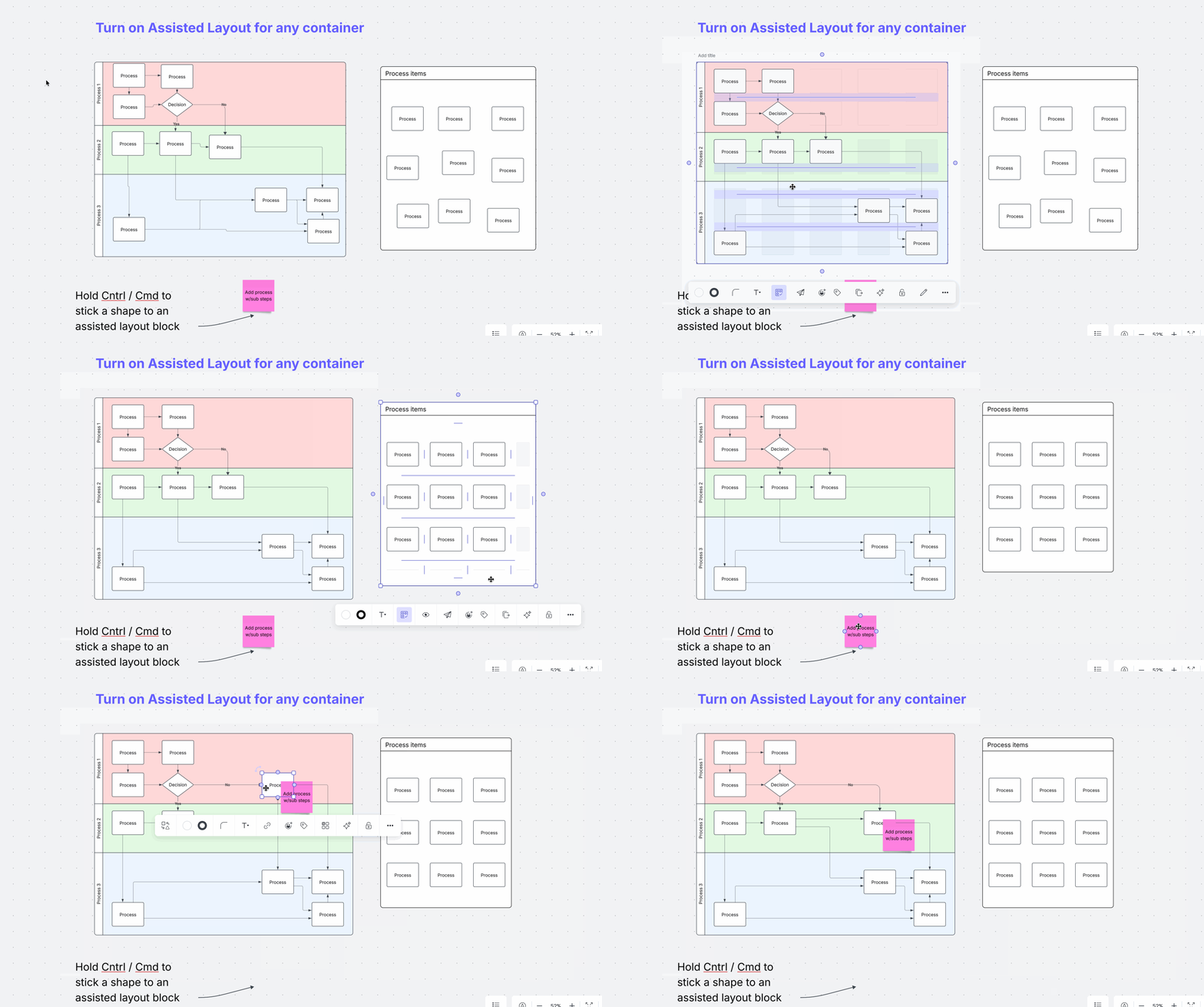
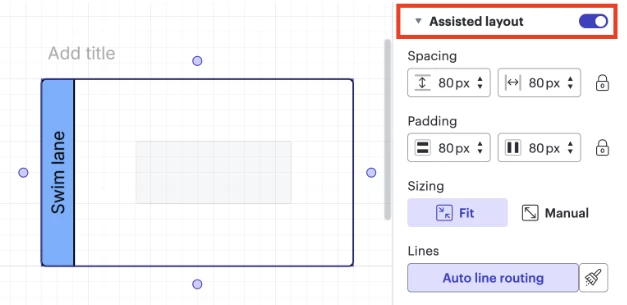
This feature is available through the ‘Grid Layout’ button shown in the bottom right corner of all Lucid container. You can also activate grid layout by:
- The contextual menu in Lucidspark
- The properties panel in Lucidchart
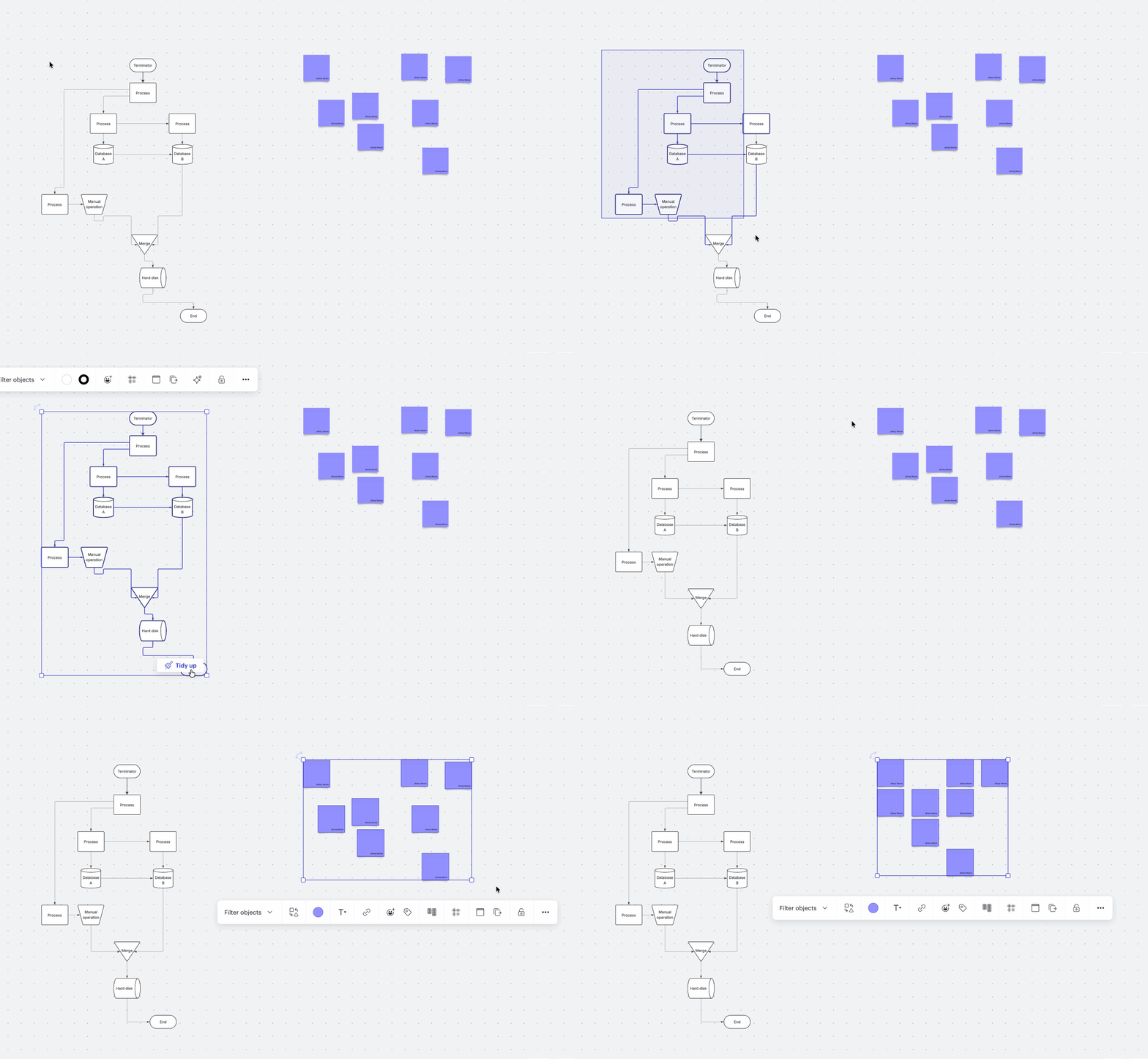
This feature also powers the ‘Tidy Up’ button you may have seen when making bulk selections on the canvas:
We would love to hear how you are using grid layout as part of your workflow, and the ways it can improve.
Goals
- Understand what tasks and jobs grid layout has the greatest impact
- Learn when people choose to use grid layout in their workflows
- Collect feedback on where grid layout can improve to better meet your needs
Some discussion starters
Where grid layout shines
🌎 I find grid layout most helpful for [specific task] because..." [fill in the specific diagramming or brainstorming task you do most, and how this feature simplifies it]
🌎 "I usually switch to grid layout at [this stage] of my workflow to…." [describe when in your process you move from messy ideas to organized structure, and why]
🌎 “I prefer using grid layout over manual alignment specifically when I am working on..." [mention a specific activity where auto-alignment provides more value than manual tweaking]
🌎 Grid layout has saved me the most time doing [tasks] because… [fill in which tasks this feature streamlines and why it’s valuable for you]
🌎 "The moment I realized grid layout was a game-changer was when I had to [action] and..." [share a specific 'aha' moment where the tool changed how you approach working]
🌎 "Grid layout makes [task] so much easier by..." [explain the specific feature capability that improves your work. Example: line routing, spacing, dropzones]
🌎 “As a [job title] I use grid layout all the time to…” [describe how the tool supports your specific professional role and responsibilities]
Where grid layout can improve
🌎 "I find myself turning grid layout off when I need to [action] because..." [identify the specific action or situation that the grid layout struggles to handle]
🌎 "I struggle to use this feature with [types of content or tasks] because….” [mention specific shapes or jobs types that don't seem to fit well within the current grid logic]
🌎 "It is difficult to find the grid layout tool because [reasons]."[provide feedback on the UI placement or the onboarding experience]
🌎 "I was confused when I tried to [task] and realized grid layout didn't support..." [outline any missing capabilities, like cell spanning or nesting, that you expected to see]
🌎 "I tried using the tool for [use case], but the organization didn't look right because..." [explain how grid layout failed to meet your aesthetic needs]
🌎 "I would use grid layout more often if...." [suggest any high-priority changes or requests that would make the tool more essential for you]
🌎 "I wish the layout engine was smarter about [feature] so I wouldn't have to manually..." [describe a specific adjustment you still have to make by hand after the tool runs]
 Your privacy choices


