


Lucidchart: The state indication when multiple items with different properties are selected is inaccurate/confusing and has led to many mistakes on my docs over the years. Standard UI app guidelines are that when multiple selected items have different properties – the shown definitions should blank-out, or are replaced by a horizontal line, so that you can visually tell that there are different settings applied to the multiple items. Samples:
Three fonts of different sizes/colors – but the settings (if I were to follow the typical way that apps work) indicate that they are all Inter, 10pt, and black (and in fact none of these three have that setting):
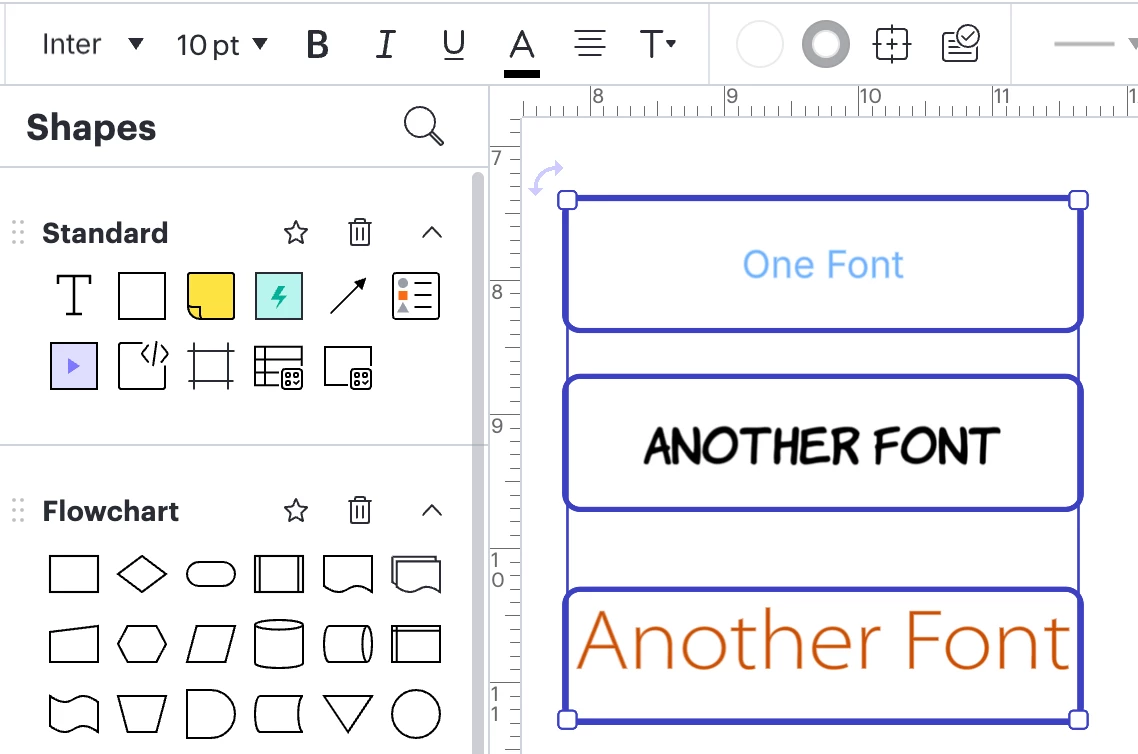
And then here are two selected lines – with the displayed settings indicating that they are black 6pt bent lines with a single arrow – and again, neither of these lines have that setting, let alone both:
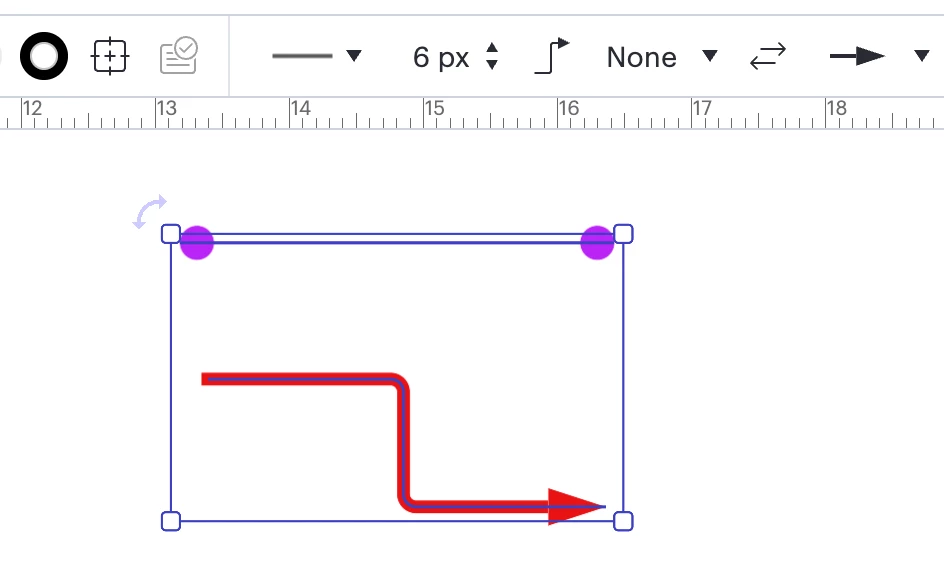
When the multiple items selected that are closer in style than my above more extreme samples – it is very confusing, because users are used to UI standards showing accurate setting information when multiple items are selected – so wrong assumptions can be made that the multiple selected items do in fact have the same settings.
This is a huge problem in my opinion, and I’ve been mentioning it for years to various folks on the Lucidchart teams. Is there any chance of getting values to blank-out or have a horiz line (or even the word “mixed”) indicating differing settings, the way pretty much all other apps do? Thanks for considering!


 Your privacy choices


