


Idea

Hide and freeze rows/columns in dynamic tables

Related products:Lucidspark
  • December 22, 2025
  • 1 reply
  • 51 views

Rickajr
Lucid Legend Level 4
Forum|alt.badge.img+11

Would like to be able to Hide (and UnHide) a row within a Dynamic Table. Another approach would be the ability to set a freeze line for headers (horizontally most important but vertically would be good as well) like one would do in Excel. Both solutions would be welcome because there may be times where you want to freeze the top rows as a header and then hide one or more rows of data.

Here’s the use case example - I have a dynamic table of epics from Jira and placed into rows by development team. The header is the sprints and the first row is important information about the release dates for each sprint.

When I discuss with each team, I’d like to hide the proceeding team rows so that I can display the header and the first row of release dates with each specific team’s row of epic data so that I don’t have to keep scrolling up to discuss dates and then back down to discuss epics when I’m zoom’d in to a data readability level.
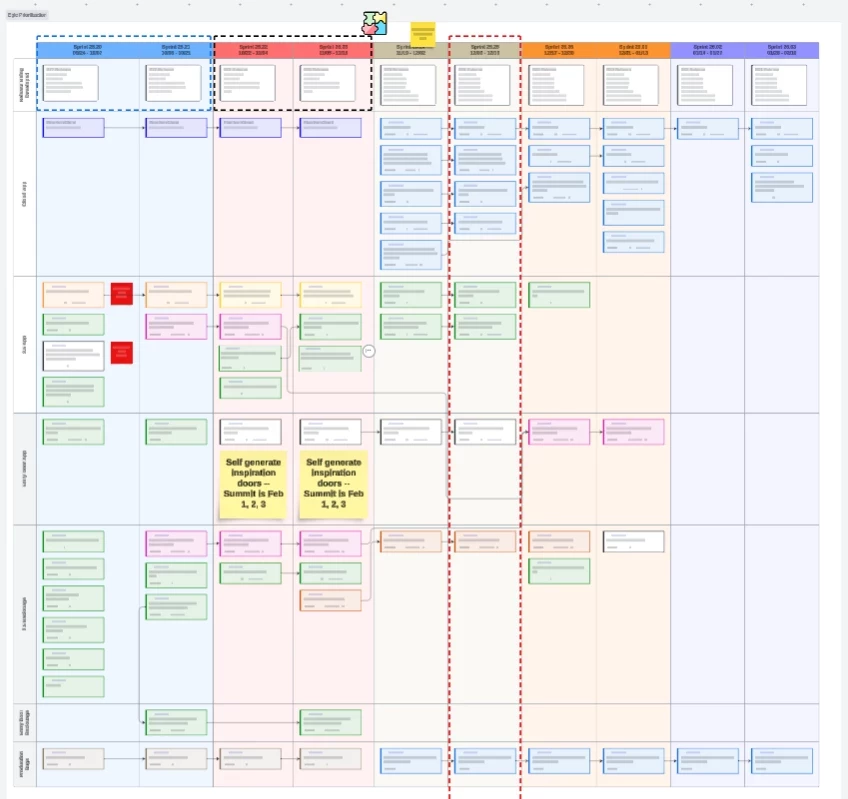
Example Dynamic Table Where User Has to Jump Up/Down Between Header and Lower Rows

My current work around is to copy the table, and then delete non-pertinent rows. But that has problems with the sizing and shape because everything shifts dynamically to the current data. Additionally, the arrows between epics don’t delete when deleting a row leaving all sorts of confusion.

Here’s an example of the workaround with its issues of doing it this way…
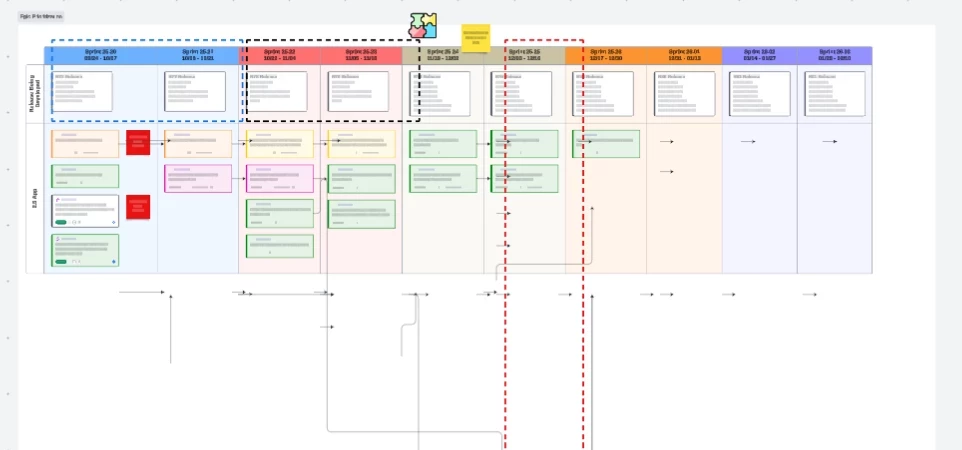
Work-Around By Making Copy and Deleting Rows - Shifts Columns and Leaves Ghost Arrows


December 30, 2025

@Rickajr thanks for posting your idea! I’ve shared your feedback and this post directly with our product teams, 

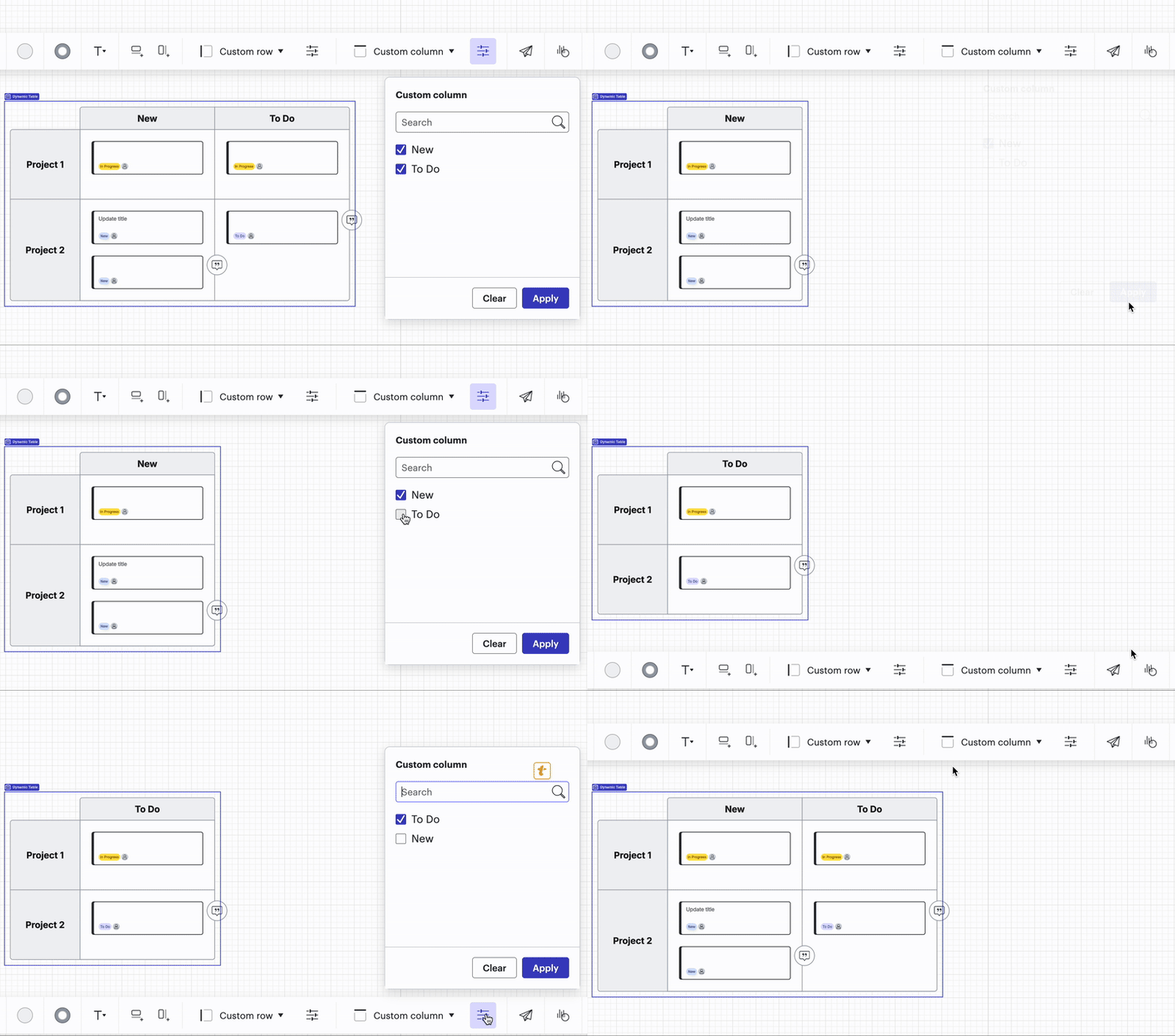
I want to mention a newer feature: you can now filter dynamic tables to show/hide specific rows and columns as shown below. Try it out and let us know what you think, we’d love your feedback on this!


We encourage anyone else who’s interested in this to upvote this post and share any additional details about your use case or what you’d like to see in this experience. 

For more information about how we manage feedback in this community, please take a look at this post:


Comments

Ambar D
Forum|alt.badge.img+10
  • Lucid community team
  • December 30, 2025

@Rickajr thanks for posting your idea! I’ve shared your feedback and this post directly with our product teams, 

I want to mention a newer feature: you can now filter dynamic tables to show/hide specific rows and columns as shown below. Try it out and let us know what you think, we’d love your feedback on this!


We encourage anyone else who’s interested in this to upvote this post and share any additional details about your use case or what you’d like to see in this experience. 

For more information about how we manage feedback in this community, please take a look at this post: