Idea

Display Status Emojis on Jira Cards

Related products:Lucidspark
  • March 19, 2026
  • 1 reply
  • 12 views

Forum|alt.badge.img

My team uses emojis to categorise whether a jira story is in 3 main states:

✅ = ready for sprint

🚧 = needs estimation

⭕️ = needs 3 amigos

I’d live to use Lucidspark to plan out actual refinement sessions of these tickets, but cannot see these emojis in the jira cards that are displayed


March 19, 2026

Hi ​@nbinding-newday, thank you for your feedback!

We encourage anyone else who’s interested in this to upvote this post and share any additional details about your use case or what you’d like to see in this experience. For more information about how we manage feedback in this community, please take a look at this post:


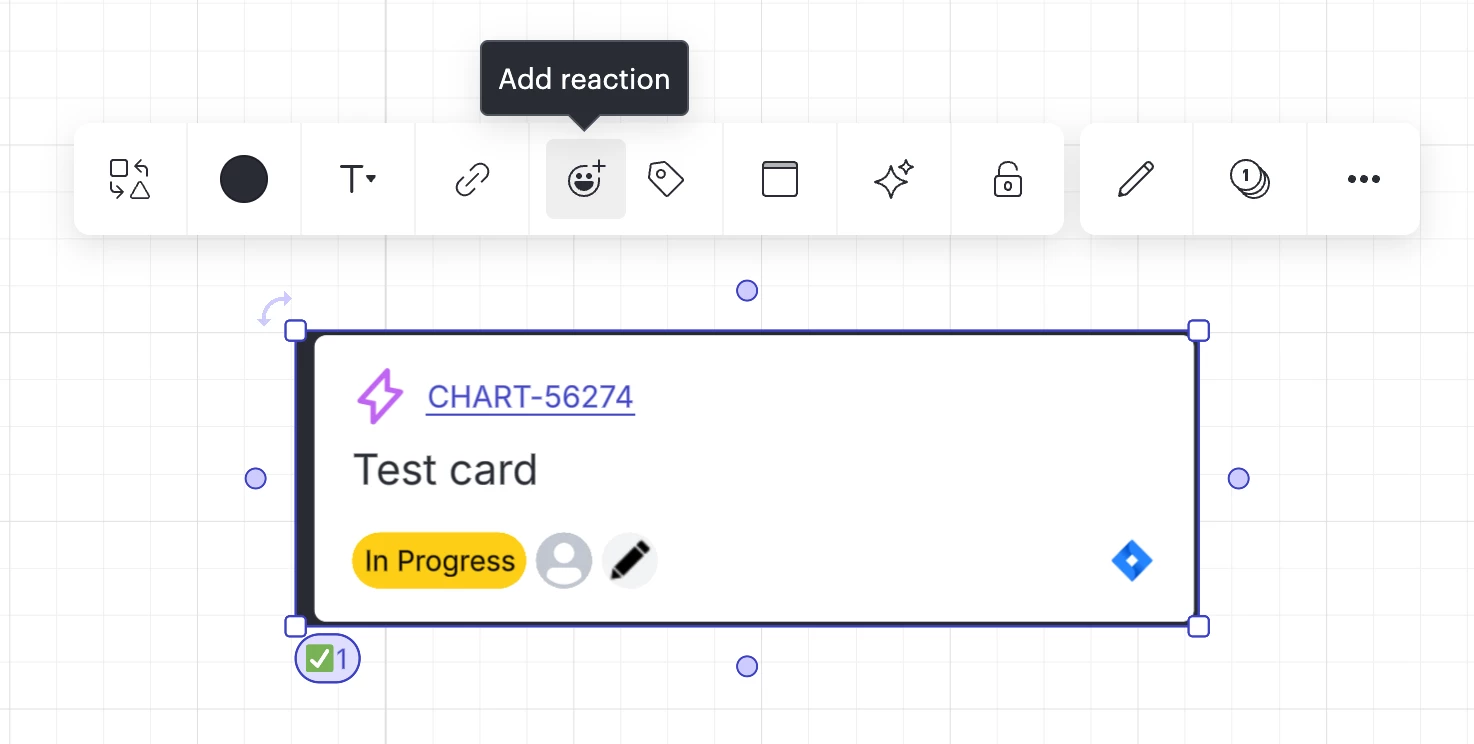
Currently in Lucid, you can add emojis to Jira cards as a ‘reaction’ as shown below, but this is certainly manual and not on the card face itself:

Jira card with checkmark emoji reaction


The other option that is currently available does not involve emojis, but I think you’ll be able to use this as a workaround that perhaps makes more sense for your use case. I suggest setting up conditional formatting rules so that cards with specific descriptions add an icon as shown below. To do so, you can follow these steps:

  1. Upload your Jira cards onto your board
  2. Make sure that you switch into Lucidchart 
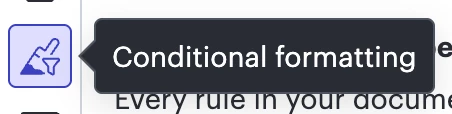
  3. Select the conditional formatting icon from the left-hand tool bar in Lucidchart  


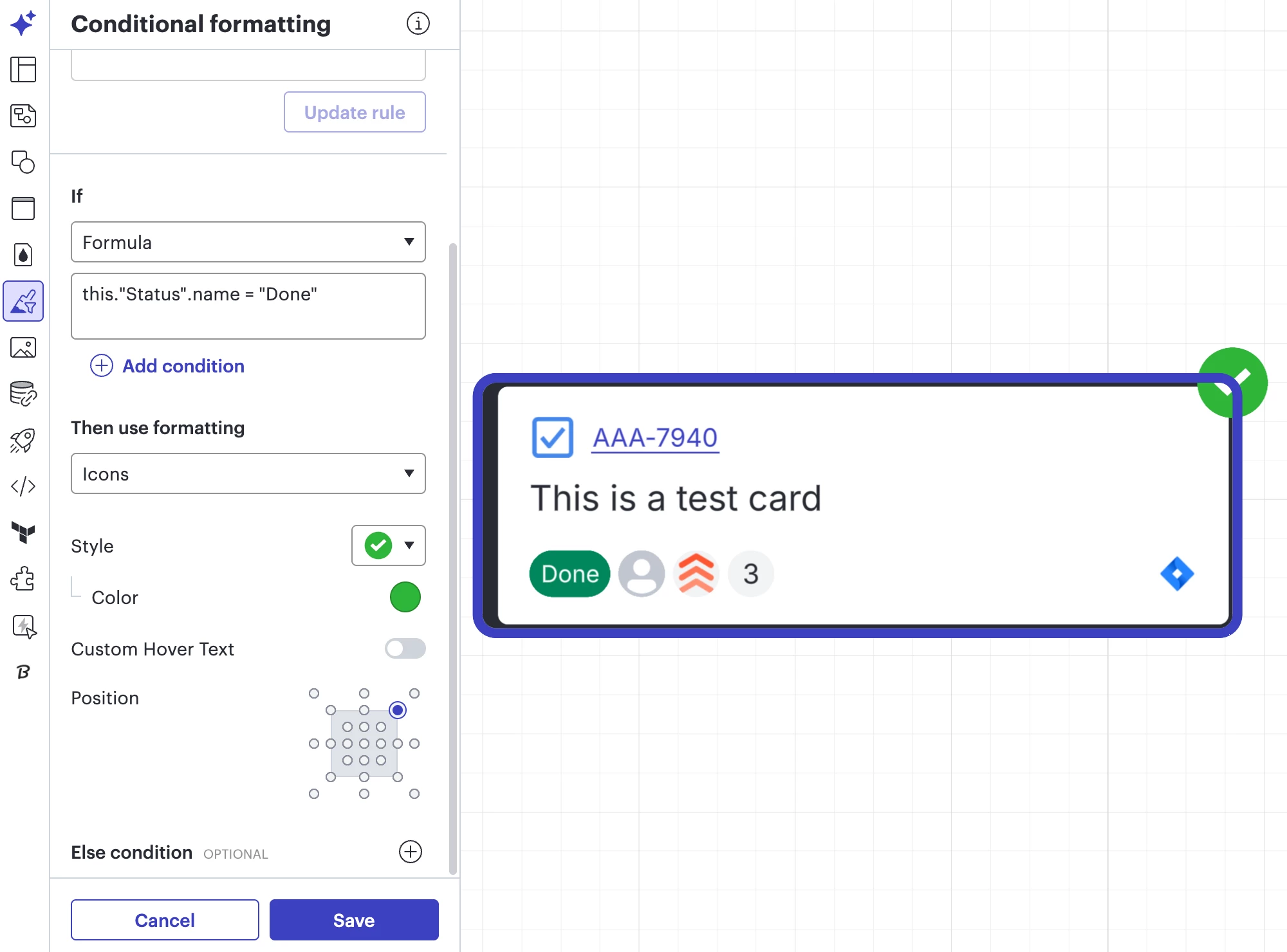
  4. For example, you can set up a conditional formatting rule as follows:
    • If Formula this."Status".name = "Done"  (change the “Done” portion to “Whatever your status is”)
    • Then use formatting Icons
    • You can select the style of the icon that you’d like 
Conditional formatting rule for Jira card: If status is done, then add checkmark icon


Comments

Ambar D
Forum|alt.badge.img+11
  • Lucid community team
  • March 19, 2026

Hi ​@nbinding-newday, thank you for your feedback!

We encourage anyone else who’s interested in this to upvote this post and share any additional details about your use case or what you’d like to see in this experience. For more information about how we manage feedback in this community, please take a look at this post:


Currently in Lucid, you can add emojis to Jira cards as a ‘reaction’ as shown below, but this is certainly manual and not on the card face itself:

Jira card with checkmark emoji reaction


The other option that is currently available does not involve emojis, but I think you’ll be able to use this as a workaround that perhaps makes more sense for your use case. I suggest setting up conditional formatting rules so that cards with specific descriptions add an icon as shown below. To do so, you can follow these steps:

  1. Upload your Jira cards onto your board
  2. Make sure that you switch into Lucidchart 
  3. Select the conditional formatting icon from the left-hand tool bar in Lucidchart  


  4. For example, you can set up a conditional formatting rule as follows:
    • If Formula this."Status".name = "Done"  (change the “Done” portion to “Whatever your status is”)
    • Then use formatting Icons
    • You can select the style of the icon that you’d like 
Conditional formatting rule for Jira card: If status is done, then add checkmark icon