
Idea

Customize width of text box under BPMN blocks and icon sizes in tasks

Related products:Lucidchart
  • June 5, 2024
  • 3 replies
  • 81 views

Forum|alt.badge.img

Hello,

We are actively using BPMN diagrams for our business process. The Lucid is a great software, but two small things stop us from fast iteration in creating our BPMN diagrams in Lucid.


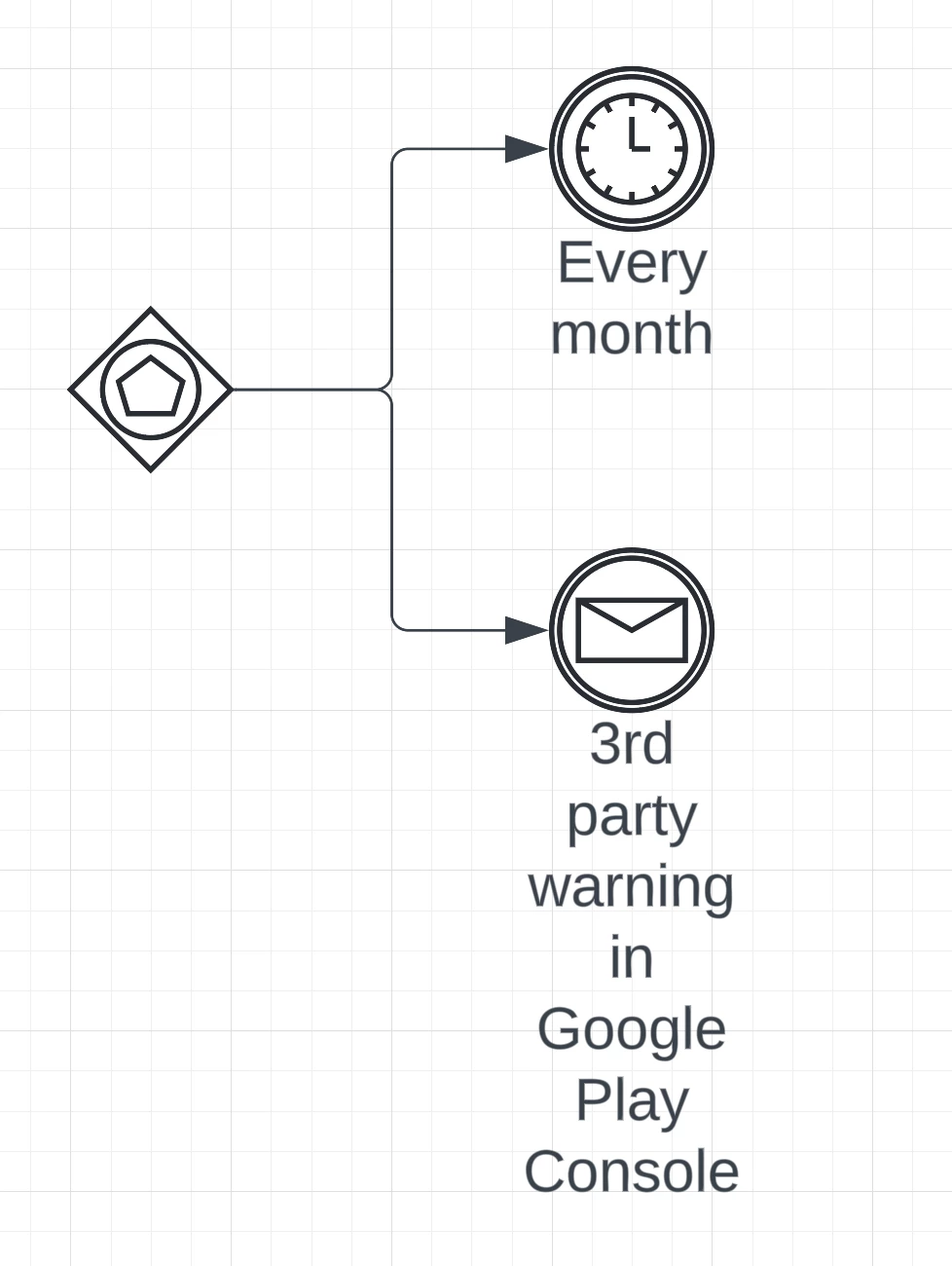
The first one is absence of possibility to change invisible text box width under some BPMN elements, like events. It makes impossible to create readable diagrams, because text width is always the width of parent shape:


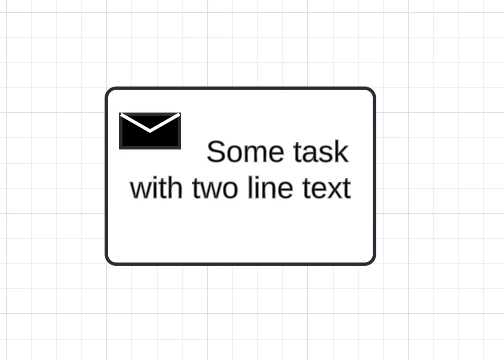
The second one is that icons in tasks block is unnecessarily huge and impossible to change in size, it makes text to move right, which makes readability worse.


Example from other software:
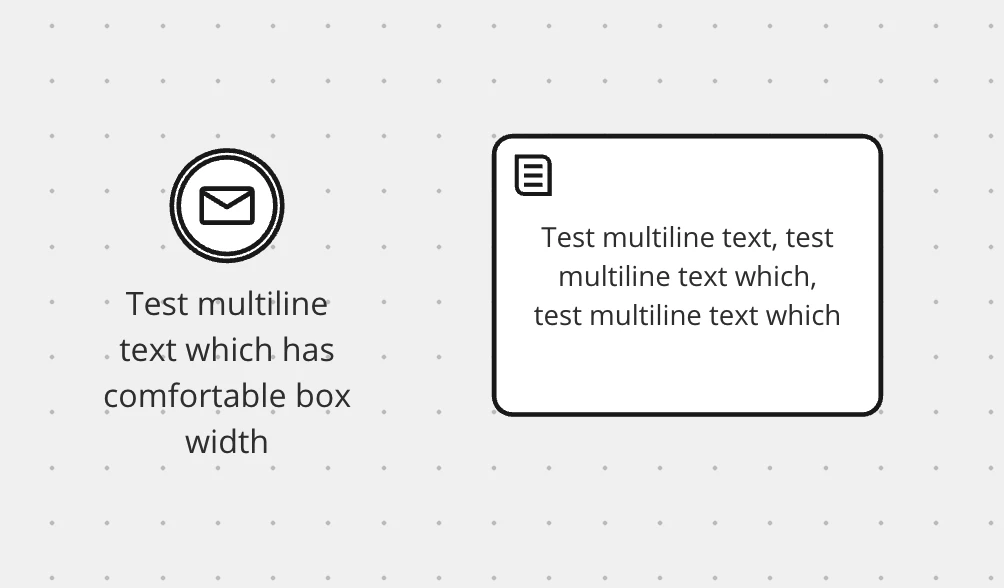


This looks much more readable and easier to work with.


I saw the answer on similar questions before, and I can create custom shapes. But I’m sure, that those changes are quite simple and will provide much better experience for agile creation of BPMN diagrams in Lucid.


Thanks for your time!

Comments

Micah
Forum|alt.badge.img+20
  • Lucid community team
  • June 7, 2024

Hi @v.androsh, thanks for your post and for taking the time to leave such thoughtful feedback with examples! This isn’t currently supported in Lucid, but we’re very interested in your feedback and committed to continually improving our products. If you’re willing to share, we’d love to hear more details about your use case or what you’d like to see in this experience within this thread. I’ve also converted this post to an idea so that it’s visible to others within the Product Feedback section of the community - from here, they can upvote it and add details of their own.

Finally, for more information on how Lucid manages feedback via this community, take a look at this post:


Forum|alt.badge.img
  • December 18, 2025

Unfortunate to see this one doesn't have upvotes yet. I would also really appreciate this possibility to edit icon size or have it on the background without taking up text space, as well as editing the label position of a shape.


Forum|alt.badge.img
  • February 4, 2026

me too - you can do this in Visio

