Idea

Colour Opacity Gone?

  • February 3, 2022
  • 3 replies
  • 21 views

Nelson
Forum|alt.badge.img+1

Hi not sure if this is a new feature but the option to alter the colour opacity in the colour picker seems to have gone?

Can this only be done in the SHAPE panel now?

Thanks.

Comments

Coumba D
Forum|alt.badge.img+7
  • Lucid support team
  • February 4, 2022

Hi Nelson

Thanks for posting in the Community.

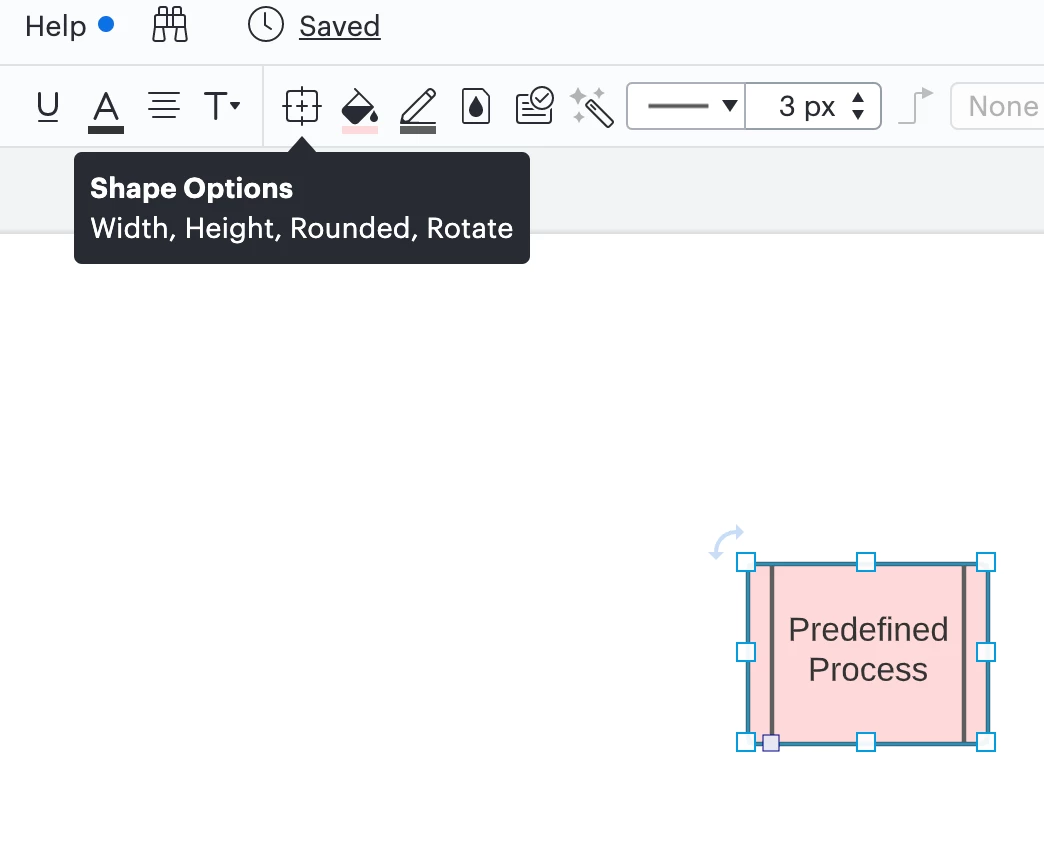
You can control the opacity of your shape by clicking the Shape options icon located in the top tool bar:


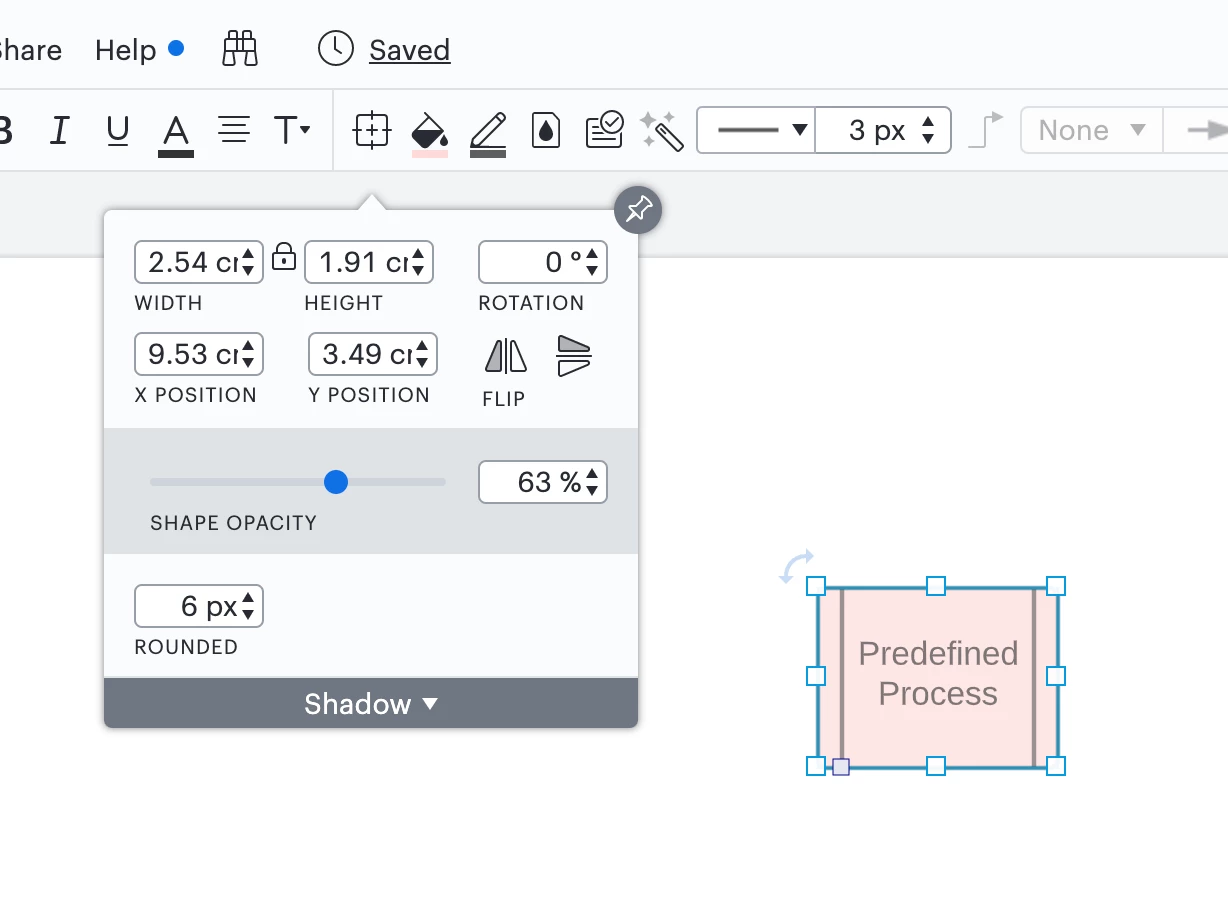
Clicking this button will open a window where you will be able to alter the opacity of your shape by sliding the opacity button left or right:


Please let me know if you have any questions!


Arne S
  • February 6, 2022

This function will make the entire object including text more or less transparent.
It seems like multiple users like me would like to change the opacity of the BACKGROUND not the text or entire element.

Please restore the background opacity slider to the bottom of the background color picker toolbox.
I use it multiple times in almost every single Lucidchart I make it is a nuisance to have to go in to the custom color box and change.

Otherwise thanks for a great product! :-)


Micah
Forum|alt.badge.img+20
  • Lucid community team
  • February 8, 2022

Hi Arne thanks for continuing this thread! It looks like our team has already responded to your other comment on this thread but I wanted to share Abby's response again here for convenience and for any other users who have the same question:

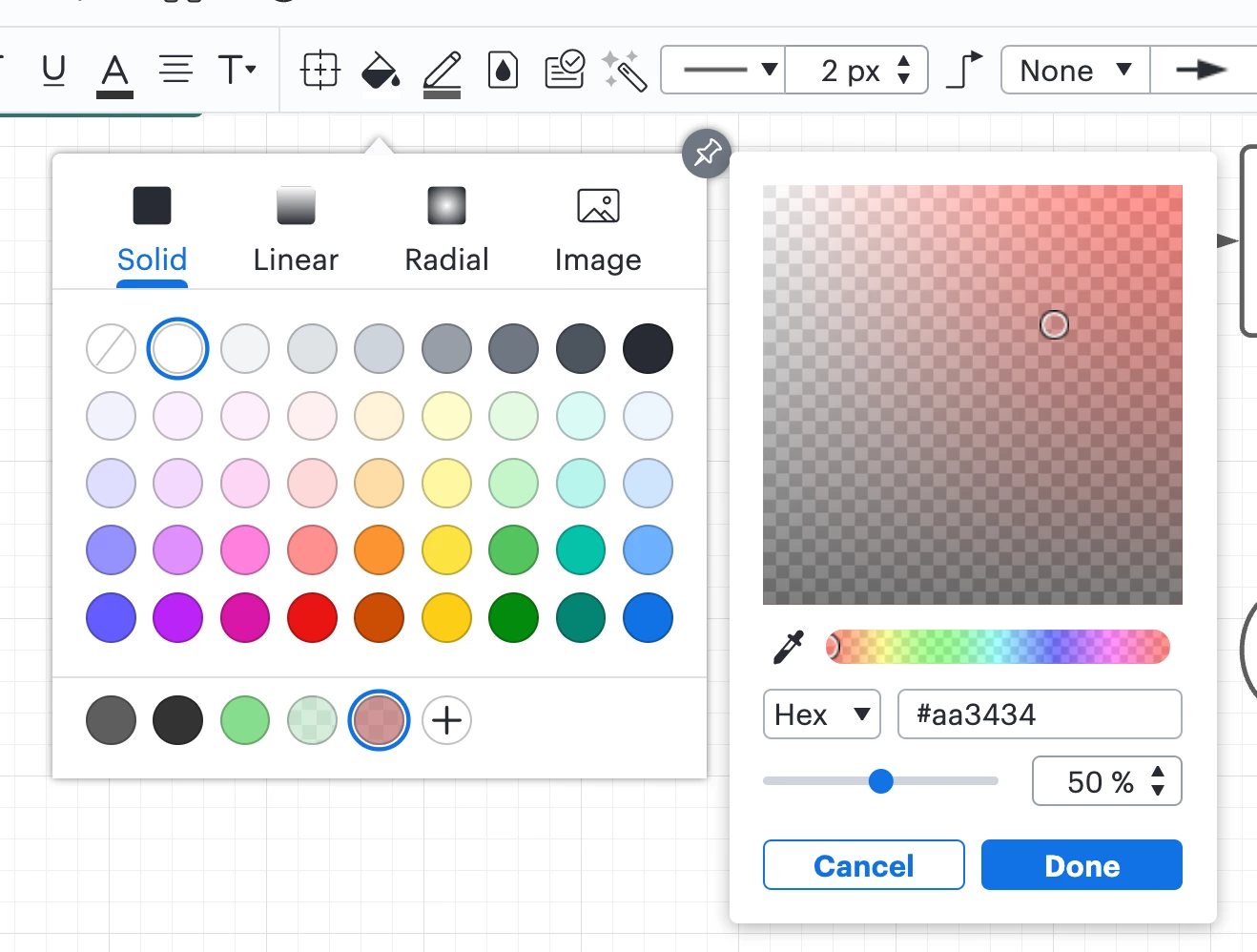
You can still control the opacity of a shape fill without impacting the opacity of the text on the shape by following these steps:

  1. Open the Fill Color menu
  2. Click the + Plus button at the bottom of the Fill Color menu
  3. This will open a panel where you can adjust the opacity of the shape's fill color without impacting the opacity of the shape or text on it

OAqXSSwSg0BAOh5xcldPyA.png

If you aren't able to find this option or it isn't working as intended for you please let me know.

That being said as you mentioned this feature is still less accessible than it was before. Please add your feedback about the changes to our color picker in this thread. Ideas  are passed on to our product development team for their consideration. Apologies for the inconvenience and thank you for the feedback!