Delivered

Change orientation for custom row text in dynamic table
Related products:Lucidspark
  • April 3, 2024
  • 15 replies
  • 154 views

Forum|alt.badge.img+13

Hello.

Right now when we create a custom row in a dynamic table the text is sideways and reads from the bottom up. Any plans to allow users to change the orientation so we can pick from horizontal or vertical text? That way users can read the text just like they would on a piece of paper instead of adapting to the way the dynamic table displays it. 

Thank you for your time. Bye. 

October 6, 2024

This is issue has been resolved. Thank you very much. 

Comments

Micah
Forum|alt.badge.img+20
  • Lucid community team
  • April 3, 2024

Hi Patrick, thanks for this idea! We encourage anyone else who’s interested in this to upvote this post and share any additional details about your use case or what you’d like to see in this experience. For more information about how we manage feedback in this community, please take a look at this post:


Forum|alt.badge.img+13

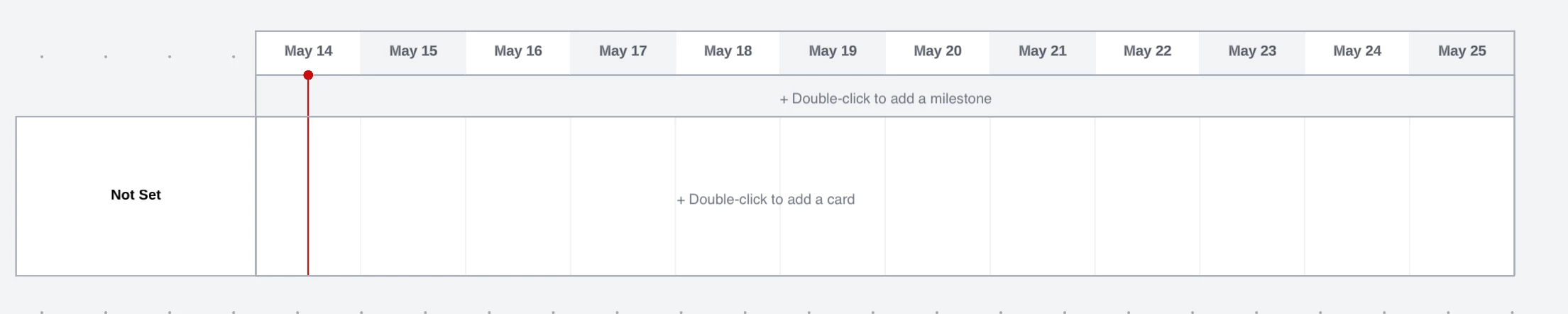
I checked out the left hand column for the timeline feature. The text is horizontal and not sideways like on a dynamic table. I would like the text inside the left hand column (the front of the swimlanes) to read the same way on a dynamic table. All the other text is horizontal on a dynamic table except for the left hand column. The text should adapt to the orientation that the user reads it. 


Forum|alt.badge.img+13

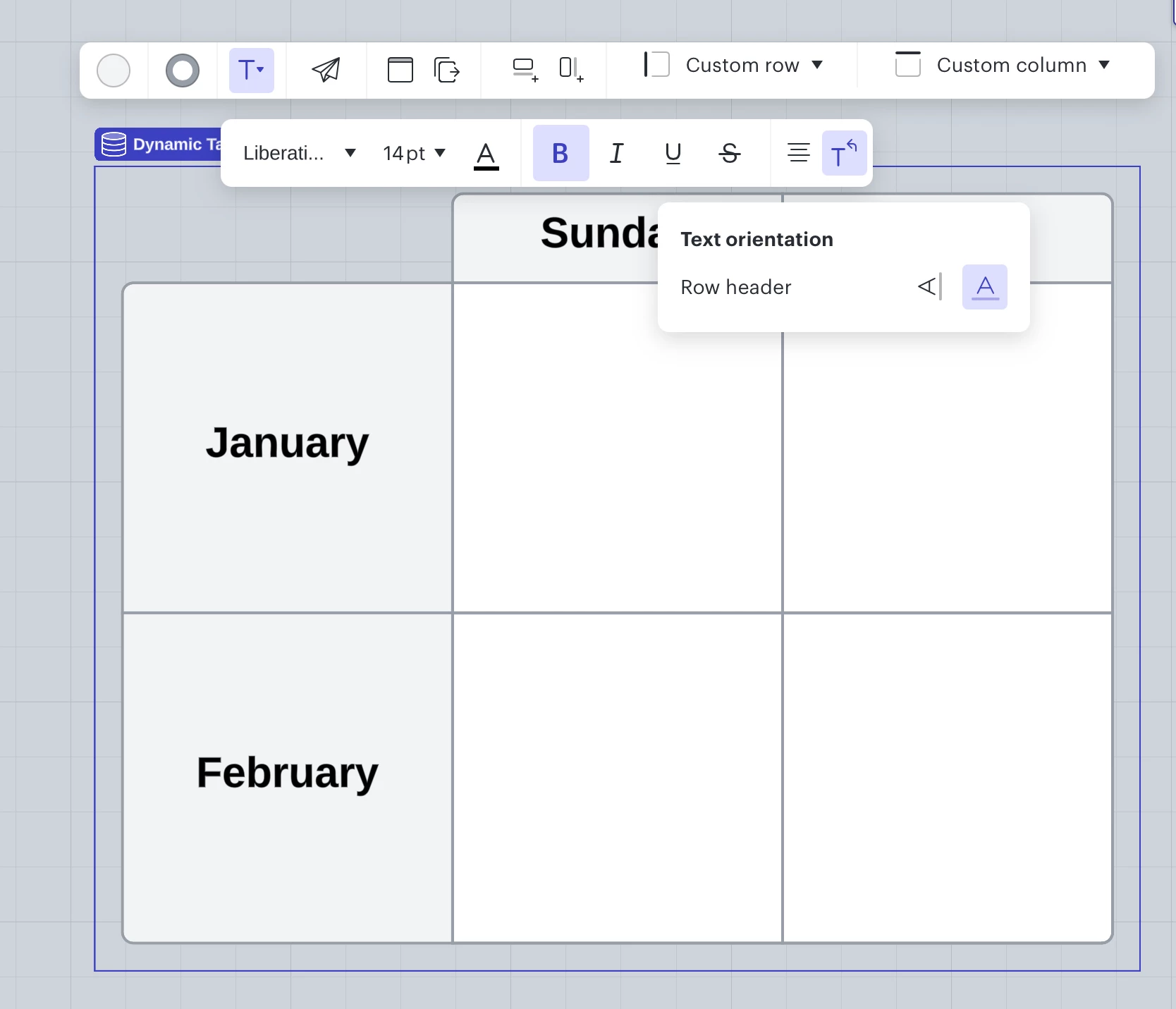
Can we please change the text in the row headers to horizontal orientation if we read in that direction. Everything else added inside the dynamic table plus the column headers all display text horizontally except the row headers. 


Kelsey Gaag
Forum|alt.badge.img+16
  • Lucidite
  • September 3, 2024

@patrickpereira1988 Thank you for sharing your additional feedback and requests! 


Forum|alt.badge.img+1
  • October 4, 2024

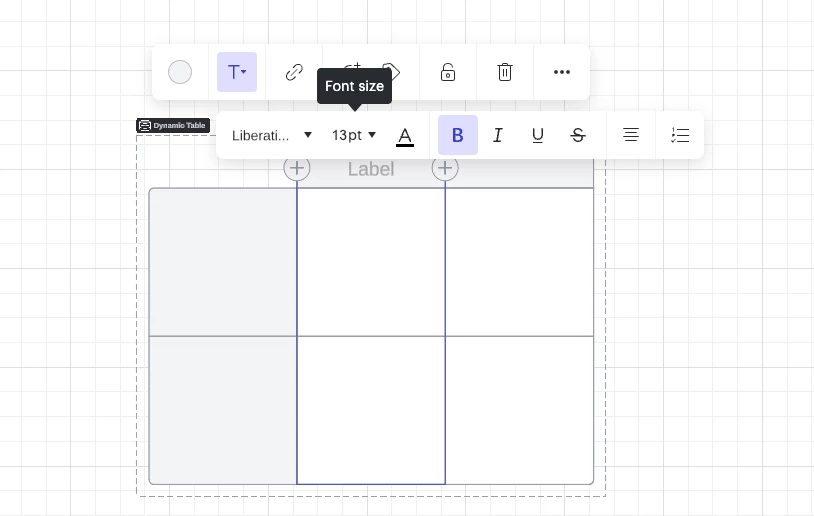
How can we make the font size bigger for labels in dynamic table?


Kelsey Gaag
Forum|alt.badge.img+16
  • Lucidite
  • October 4, 2024

Hi @Chetana S

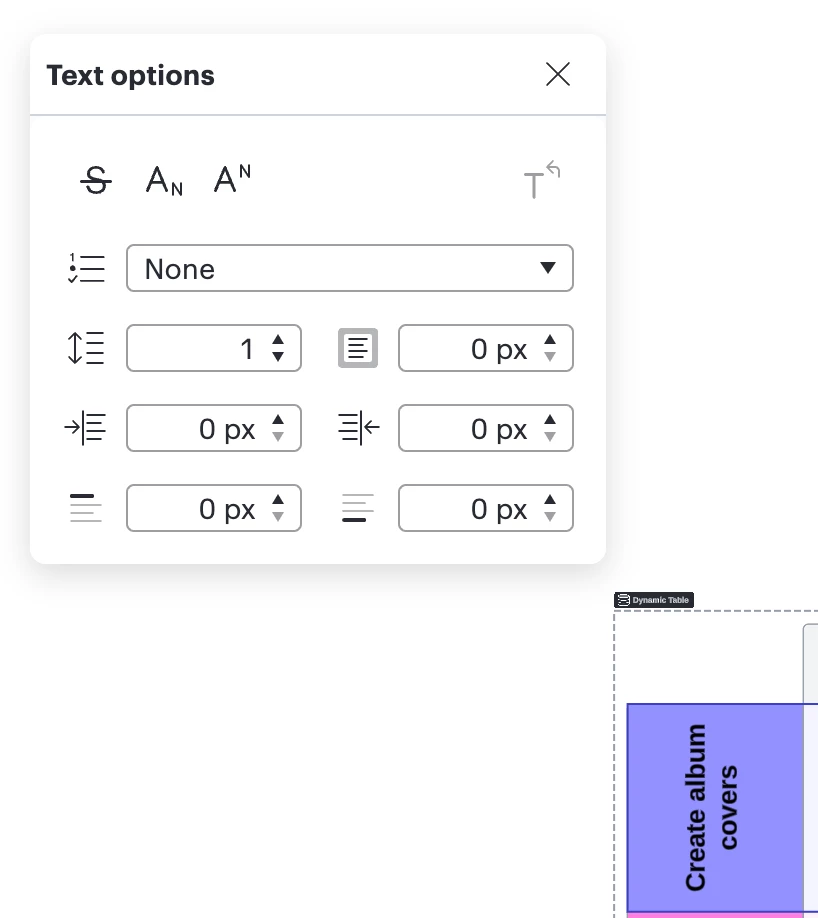
You can change the font size by clicking on the table or the label and a tool bar will appear above the shape. Then click on Text Options to open up the text menu and adjust the font size. Hope this helps! 


Forum|alt.badge.img+13

This is issue has been resolved. Thank you very much. 


Forum|alt.badge.img+1
  • October 7, 2024

Hi @Chetana S

You can change the font size by clicking on the table or the label and a tool bar will appear above the shape. Then click on Text Options to open up the text menu and adjust the font size. Hope this helps! 


Thank you!


Kelsey Gaag
Forum|alt.badge.img+16
  • Lucidite
  • October 7, 2024

@Chetana S No problem! Please let me know if you have any other questions!


Kelsey Gaag
Forum|alt.badge.img+16
  • Lucidite
  • October 7, 2024

@patrickpereira1988 Glad you were able to resolve the issue! Please let me know if you have any other questions!


Forum|alt.badge.img
  • December 19, 2024

In Lucidspark I still cannot rotate text, the rotate icon is greyed out. 


Micah
Forum|alt.badge.img+20
  • Lucid community team
  • December 23, 2024

@PMO Office Thanks for your comment, and apologies for the trouble. To clarify, is this the only table you are experiencing this with? Is that board that this table in one that you created some time ago? Or do you experience this with any new dynamic table you create?


Forum|alt.badge.img
  • December 26, 2024

This already existed, I just wanted to customize it. This is the only board I tried to customize. 


Micah
Forum|alt.badge.img+20
  • Lucid community team
  • December 30, 2024

@PMO Office Thanks for the response. Would you please attempt duplicating the table itself, as well as the entire to board, to see if the copies in either of these instances behave as expected?


Micah
Forum|alt.badge.img+20
  • Lucid community team
  • December 30, 2024
IdeaDelivered