Idea

Alt-drag to copy in assisted layout

Related products:LucidchartLucidspark
  • June 30, 2026
  • 3 replies
  • 128 views

Forum|alt.badge.img+1

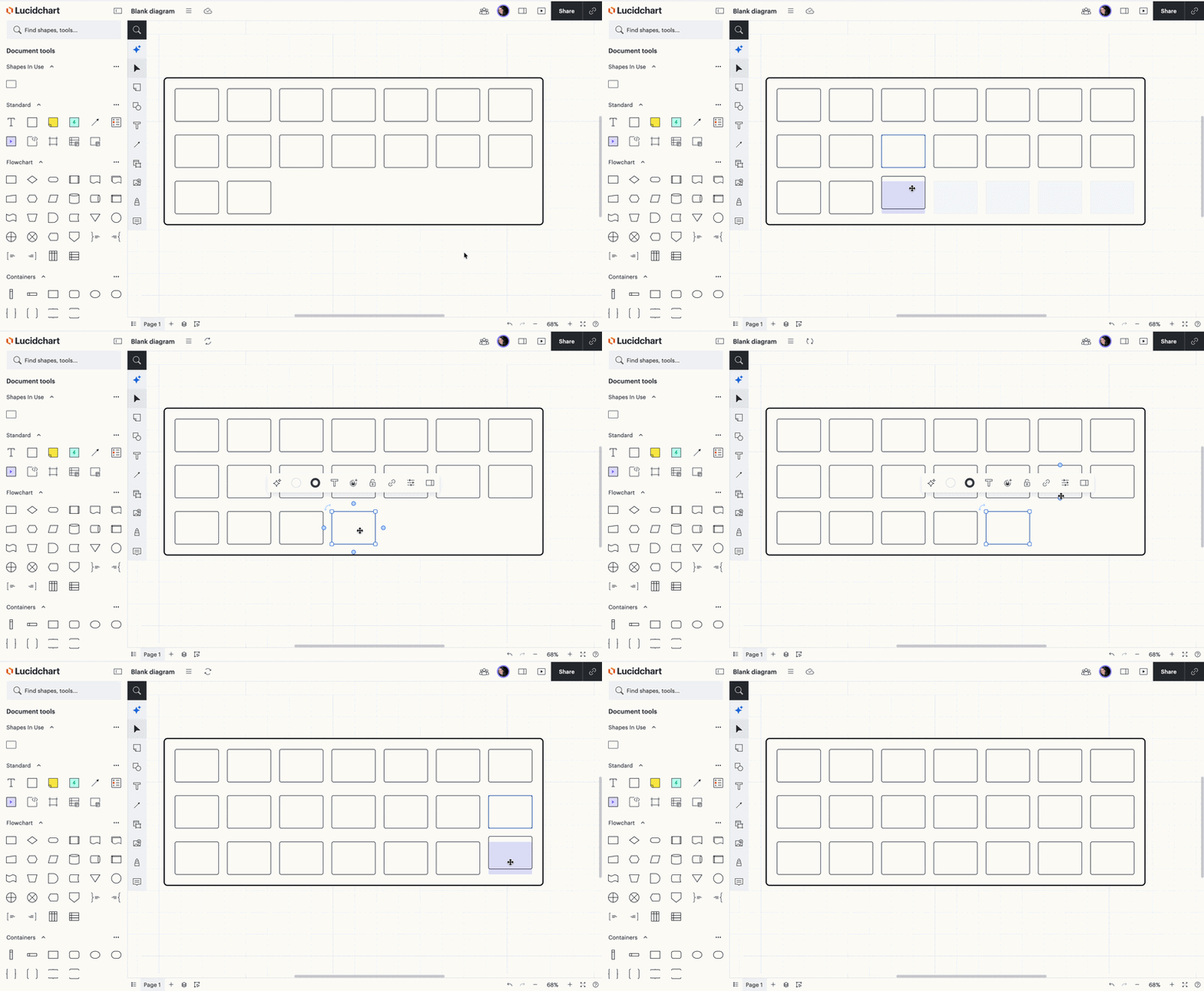
In Lucid, you can hold down the alt key while clicking on an object and dragging it in order to copy the object to a new location.

However, if you attempt to do this on an object which is part of an assisted layout container, it will move the object instead of copying it. This disparate behaviour is extremely frustrating, and seems to be bug.


July 7, 2026

Hi ​@TaiW,

Thank you so much for the additional detail here! This level of detail is really helpful for our product teams as they review requests that come through the community. You are exactly right—having to deliberately press ALT before dragging definitely slows down a fast workflow compared to how standard layouts behave.

We encourage anyone else who’s interested in this to upvote this post and share any additional details about your use case or what you’d like to see in this experience. For more information about how we manage feedback in this community, please take a look at this post: 

Thanks again for taking the time to pinpoint this for us!

Comments

alison cheney
Forum|alt.badge.img+4
  • Lucid community team
  • July 2, 2026

Hi ​@TaiW,

Thank you for posting in the Lucid Community, and I completely understand the frustration you’re experiencing.

I included a gif below showing what it looks like on my canvas when I hold the alt/option key and drag the object when using assisted layout. Would you mind sending a screenshot or screenshare video of the issue you’re experiencing (objects are moving instead of copying/duplicating)? 

Have you tried to select an object and then hold Ctrl (PC) or Command (Mac) on your keyboard to drag your object into place? Using precision placement with assisted layout can be much easier to maneuver. Please check out the Add new content section of our Assisted Layout Help Center Article

Thanks in advance for your help and patience!


Forum|alt.badge.img+1
  • Author
  • July 6, 2026

Hi Alison, doing some more testing there seems to be a more specific issue:

  1. In a non-assisted layout, if you hold ALT, then drag an object it copies it 
  2. In a non-assisted layout, if you start dragging an object, then hold ALT, it also copies it

In an assisted layout, only the first scenario works, leading to a sort of race condition where the object is only copied if you happened to press ALT before the drag operation began. While I can replicate your success when being very deliberate, when working quickly with lots of items this is pretty easy to miss.


alison cheney
Forum|alt.badge.img+4
  • Lucid community team
  • July 7, 2026

Hi ​@TaiW,

Thank you so much for the additional detail here! This level of detail is really helpful for our product teams as they review requests that come through the community. You are exactly right—having to deliberately press ALT before dragging definitely slows down a fast workflow compared to how standard layouts behave.

We encourage anyone else who’s interested in this to upvote this post and share any additional details about your use case or what you’d like to see in this experience. For more information about how we manage feedback in this community, please take a look at this post: 

Thanks again for taking the time to pinpoint this for us!