Idea

Add embedded widget for countdown timer and randomizer tools

Related products:LucidchartLucidspark
  • March 19, 2026
  • 4 replies
  • 13 views

Forum|alt.badge.img+1

@Adam E  Coming to this thread a year later, but I was also looking specifically for Widgets! I’m an educator, and my Lucid boards are my life, but there are lots of times I have some kind of third-party tool with embed functionality (iFrame or similar) that I would love to be able to place on my board.

Right now what I want most would be a bigger and more customizable timer (Can I make it take up the whole Smartboard screen? Make it bright colors? Customize how it looks as it counts down?), and some kind of randomizer (for picking students, groups, random numbers, etc).

I can find endless variations of these and many others online, with web embed codes - but I can’t get them onto my Lucid boards, and trying to switch between tools is slow and difficult. 

Happy to give more details if you’d like!
March 19, 2026

Hi ​@AJWhitman, thanks for adding to this post!

First, I’d love to address your desire for a bigger and more customizable timer. In Lucidspark, you can adjust the size and color of the timer by following the steps below. 

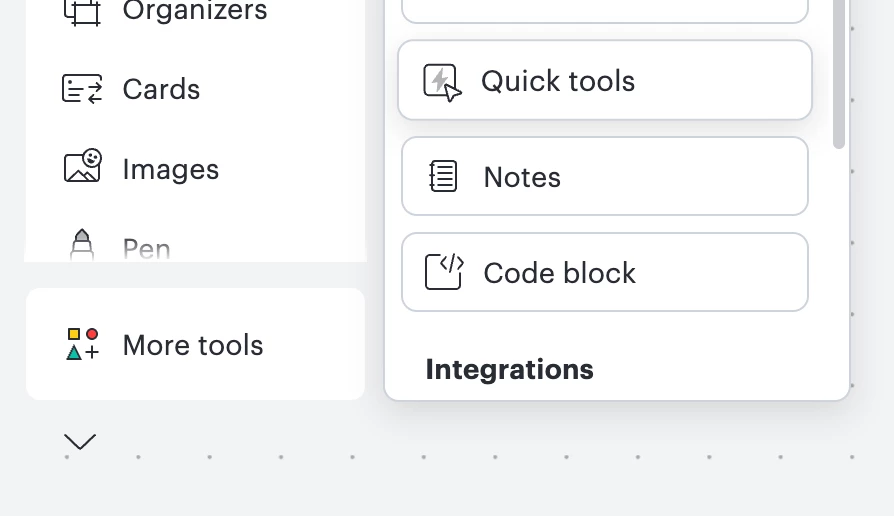
  1. Open a Lucidspark board and on the left-hand menu, select More tools
  2. Select Quick tools
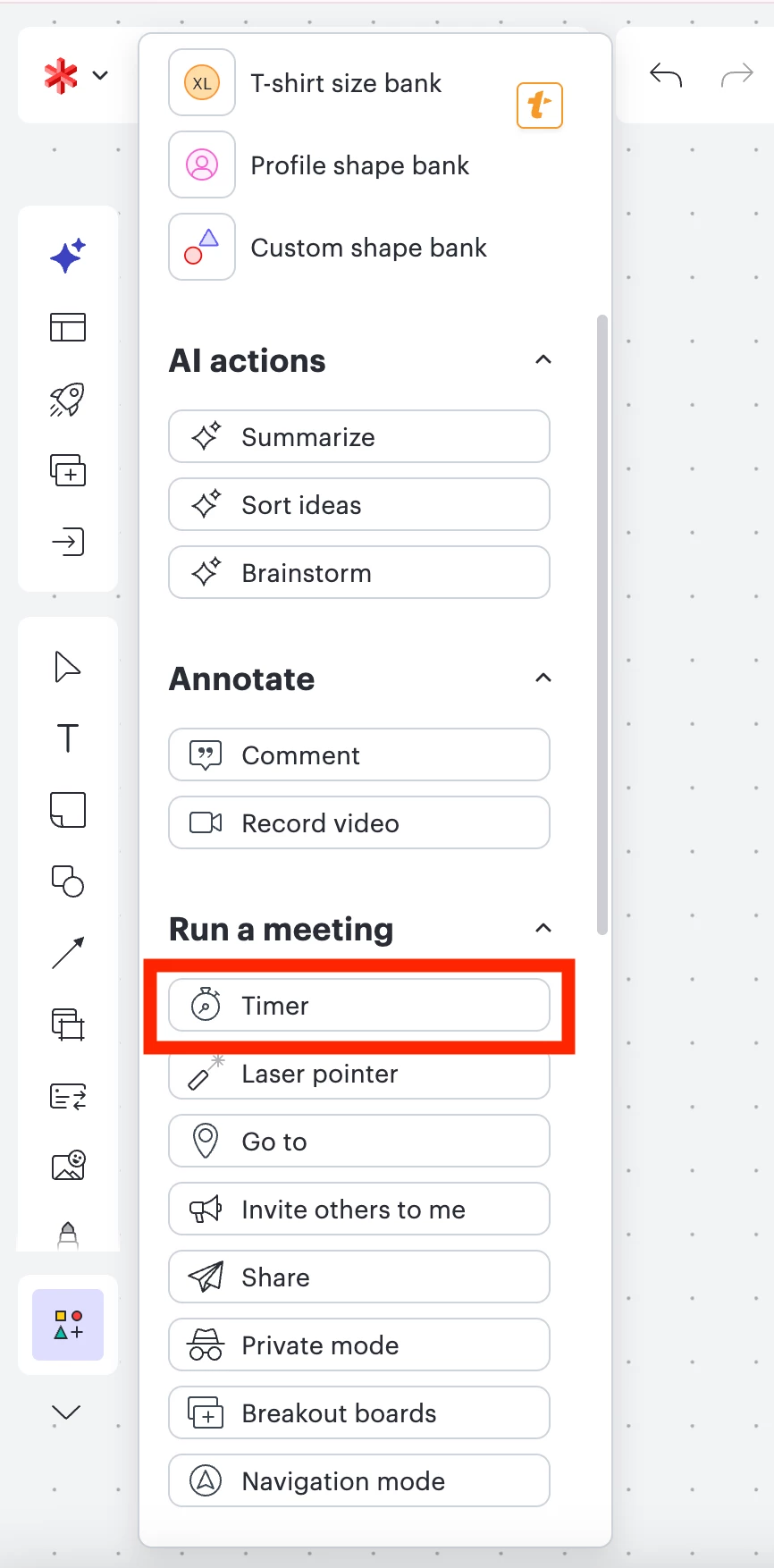
  3. In the quick tools menu, search for timer or scroll down and select Timer
  4. Drag the timer to where you’d like in your canvas and you can easily adjust the size and color of the timer 
Select ‘More tools’ > ‘Quick tools’ to access the timer button
Timer in quick tools

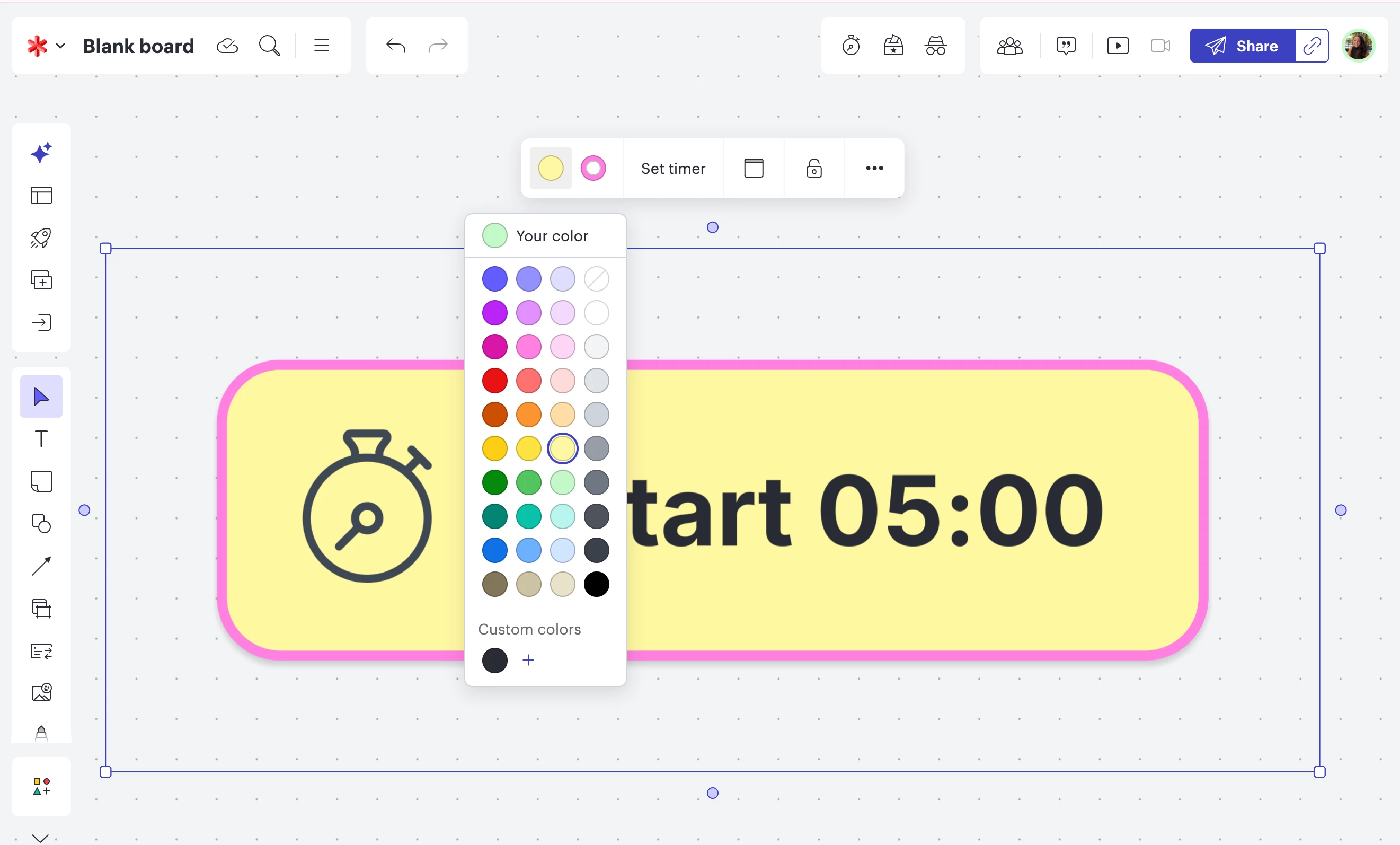
 In the photo below, you can see that I dragged out the timer, increasing it’s size to take up the canvas. I’ve also changed the color fill and the border color of the timer. 

Large timer with color changed
​​​​

For more information about quick tools, check out this article.


Second, I am curious what you’re hoping for with widgets! Would you mind elaborating on what you’re hoping to achieve and what you’re hoping to see in Lucid? 

Comments

Ambar D
Forum|alt.badge.img+11
  • Lucid community team
  • March 19, 2026

Hi ​@AJWhitman, thanks for adding to this post!

First, I’d love to address your desire for a bigger and more customizable timer. In Lucidspark, you can adjust the size and color of the timer by following the steps below. 

  1. Open a Lucidspark board and on the left-hand menu, select More tools
  2. Select Quick tools
  3. In the quick tools menu, search for timer or scroll down and select Timer
  4. Drag the timer to where you’d like in your canvas and you can easily adjust the size and color of the timer 
Select ‘More tools’ > ‘Quick tools’ to access the timer button
Timer in quick tools

 In the photo below, you can see that I dragged out the timer, increasing it’s size to take up the canvas. I’ve also changed the color fill and the border color of the timer. 

Large timer with color changed
​​​​

For more information about quick tools, check out this article.


Second, I am curious what you’re hoping for with widgets! Would you mind elaborating on what you’re hoping to achieve and what you’re hoping to see in Lucid? 


Forum|alt.badge.img+1
  • Author
  • March 25, 2026

@Ambar D  That gives me a large button to start the timer, but it doesn’t show the current time left, either with numbers or a visual indicator. I’m looking for something that all the students in the room can glance up at and know that, for example, they have 4 minutes and 23 seconds left out of 10 minutes, so they should be about halfway done. The existing timer shows that in a tiny box in the corner that they are not going to notice, and even that goes away if I hide the menu bars to get more screen space. 

I found a good example of what I’m looking for, not only for timers but for a lot of other widgets, here: https://classroomscreen.com/widgets/

I would love something like their timers or visual timers, as well as things like the randomizer and group maker. They even have a the kind of iFrame embed widget I would love to use on my boards, for other niche or custom widgets you might not want to build in!


Ambar D
Forum|alt.badge.img+11
  • Lucid community team
  • March 27, 2026

Hi ​@AJWhitman, thank you for these details and for those great examples! Sorry for my confusion here, this certainly makes sense. 

I like your idea for a large, customizable count-down timer and a randomizer. I see how these items would be useful in the classroom setting for your students! 🤩


I think this idea is worthy of it’s own post! I’ve gone ahead and moved your post to it’s own idea so that it’s easily accessible for other users to upvote, and for our Lucid product team to review. For reference, this idea was originally added to thread below:


Lastly, I wanted to mention a resource that might be helpful for you!

We have a Lucid for Education K-12 group and a Lucid for Education Higher Ed group in the community- both full of valuable templates, ideas of how to use Lucid in the classroom, and other educators that you can connect with!


Ambar D
Forum|alt.badge.img+11
  • Lucid community team
  • March 27, 2026

We encourage anyone else who’s interested in this to upvote this post and share any additional details about your use case or what you’d like to see in this experience. 

Finally, for more information about how we manage feedback in this community, please take a look at this post: