Idea

Add a default font color option to Lucid documents

Related products:Lucidspark
  • July 24, 2024
  • 7 replies
  • 279 views

Forum|alt.badge.img+2

Whenever I use Lucid, I usually am trying to quickly begin making a diagram, I’ve noticed that gray is the default color given to the text inside of shapes for example. And there’s really no way to permanently set your default settings which remain even when you exit Lucid and then reopen and begin a new project.

Seems like I have end up having to change font color all the time, and as I add more stuff, sometimes I forget to change one and now I have a bunch of gray / black text in boxes, and it just doesn’t end up looking right and I always miss one. I typically only use white background and black outline for shapes, and then use other colors/fonts/etc. as they come.


It would be cool to set the default and then set a few styles you can call on at a moment's notice or something like this. Kind of how like Word will have styles of headers that you create and then just click on them when you want to use them, but otherwise it uses whatever its defaulted to.

October 24, 2024

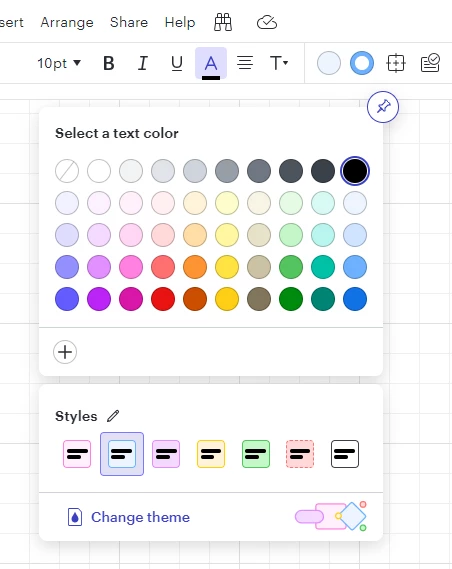
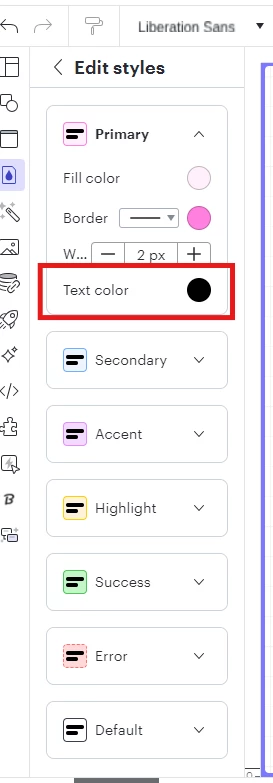
Hi all, I think that our new Styles feature may meet your needs. You can build out a color palette with preset styles at @clewis described, including text color. 


From there, you can easily apply these styles to all shapes in your document via the style menus:


Additionally, you can set one of these styles as the default on your document simply by selecting it immediately after creating your new document, prior to adding any shapes to your canvas. Give this a try, and let me know if this meets your needs!

Comments

Kelsey Gaag
Forum|alt.badge.img+16
  • Lucidite
  • July 24, 2024

Hi, thanks for this idea! We encourage anyone else who’s interested in this to upvote this post and share any additional details about your use case or what you’d like to see in this experience. For more information about how we manage feedback in this community, please take a look at this post:


Forum|alt.badge.img
  • October 22, 2024

Yes, it’s really annoying having to change color all the time.


Micah
Forum|alt.badge.img+20
  • Lucid community team
  • October 24, 2024

Hi all, I think that our new Styles feature may meet your needs. You can build out a color palette with preset styles at @clewis described, including text color. 


From there, you can easily apply these styles to all shapes in your document via the style menus:


Additionally, you can set one of these styles as the default on your document simply by selecting it immediately after creating your new document, prior to adding any shapes to your canvas. Give this a try, and let me know if this meets your needs!


emilyann
Lucid Legend Level 3
Forum|alt.badge.img+7
  • Lucid Legend Level 3
  • February 7, 2025

@Micah does this feature exist in both Lucidspark and Lucidchart? 


Micah
Forum|alt.badge.img+20
  • Lucid community team
  • February 7, 2025

@emilyann Thanks for posting! Themes and styles only exist in Lucidchart. However, you can use the universal canvas function to easily switch from Lucidspark into Lucidchart to access all tools available there. 


Forum|alt.badge.img
  • July 31, 2025

Hello,


Im using LucidSpark MindMap model.

When I change the background color to dark, the default text color remais black and every new text box naturally becomes invisible with the dark background. Is there a way to set the default text color to white?


Thanks in advance.

Luiz


Ambar D
Forum|alt.badge.img+10
  • Lucid community team
  • August 4, 2025

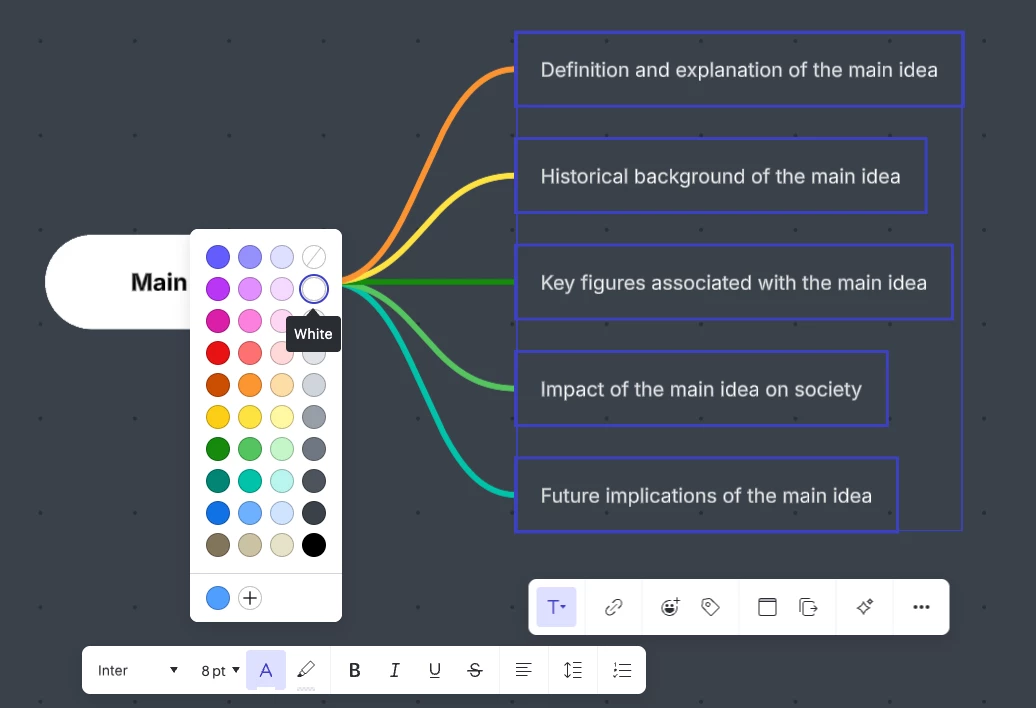
Hi ​@lhcunha1, thanks for adding to this thread! Themes and styles are only available in Lucidchart, and do not apply to mind map shapes. Mind maps are a special type of shape and are unique in how they are edited. 

To quickly edit the color of your mind map text, you can select the text that you’d like changed, and edit the text color for one row/column all at once as shown below. 

If you would like to leave additional feedback on editing mind maps specifically, I recommend checking out the post linked below where others have left similar feedback on their desire to further customize mind maps. Your feedback is incredibly important to us, and if you’d like to share, we’d love to hear more details about what you’d like to see in the post linked below.