Idea

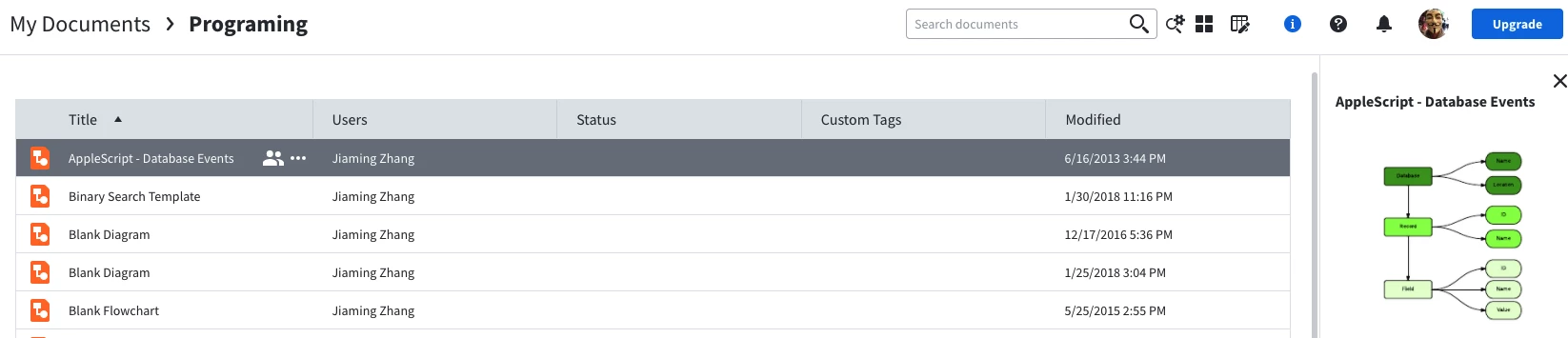
Preview a Lucidchart document from Docs list

Related products:Lucidchart
  • May 14, 2021
  • 1 reply
  • 29 views

Jiaming Z

The closest thing I can is by clicking the document and a thumbnail appear on the right. However I have some fairly complexity and large diagram so the thumbnail is a little bit too small.

Is it possible to make the thumbnail bigger?

I am looking for something similar to the Preview app on Mac. When you are going through a large amount of images you can open Finder click one file press "<Space>" and you will see a large preview on the screen. Then you can press the arrow key to check the next/prev file. It'll be nice if Lucidchart can support it.

I have too many diagrams and sometimes I can't find where they are.

 

Comments

Abby S
Forum|alt.badge.img+11
  • Lucid community team
  • May 14, 2021

Hi Jiaming 

Thanks for reaching out on the community. Unfortunately there is not currently a way to see a larger preview of a Lucidchart document than what you see on the docs list.

We encourage anyone else who’s interested in this to upvote this post and share any additional details about your use case or what you’d like to see in this experience. For more information about how we manage feedback in this community, please take a look at this post:

https://community.lucid.co/welcome-to-the-lucid-community-15/what-happens-to-my-feedback-5438
