Solved

Swimlanes not rendering in Lucid Standard Import JSON

  • February 19, 2026
  • 1 reply
  • 93 views

Forum|alt.badge.img

Hello Lucid team,

I am using the Lucid Standard Import JSON API to generate BPMN diagrams with swimlanes.

The diagram imports successfully, and all shapes and connections are visible, but the swimlanes container and lanes are not rendered visually.


I’m generating Lucidchart Standard Import JSON programmatically.

The JSON includes a swimLanes group under pages[0].groups with vertical: false, a titleBar, and multiple lanes (each with titlewidthheaderFilllaneFill).

Shapes are created with parent: "swimlanes_1" and everything imports without errors, but in the editor I don’t see the swimlanes visually – only the BPMN shapes.

  • What am I missing in the JSON schema to make the swimlanes render visibly?
  • Is there any additional property required on the swimLanes group or shapes?

Below is a minimal JSON that reproduces the issue, and a screenshot of how it renders.
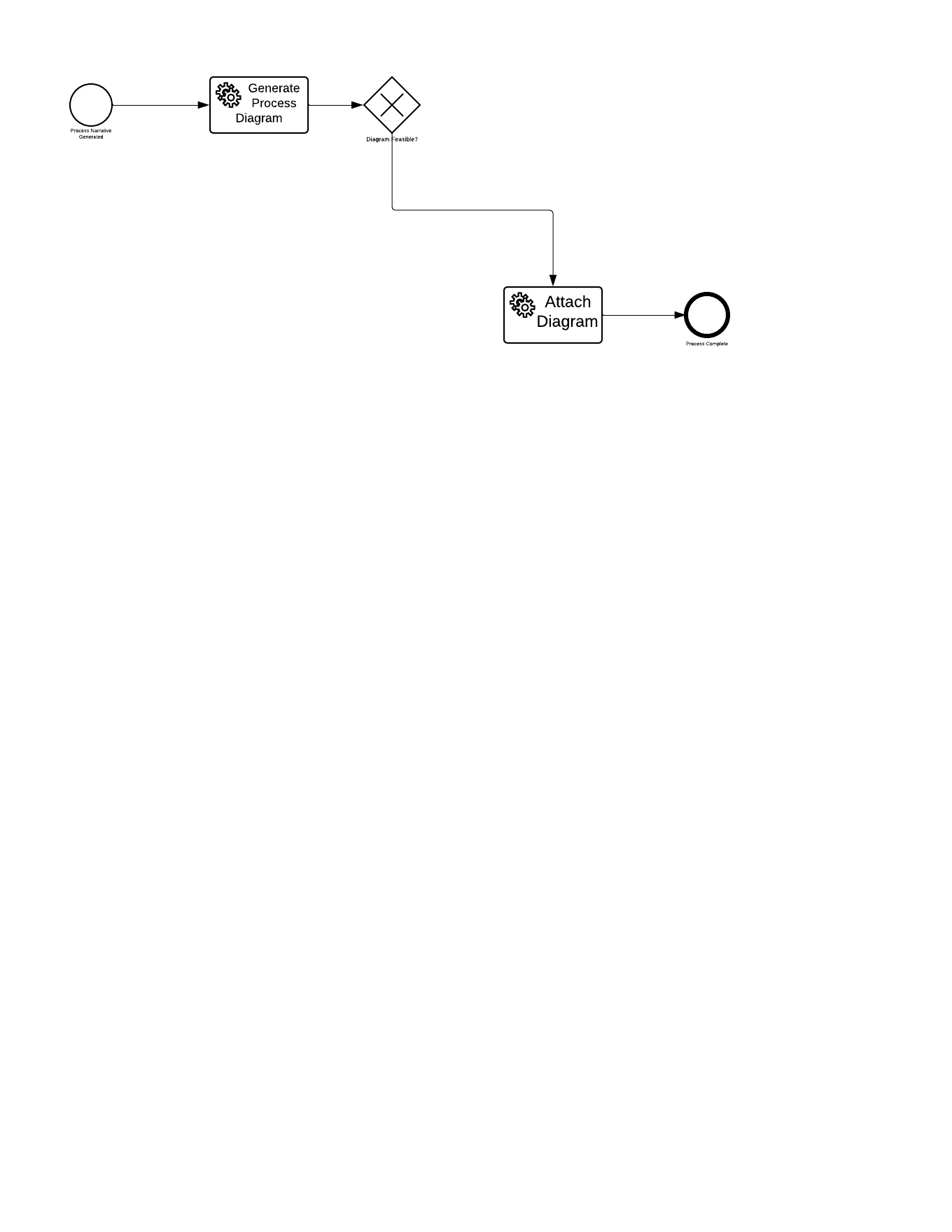
This image is generated from the above JSON provided .


Best answer by aishakhan

Hi ​@saikrishna,


Thank you for posting in the Lucid Community! Sorry for the delay in response on this, this post slipped through the cracks. If this issue persists, can you please provide a minimal JSON snippet (or attach the .json file) you are using so we can take a closer look? I can convert this post into a private support ticket if preferred. Please let me know how you would like to proceed, I apologize for the delay! 

Comments

Forum|alt.badge.img+5
  • Lucid support team
  • Answer
  • August 3, 2026

Hi ​@saikrishna,


Thank you for posting in the Lucid Community! Sorry for the delay in response on this, this post slipped through the cracks. If this issue persists, can you please provide a minimal JSON snippet (or attach the .json file) you are using so we can take a closer look? I can convert this post into a private support ticket if preferred. Please let me know how you would like to proceed, I apologize for the delay!