February 16, 2024
Question

Error: Unsuccessful response from data-sync: network [object Object]

  • February 16, 2024
  • 11 replies
  • 236 views

Hello,

I face the following issue when I try to call an action from my data connector. I think I followed all the necessary steps to make it work.

 

I well start the demon based on the debug-server.ts file :


I well declare it in the manifest

​​​​

I well defined the asynchronous actions 
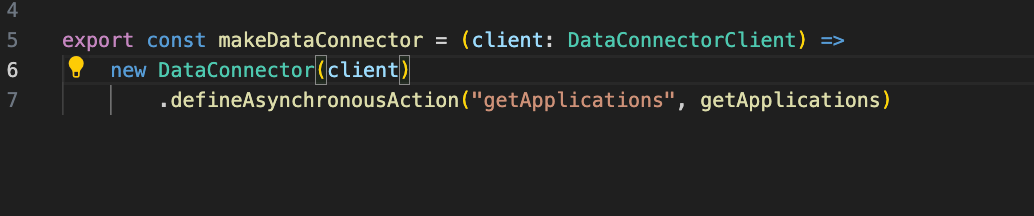
 

Here is the definition of the action : 

 

Can someone help ?


Comments

ablackburn
Lucid product team
March 19, 2024

Hi Guillaume, 

Appologies on the link, I didn't realize it would die when I updated the PR. Here's a permanent link to the code I wanted to share:

https://github.com/lucidsoftware/sample-lucid-extensions/blob/main/data-connector-example/editorextensions/data-connector-example/src/extension.ts


The important part is here:
 

  // Temporary workaround. You must call oauthXhr once before performDataAction will work
const triggerOauth = await client.oauthXhr("lucid", {
url: "https://api.lucid.co/folders/search",
headers: {
"Lucid-Api-Version": "1",
"Content-Type": "application/json",
},
data: "{}",
method: "POST",
});
const result = await client.performDataAction({
dataConnectorName: "data-connector-1",
actionName: "Import",
actionData: { message: "ImportFolders" },
asynchronous: true,
});


The reason is due to a bug on our end that we're ironing out. Basically you must call `client.oauthXhr` once to trigger the authorization flow which fetches + stores the user’s OAuth token for use by the data connector.


If you're having trouble still, I wrote up a guide on how to get a minimal data connector working here: https://github.com/lucidsoftware/sample-lucid-extensions/tree/main/data-connector-example