

Edit and format shapes in Lucidchart
We’re excited to share an update designed to surface the most relevant formatting controls while giving you a cleaner workspace. The new shape editing experience is available to all Free and Individual Lucidchart users now and will be released to all users later this year.
What’s changing
We’re replacing the static formatting toolbar in the top header. Your shape editing controls now live in a streamlined Shape Editing Bar next to your selected content and in the Right Panel.
Shape Editing Bar
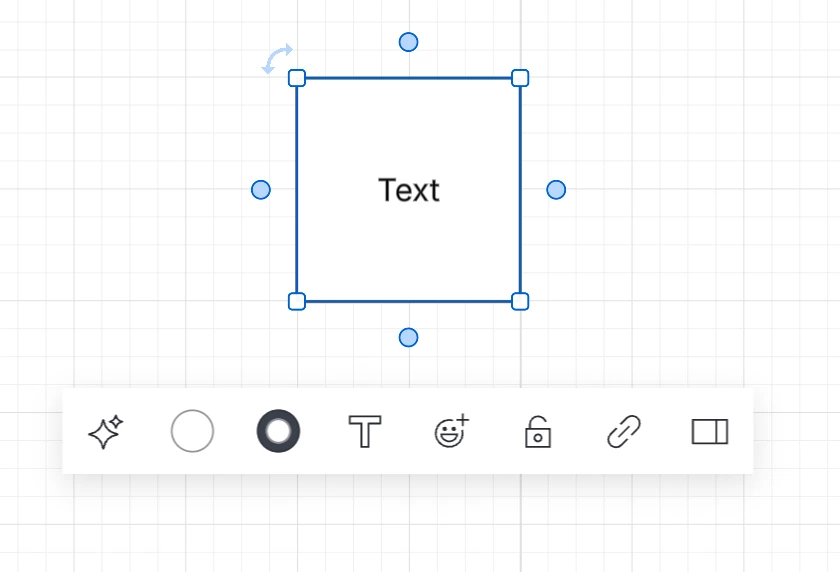
Select any shape on the canvas to see its formatting options. The Shape Editing Bar is dynamic, so it only shows the controls that are relevant to what you have selected. You’ll see the most commonly used options for that shape or object, making it easier to find what you need without extra clutter.
You can also move the Shape Editing Bar anywhere on your canvas by hovering over it and dragging the 6-dot handle on the left.
Controls may include:
- Lucid AI prompts
- Fill and line color options
- Text formatting
- Emoji reactions and links
- Lock/unlock controls
- Quick-open button for the main Properties panel
Right Panel
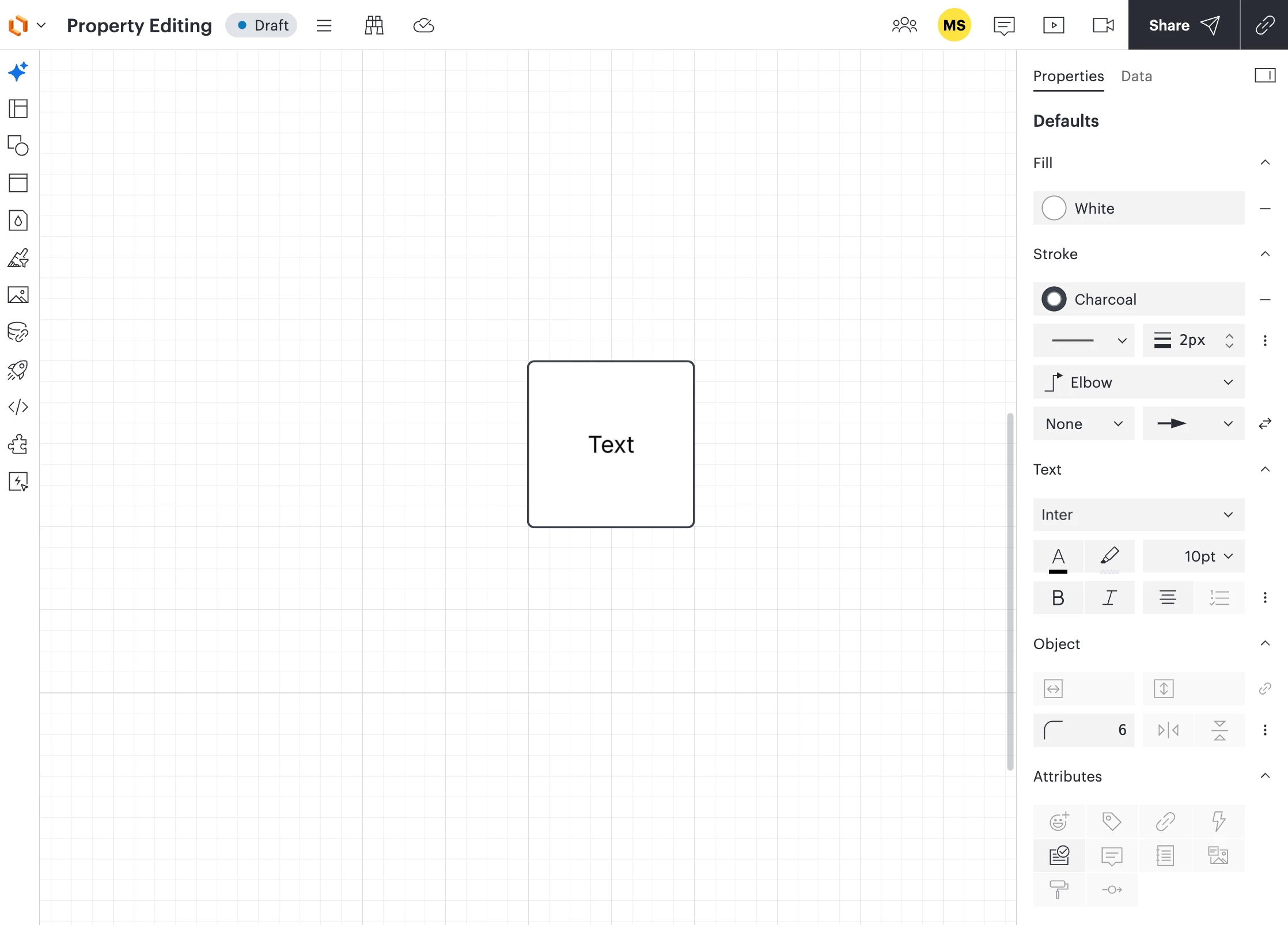
The right panel includes the same commonly used controls available in the Shape Editing Bar, plus additional advanced options for more detailed customization of your shapes.
To access these additional formatting controls, open the Right Panel by clicking the Open right panel button in the top right of your screen or in the Shape Editing Bar.
Controls may include:
- Fill color
- Line stroke and border options (color, thickness, style, and endpoints)
- Text formatting
- Object size and orientation
- Attributes (emoji reactions, tags, links, actions, icon sets, comments, notes, alt text, paint format, and connection points)
 Your privacy choices


