Best answer by Flavia D

Hi Emanuel, 

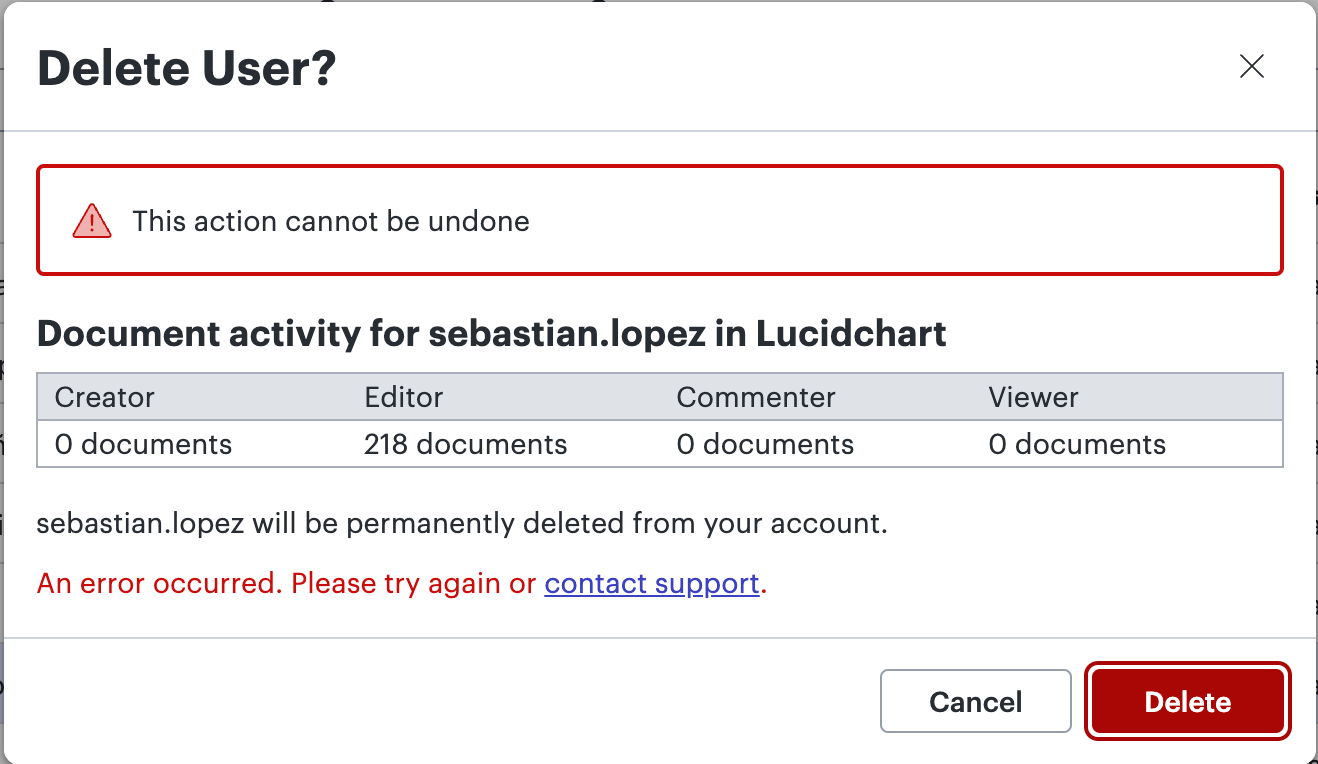
Thanks for your post, and I’m sorry for the issue you’re experiencing to delete a user. Could you try the following steps to help us narrow down the potential cause of the issue: 

  • Attempt the process in a private or incognito window. If you need help to open an incognito window, please check out this community post.
  • If using a VPN, try disconnecting from it and try deleting the user again. 
  • Connect to a different network (if possible, a mobile hotspot) and try deleting the user. 

If the issue persists, please post a screenshot of the associated Javascript Console output after reproducing the issue. You can open your Javascript Console by pressing Ctrl+Shift+J (if your computer is a Windows/Linux) OR Cmd+Opt+J (if your computer is a Mac). Thanks! 

Comments

Flavia D
Flavia DAnswer
Lucid support team
May 28, 2024

Hi Emanuel, 

Thanks for your post, and I’m sorry for the issue you’re experiencing to delete a user. Could you try the following steps to help us narrow down the potential cause of the issue: 

  • Attempt the process in a private or incognito window. If you need help to open an incognito window, please check out this community post.
  • If using a VPN, try disconnecting from it and try deleting the user again. 
  • Connect to a different network (if possible, a mobile hotspot) and try deleting the user. 

If the issue persists, please post a screenshot of the associated Javascript Console output after reproducing the issue. You can open your Javascript Console by pressing Ctrl+Shift+J (if your computer is a Windows/Linux) OR Cmd+Opt+J (if your computer is a Mac). Thanks!