

airfocus release notes | July 2026

airfocus, now part of Lucid, is a product management platform designed to unite teams to build great products with confidence. It serves as a single source of truth for product work, offering strategic roadmapping and advanced prioritization tools. The platform centralizes customer feedback for actionable insights, links OKRs to execution, and enables capacity planning. Its modular design supports customizable workflows, empowering product teams to build more effectively, no matter their approach.
Subscribe here to stay up to date with airfocus updates and releases! And if you’d like to see (and influence) the airfocus roadmap, check out the airfocus Portal.
Rich text fields
You can now add rich text (long text) fields to any workspace, with the same formatting options as the description field. They sync bidirectionally with Jira, so you can map multiple rich text fields—like "Acceptance Criteria"—instead of being limited to a single description mapping.
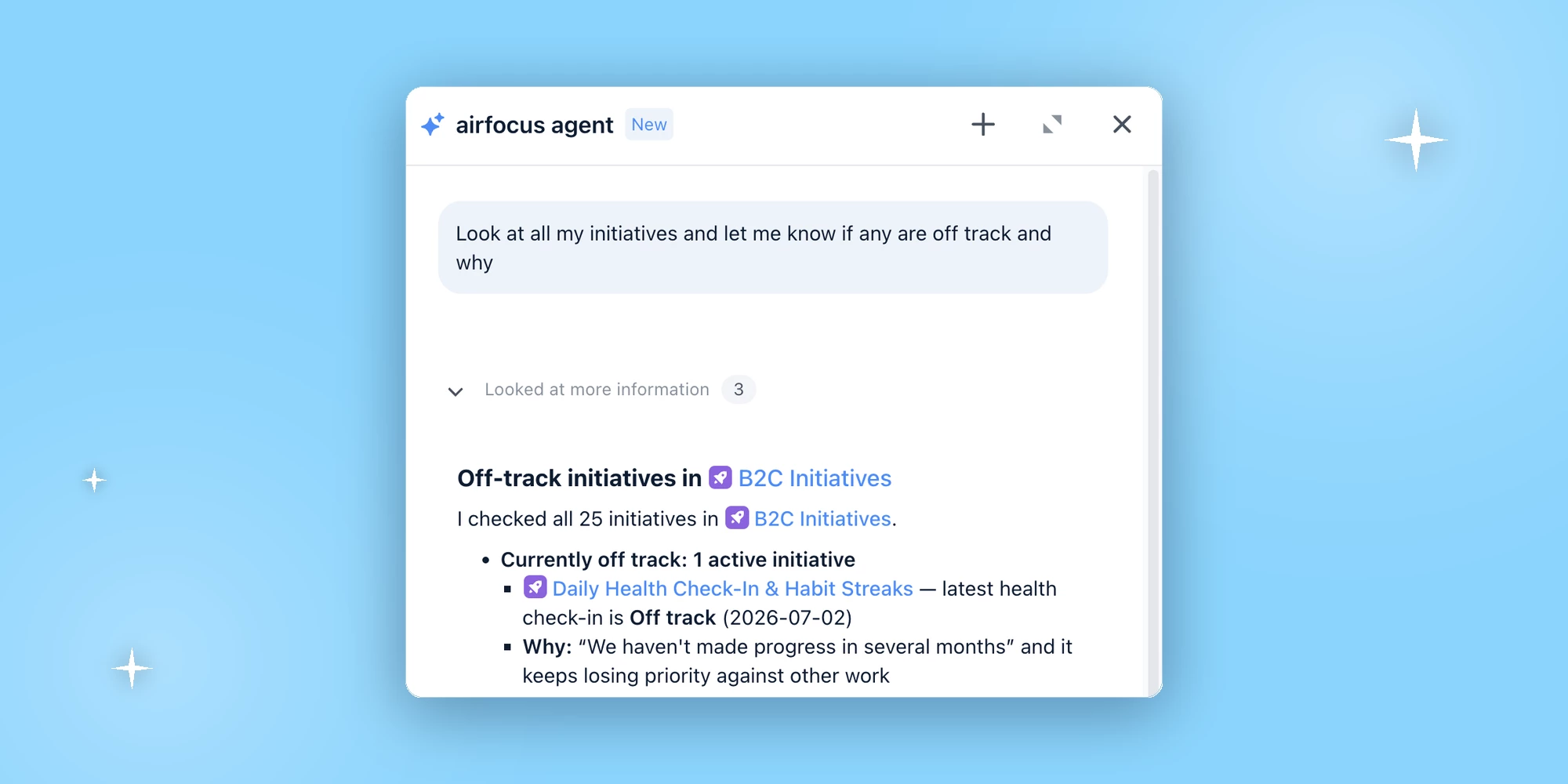
Read Check-ins with the airfocus agent and MCP server
The airfocus agent and MCP server can now read Check-ins, including their progress, confidence, and comments. Product leaders can ask the agent—or their AI tool of choice—to analyze the status of key initiatives and objectives and get data-backed answers. Currently available for Check-ins via the Health Check-ins app and Objective items; Key Result check-ins are coming soon. Learn more about airfocus MCP.
Link items with the MCP server
A new "Link Items" tool lets you create parent/child relationships between airfocus items directly from your AI tool of choice via the MCP server, connecting high-level initiatives down to the epics and tasks that deliver them. Learn more about airfocus MCP.
Restrict integration management to admins (Enterprise)
Enterprise teams can now limit integration management to admins only. When enabled (Team Settings → Features), only admins can add or edit integration configurations. Users with full permissions who are editors can still manage apps and sync existing integrations that are already set up.
 Your privacy choices


