Delivered

Can I reset visual activities in Lucidspark?

Related products:Lucidspark
  • June 4, 2025
  • 3 replies
  • 47 views

Forum|alt.badge.img

Being able to reset the activity so that it could be repeatable would be really valuable. Estimating stories for example (planning poker)

July 2, 2025

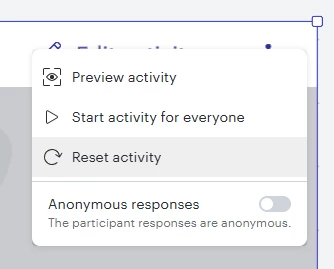
@The DR Good news! This is now an officially supported function. Simply open the Activity Settings in the upper right corner of your Visual Activity, then choose Reset activity. 


Comments

Ambar D
Forum|alt.badge.img+10
  • Lucid community team
  • June 6, 2025

Hi ​@The DR, thanks for posting in the Lucid Community!

There are two methods to reset the results of visual activities in Lucid. I recommend checking out this article to learn more, but here’s the info:

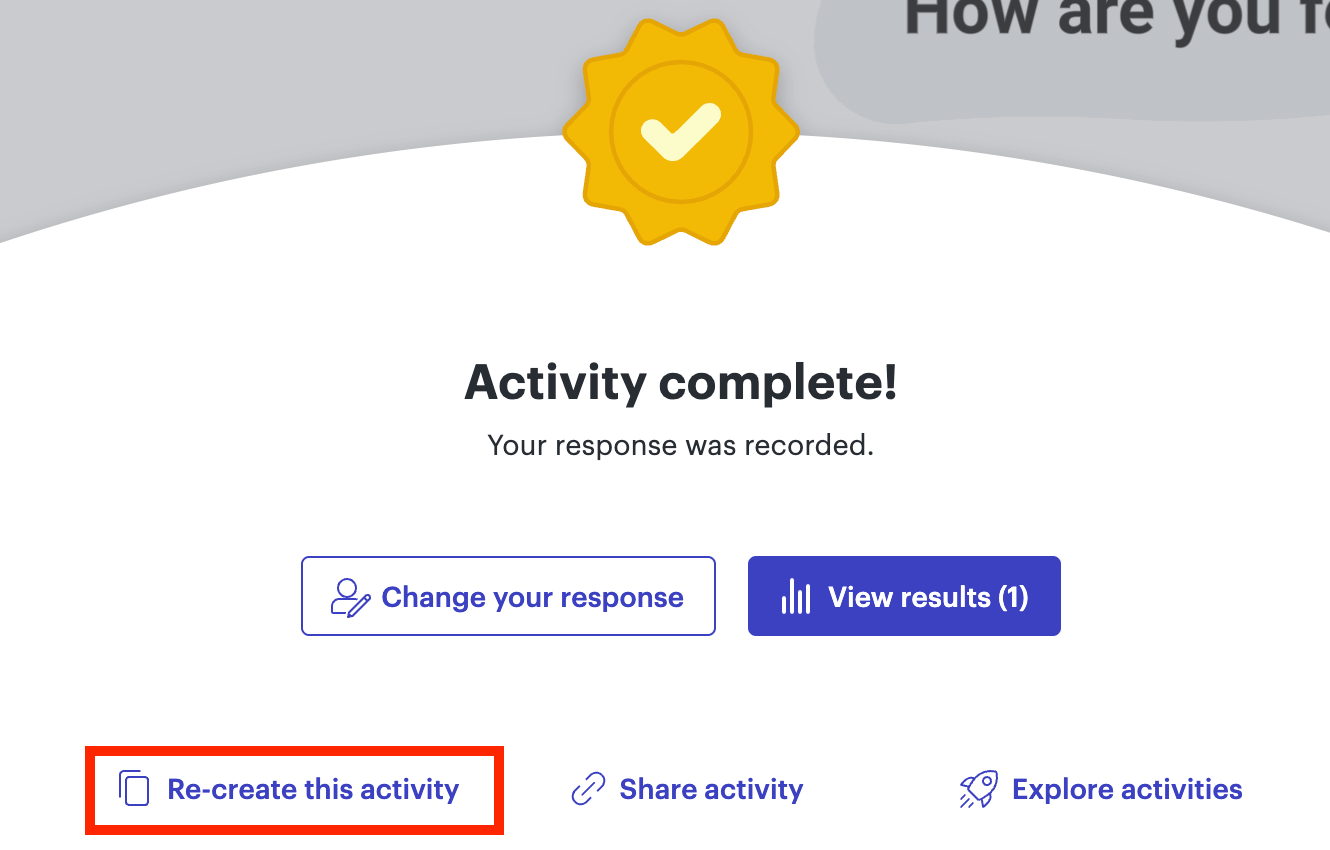
From the results page, you can select Re-create this activity from the bottom of the page. This will create a new Lucidchart document or Lucidspark board that contains just the Visual Activity.  Another option is you can select the Visual Activity, copy it, then paste it to a new location.

Both of these options preserve the contents of the Visual Activity, but removes all previous participant data. If you are doing the Visual Activity with the same participants, you will need to send them a new link to share the duplicated activity with them.

Is this what you are hoping to do? Please let me know if you have any additional question here - happy to help! I’ve also gone ahead and converted this post into a question within the Product Questions category of this community so that other users can see this.


Micah
Forum|alt.badge.img+20
  • Lucid community team
  • July 2, 2025
IdeaDelivered

Micah
Forum|alt.badge.img+20
  • Lucid community team
  • July 2, 2025

@The DR Good news! This is now an officially supported function. Simply open the Activity Settings in the upper right corner of your Visual Activity, then choose Reset activity.