

I’m exploring the use of smart containers as a way to visualise various data from user research projects within one service (there is a lot) and to also be able to link those insights to other big data insights across the service.
I have a lot of fields and would like to be able to format the label text for them however I can’t seem to do this. I’m unable to highlight the label text, let alone format it. Is there any way around this that I’m missing?
Solved
Formatting labels on smart containers in Lucidchart
Best answer by Leianne C
Hi
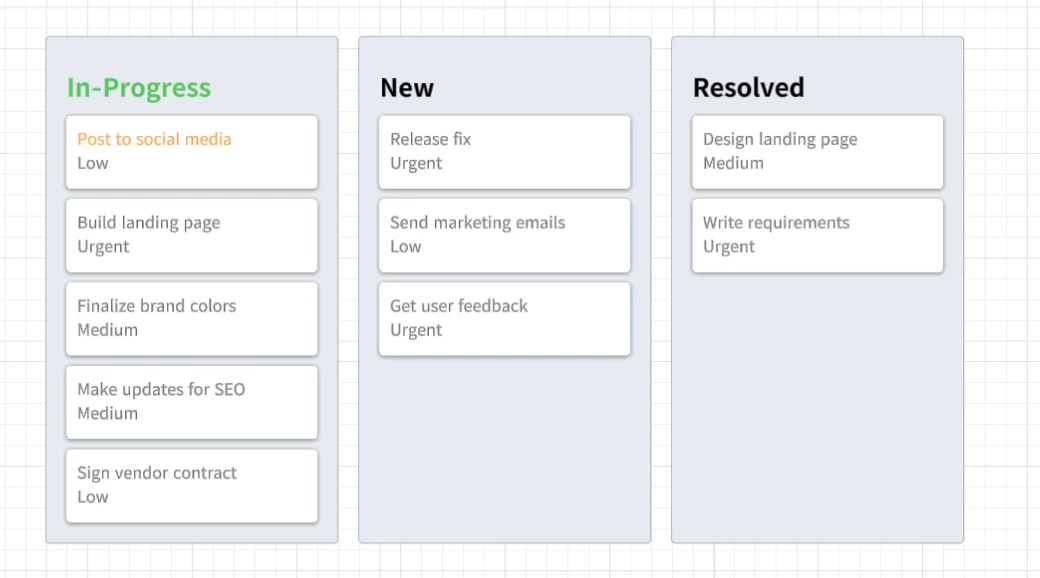
Is this what you are referring to? Please feel free to let us know if you have any questions!


Create an account in the community
A Lucid or airfocus account is required to interact with the Community, and your participation is subject to the Supplemental Lucid Community Terms. You may not participate in the Community if you are under 18. You will be redirected to the Lucid or airfocus app to log in.
Log in to the community
A Lucid or airfocus account is required to interact with the Community, and your participation is subject to the Supplemental Lucid Community Terms. You may not participate in the Community if you are under 18. You will be redirected to the Lucid or airfocus app to log in.
Log in with Lucid Log in with airfocus
or
Enter your E-mail address. We'll send you an e-mail with instructions to reset your password.
 Your privacy choices


