
Enhancing Tags in Lucid – We Need Your Input!

  • March 10, 2025
  • 6 replies
  • 108 views

Zaq J
Forum|alt.badge.img

Hello everyone!

Do you rely on tags in Lucid to organize or analyze your work? Ever wished for more flexibility or better visibility?

We’re exploring ways to improve tagging (especially on sticky notes) and would love your input! If you're open to a quick chat, reply here or DM me.

Looking forward to your thoughts!

Thanks,
Zaq

Comments

Forum|alt.badge.img+1
  • March 23, 2025

Yes! I would like to click on a tag and only see Tags with the value I selected. Basically would like the LucidSpark board to have the ability to filter on tags attached to stickys!


Ria S
Lucid Legend Level 8
Forum|alt.badge.img+19
  • Lucid Legend Level 8
  • June 8, 2025

Hi ​@Zaq J 

yes, I rely on tags in Lucid, especially when working with large boards or trying to group feedback during brainstorming sessions. They're super helpful for filtering and staying organized.

That said, I’ve definitely wished for more visibility - like being able to see tags more clearly without clicking into each sticky note, or having a tag summary panel to quickly scan and manage them across the board. More color or icon options could also make tags easier to spot at a glance.


Forum|alt.badge.img

I would love the opportunity to create a better system for organizing tags within large board. Like tag folders or families. For example, I might have an area of the board where I am tagging stickies by person, another by document name, another area by category, another by status… etc. etc. After a while the list can get too long and hard to find the tags I’m looking for because they are all lumped together. Happy to chat about this if you are still looking for ideas and feedback on tag improvements. Separate note, I would love to be able to hover over a tag or select multiple tags and have it dynamically highlight every item with that tag or tag set. So far instance if I had a tag call Pain Point, I could be presenting a board and quickly highlight to a stakeholder which insights were pain points (not just with a splash of color that is the tag itself but something that is more bold, perhaps even greying out the rest of the board to spotlight a specific tag or set of tags.


Forum|alt.badge.img+13

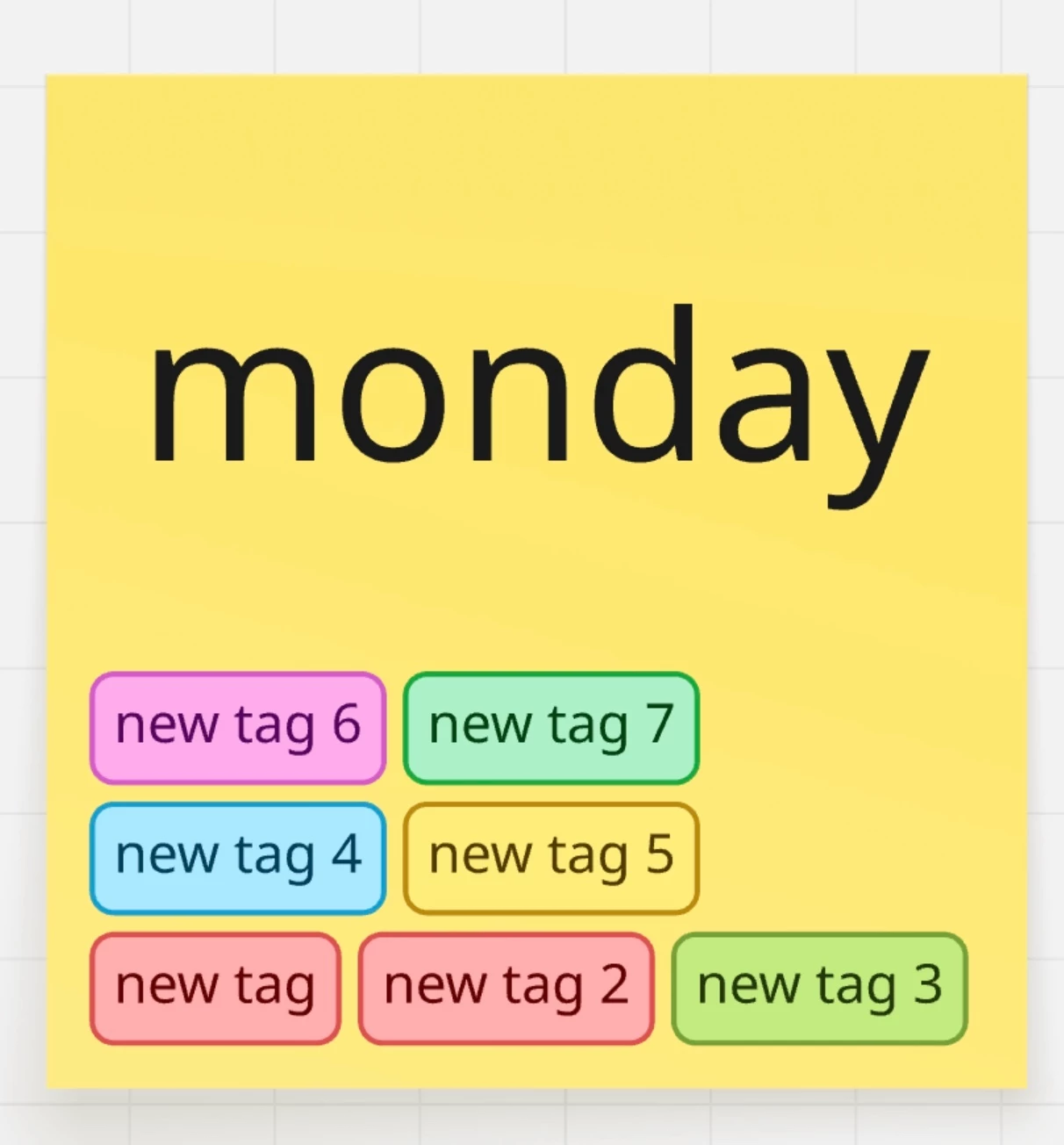
No matter how many you add the sticky note will show them all on separate lines. Even when you scale the sticky note up or down it will still show all the tags. 
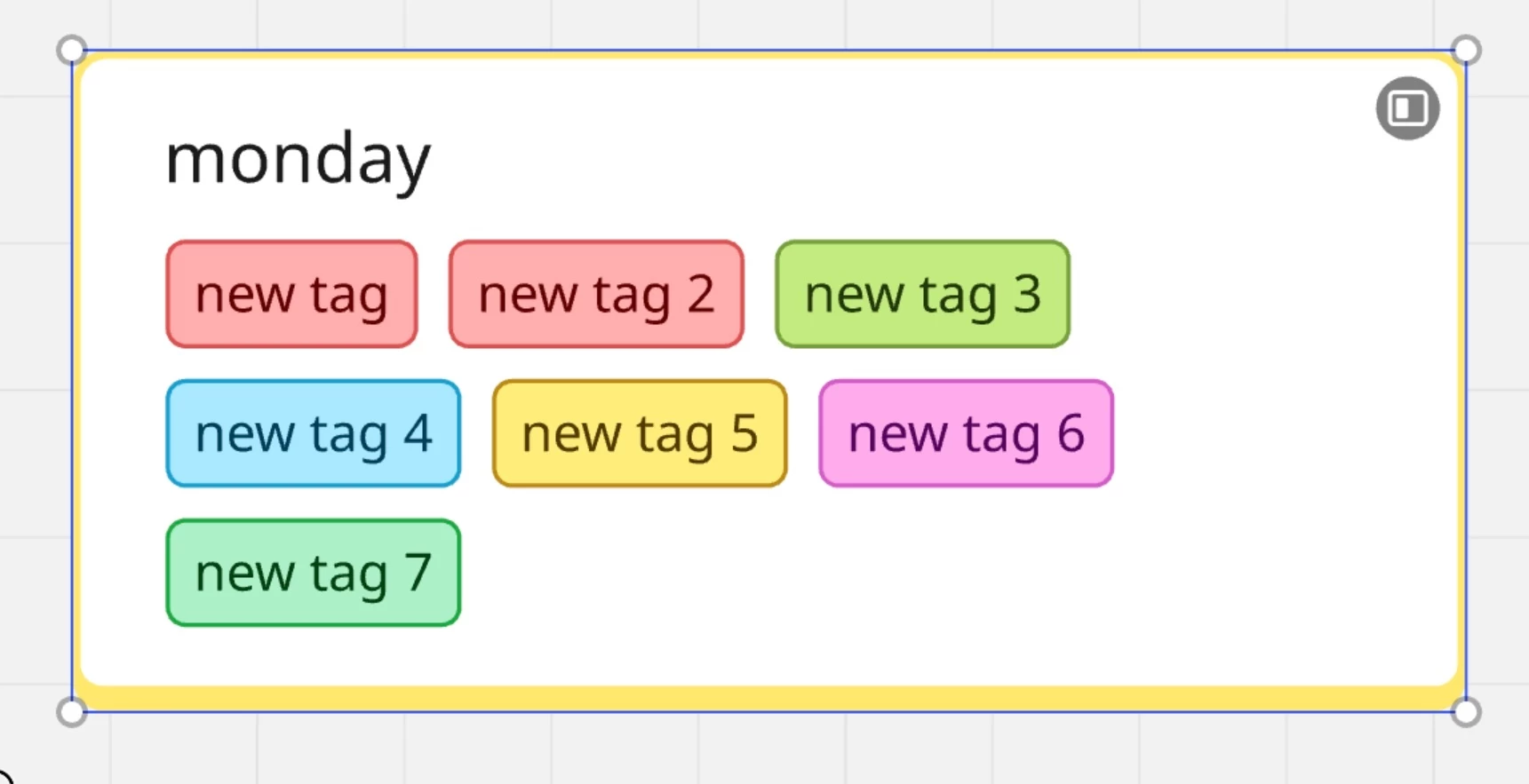
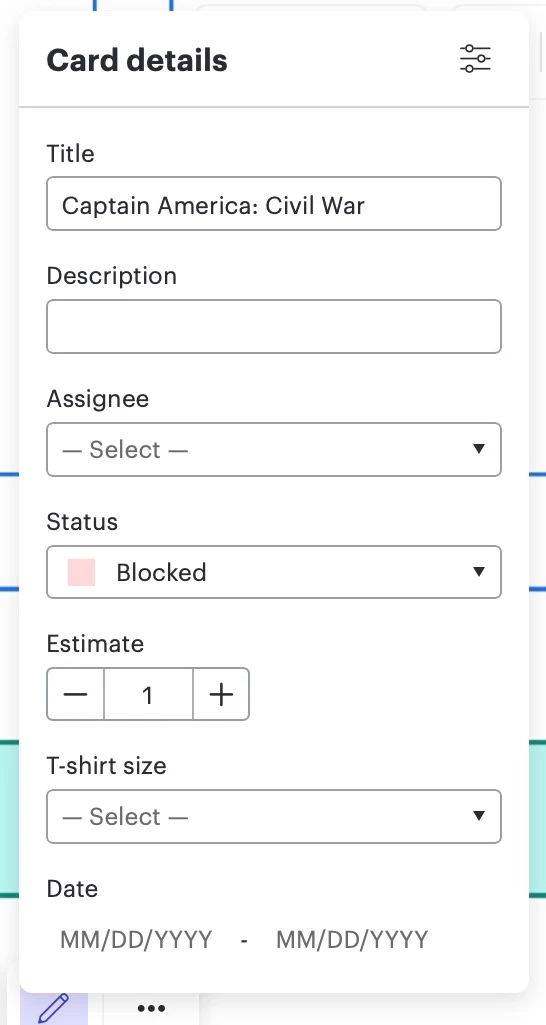
In Lucidspark tags (which is essential a multi-select property) are for sticky notes and a single select property but with pre chosen values are used for the Lucid cards. With that in mind this means when we convert a sticky note to a Lucid card that tags could appear on the card as tags and as a tag property with a multi-select dropdown menu in the card details under the status property. 


Forum|alt.badge.img+13

What if the card details menu (second image) for Lucid cards was revamped to become accessible to all shapes plus the Lucid cards that we can convert back and forth with the conversion feature (first image).
That way whatever properties are usable for that particular shape or a Lucid card would appear on that menu. That means the emoji feature and the multi-select tags feature and the show author feature would appear on that menu as well- maybe rename it simply to Details. 


Ambar D
Forum|alt.badge.img+10
  • Lucid community team
  • July 22, 2025

Hi ​@patrickpereira1988, thank you for adding this detailed feedback!