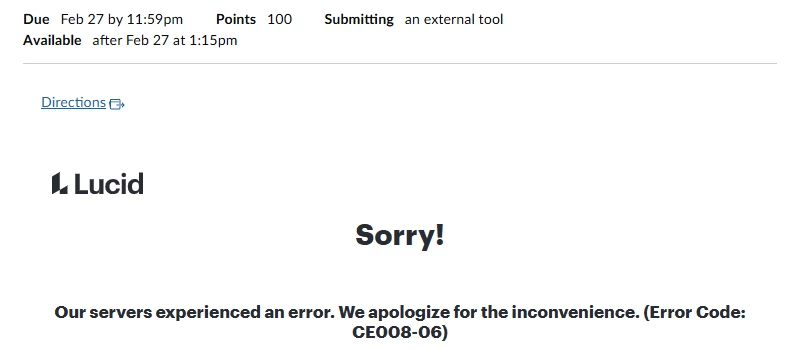
We have Lucid integrated into Canvas. A student is unable to access his assignment even though everyone else in the class is able. He can log in to Lucid directly (and sees his copy of the assignment), but when he goes to the assignment through Canvas, he gets this error:
We’ve tried clearing the cache and incognito windows - no luck. Anyone have any suggestions for us?
Thanks!
Best answer by ssahagun
Hi @mrosenb1
Thanks for posting in the Community and for sharing your troubleshooting steps! The CE008-06 error code usually appears in any of the following scenarios:
In assignments, when the original document or the student assignment copy has been manually deleted. This also applies to RCE embeds that teachers could create.
If a teacher who has embedded a diagram using the Rich Content Editor manually logs into Lucid and disconnects the integration: other users will start seeing CE008-6.
Something new from the most recent investigation is that student assignment copies can result in CE008-6 if the student manually moves the document outside of the Canvas folder.
Thanks for posting in the Community and for sharing your troubleshooting steps! The CE008-06 error code usually appears in any of the following scenarios:
In assignments, when the original document or the student assignment copy has been manually deleted. This also applies to RCE embeds that teachers could create.
If a teacher who has embedded a diagram using the Rich Content Editor manually logs into Lucid and disconnects the integration: other users will start seeing CE008-6.
Something new from the most recent investigation is that student assignment copies can result in CE008-6 if the student manually moves the document outside of the Canvas folder.
A Lucid or airfocus account is required to interact with the Community, and your participation is subject to the
Supplemental Lucid Community Terms.
You may not participate in the Community if you are under 18. You will be redirected to the Lucid or airfocus app to log in.
A Lucid or airfocus account is required to interact with the Community, and your participation is subject to the
Supplemental Lucid Community Terms.
You may not participate in the Community if you are under 18. You will be redirected to the Lucid or airfocus app to log in.



 Your privacy choices


