

Use Lucid AI to quickly generate critical thinking sorts for students of all ages
Idea Spark | Instructional Sorts & Critical Thinking
Sorting activities are a high impact instructional strategy for all students, for example kindergarteners sorting shapes by attributes all the way to medical students sorting pathologies.
Benefits:
- Actively categorizing information builds the mental scaffolding needed for long-term memory and retrieval.
- Shifts students from passive listening to critical thinking as they analyze relationships, identify patterns, and justify their reasoning
- Serves as a low-stakes formative assessment tool, allowing educators to instantly spot and address student misconceptions.
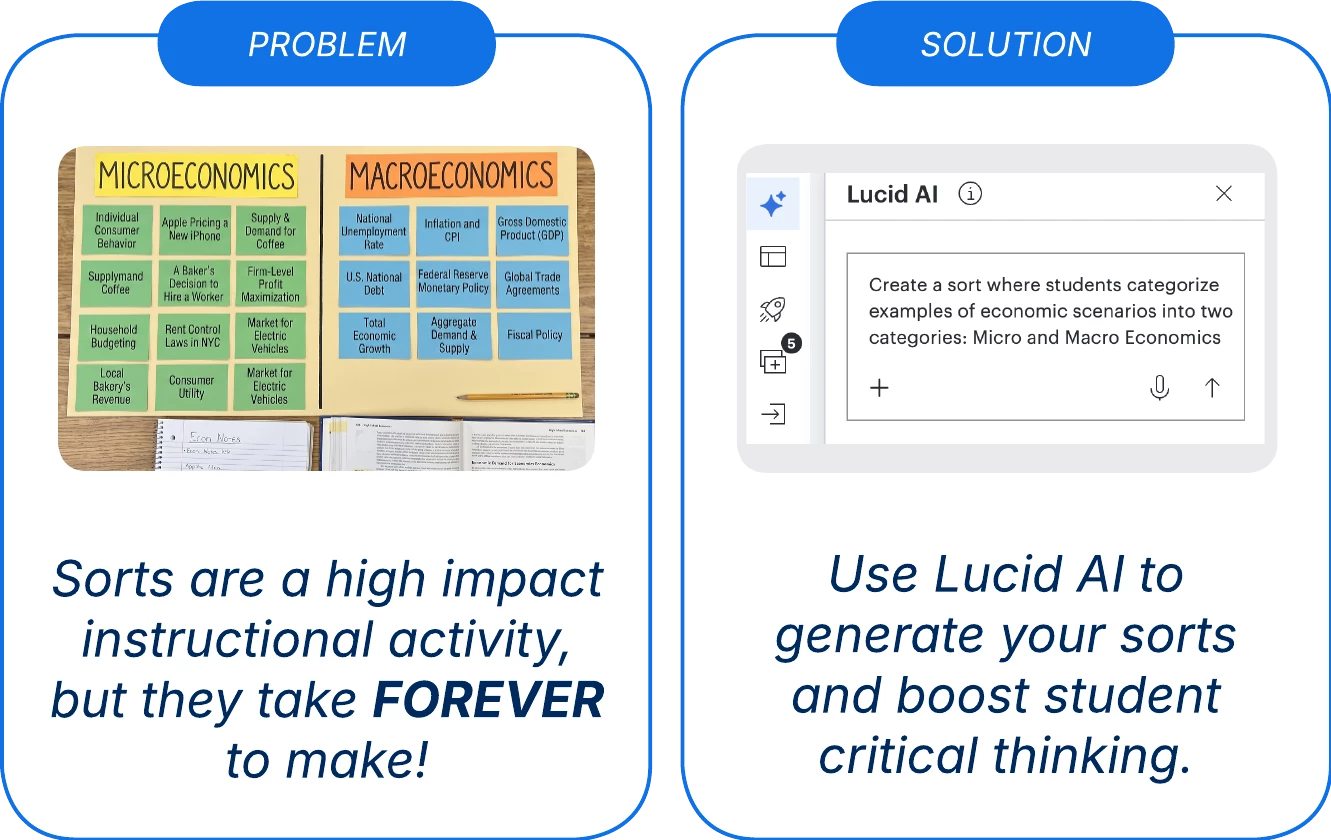
👉 Try one out 👈
How to:
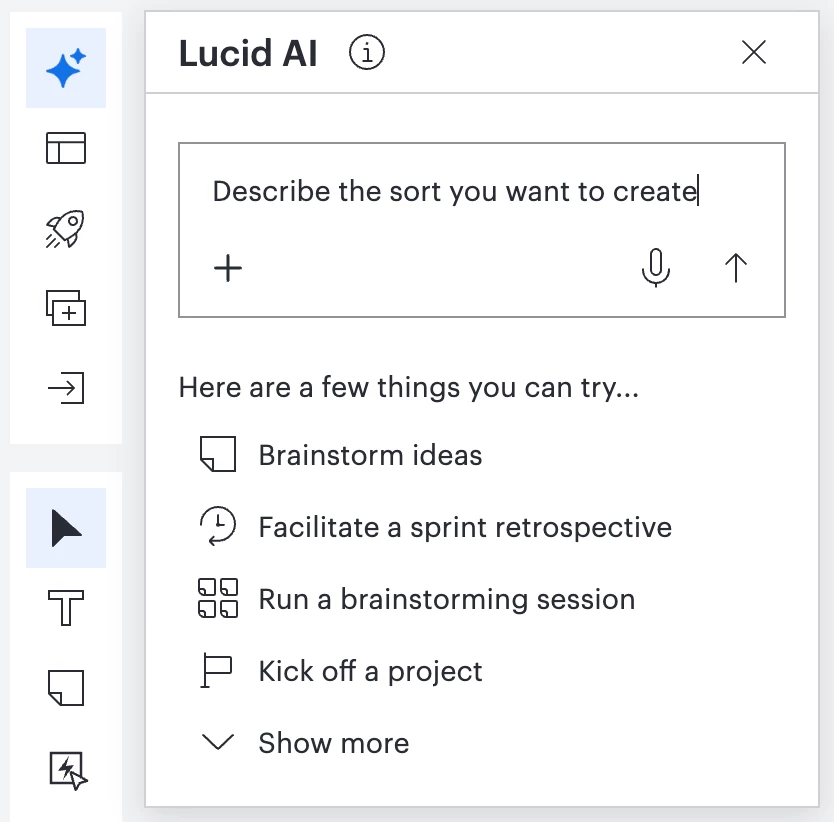
Step 1: Open Lucid AI, describe and submit the sort you want to create.
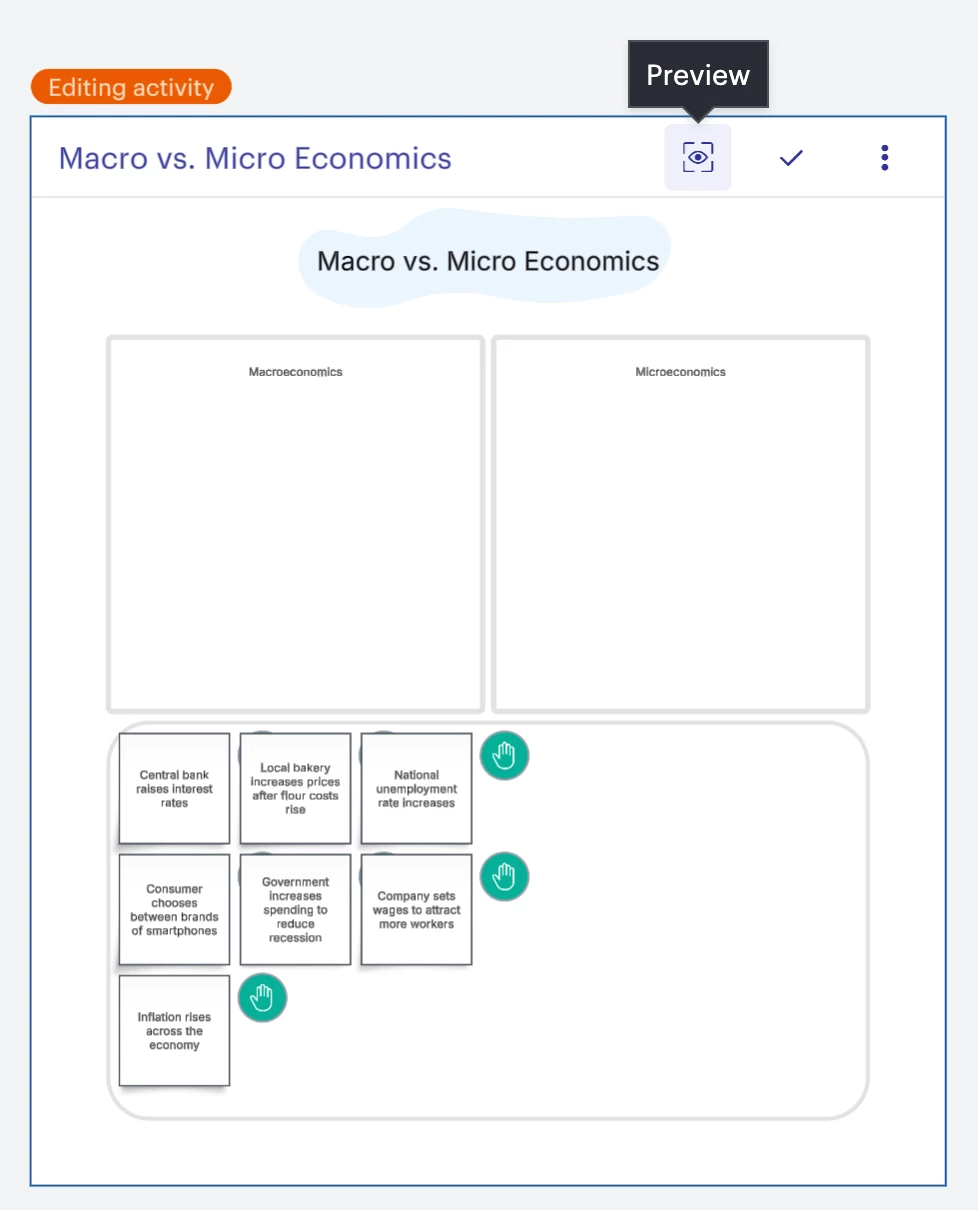
Step 2: Review, customize and test out the generated visual activity sort.
Step 3: Save and send out to students using Canvas or a Lucid share-link.
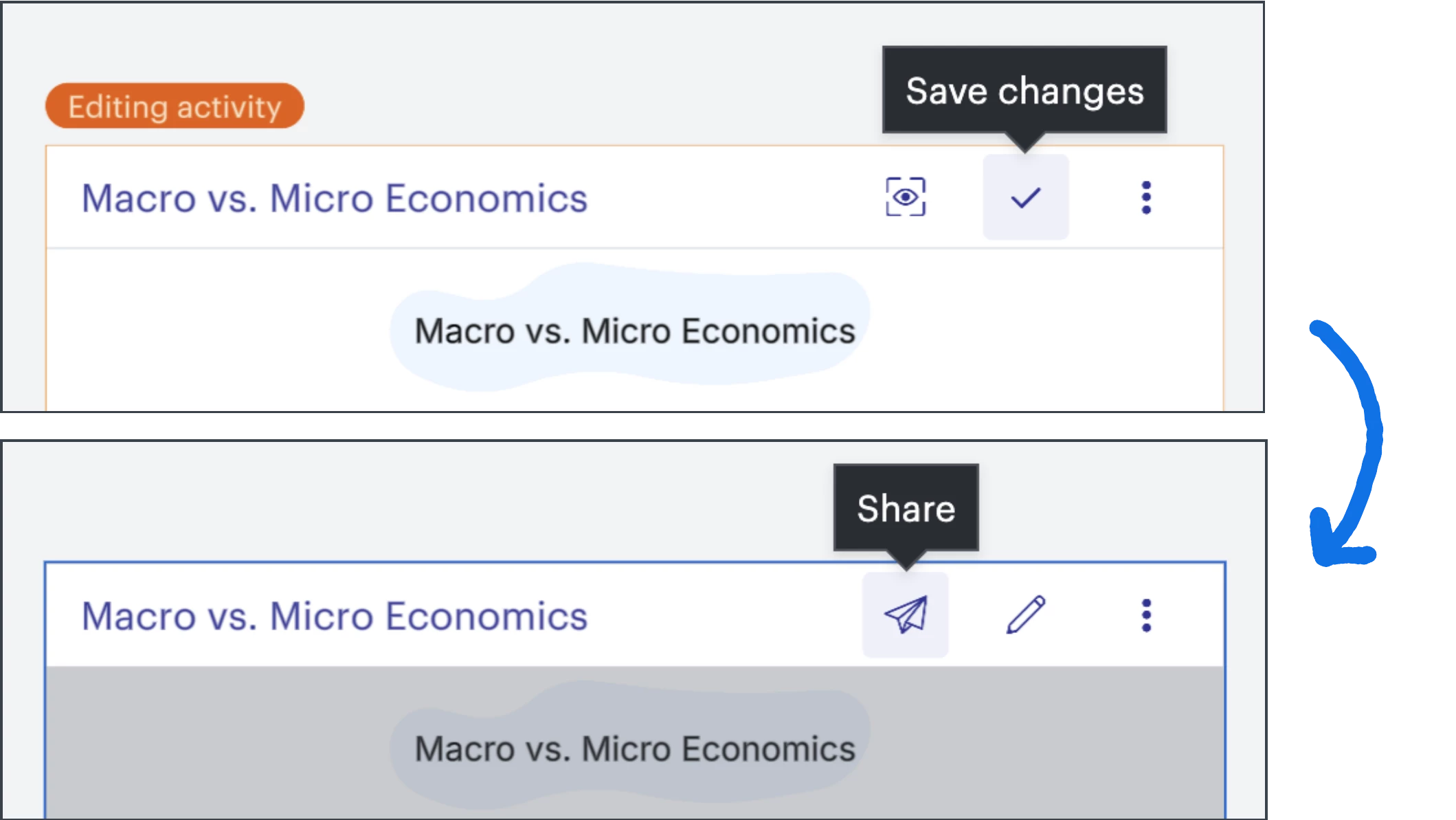
**If you don’t want your sort to be a visual activity, simply copy and paste the content within onto the main board and delete the visual activity. Then, you can send the sort out to be completed individually by students using a Canvas assignment or force-copy link.**
 Your privacy choices


