
Transforming Paper Packets into Structured Digital Workbooks in Lucid
Instructor Highlight | Meagan A. (Luttenton) Knoll
Senior Faculty| Management Information Systems| Grand Valley State University
Template/Example: Transforming Paper Packets into Structured Digital Workbooks
Video: Transitioning from hard to use and grade paper-packets to Lucid workbooks
Detailed Walkthrough
Transforming Paper Packets into Structured Digital Workbooks
Many classroom projects begin as printed packets. These offer structure and rigor, but they can be difficult to manage, grade, and share. In this project, students completed a fourteen-task workbook by hand. While this supported learning, it made tracking student work and participation more challenging.
The Original Project
The first version used a printed packet with fourteen tasks. Students wrote answers by hand, and teachers graded them by hand. Students submitted their work in different ways, making it hard to see group cooperation or individual contributions. This led to slow grading, lost or messy papers, and limited insight into how students developed their ideas. Although students learned well, this method made project management and oversight difficult for teachers.
Design Goal
The goal of the redesign was not exclusively to turn paper materials into digital files. Instead, it aimed to rethink the learning experience while keeping the existing rigor and expectations. The redesign focused on clearer steps, better support for collaboration, stronger accountability, and easier grading. By restructuring rather than simply copying, the digital version aimed to increase clarity and student engagement, allowing teachers to focus more on evaluating reasoning and understanding.
Workbook Structure
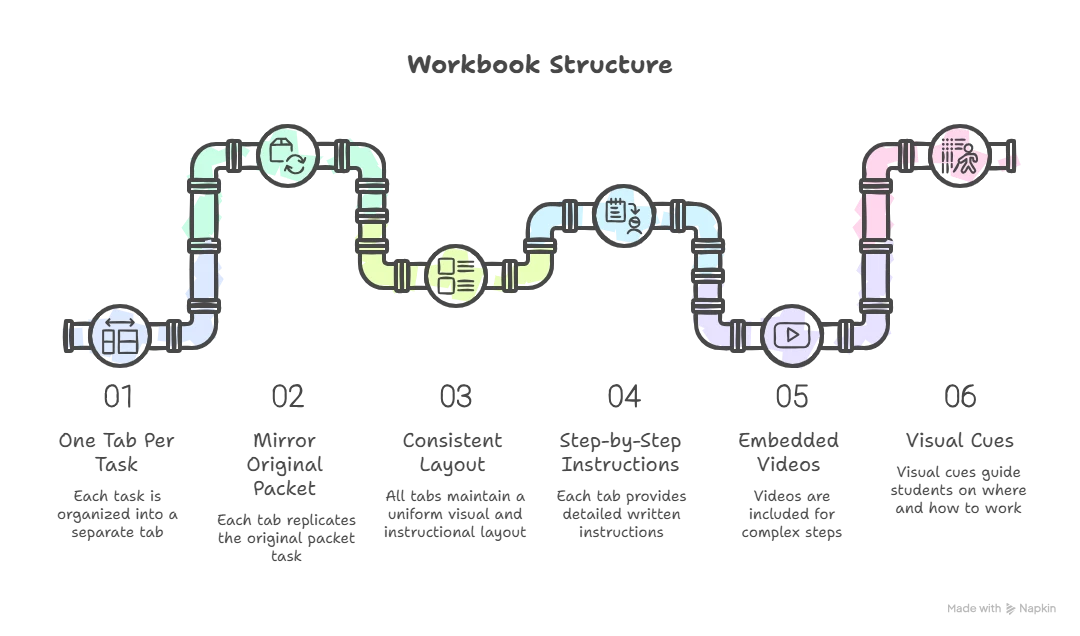
The digital workbook kept the existing structure by dividing the content into fourteen tabs, one for each task. Each tab looks and works the same, so students can easily navigate. Clear instructions are paired with videos or other media for more complex steps, and visual cues indicate where to interact. This consistent setup lets students focus on their work instead of figuring out the tool.
Structured Design Supports for Digital Learning
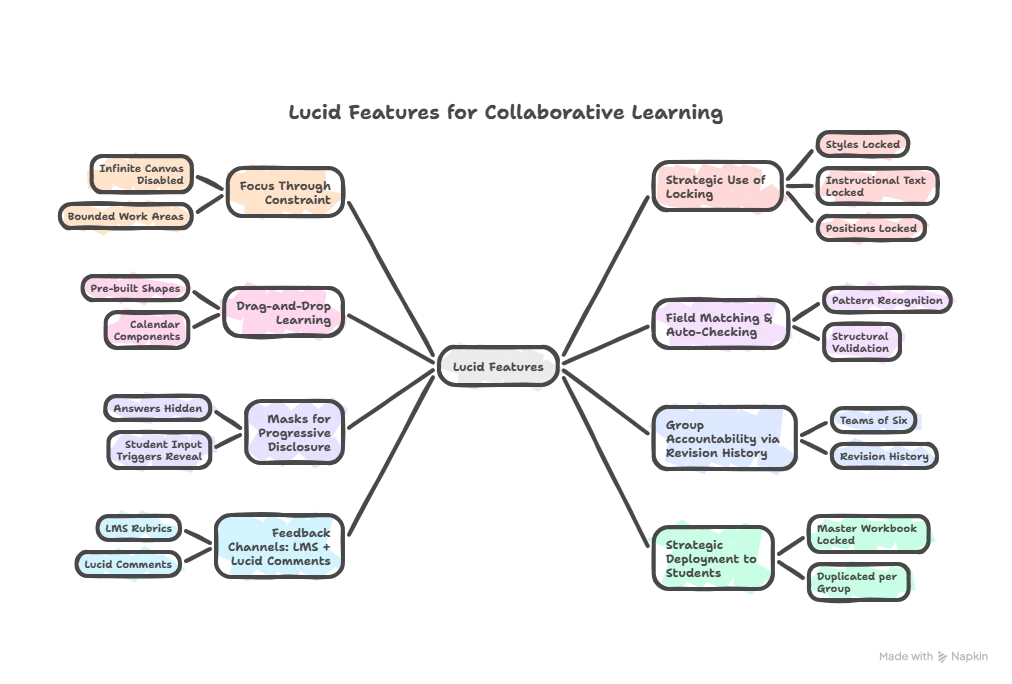
The digital workbook was designed to guide students rather than leave everything open-ended. Instead of giving total freedom, the structure focuses on clarity, consistency, and reasoning. Visual boundaries, defined areas for interaction, and ready-made components help students focus on relationships, order, and decisions rather than on managing the workspace.
The design keeps the instructional structure by using stable elements that show expectations, while allowing flexibility only where student input matters. This balance keeps the layout intact, prevents mistakes, and gives all groups a consistent experience. It also supports fair grading and makes reviews easier for teachers.
Guided interaction methods help reduce tool-related problems by giving students structured elements to use and organize. By making it easier to build their work, the environment allows students to focus on logic, connections, and processes. Built-in checks and staged information help students stay engaged, reflect, and correct themselves, while still keeping teacher assessment in place.
Features that make participation visible and trackable help build visibility and accountability. This supports real group work and lets teachers see both engagement and results. Feedback and assessment use different channels, combining structured grading with guidance, so teachers can keep things consistent and have conversations with students in the workspace.
Finally, giving each group a standard version of the workbook helps maintain consistency and scalability. This approach makes course management easier and prevents groups from interfering with each other's work.
Overall, these design choices show that digital learning works best when interaction is carefully structured. Instead of focusing on what the tool can do, the design guides attention, supports reasoning, builds accountability, and keeps instruction clear.
Observations
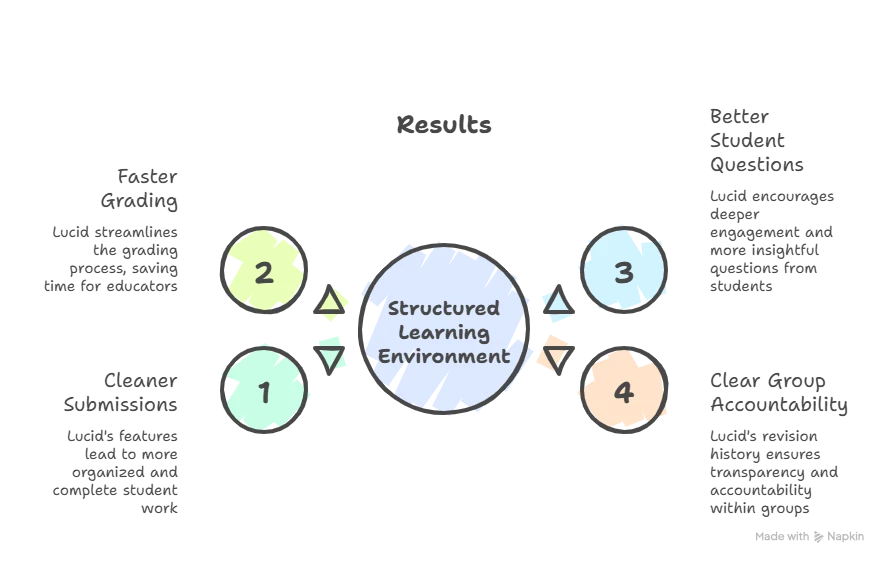
Using the structured digital workbook led to more consistent submissions, faster grading, and better student questions. Participation was clearer, and group accountability improved. These results imply that careful design in digital environments can help teachers and students without lowering academic standards.
This redesign shows that real digital transformation is more than just putting materials online. By structuring student interactions, providing guidance, and using platform features, digital workbooks become active learning environments rather than just storage. These environments support transparency, teamwork, and growth while keeping the existing teaching goals
 Your privacy choices


