



How Visual Sorting Shows Real Student Mastery
Hi everyone, my name is Shira, and I teach Introduction to Educational Technology at LaGuardia Community College in New York City.
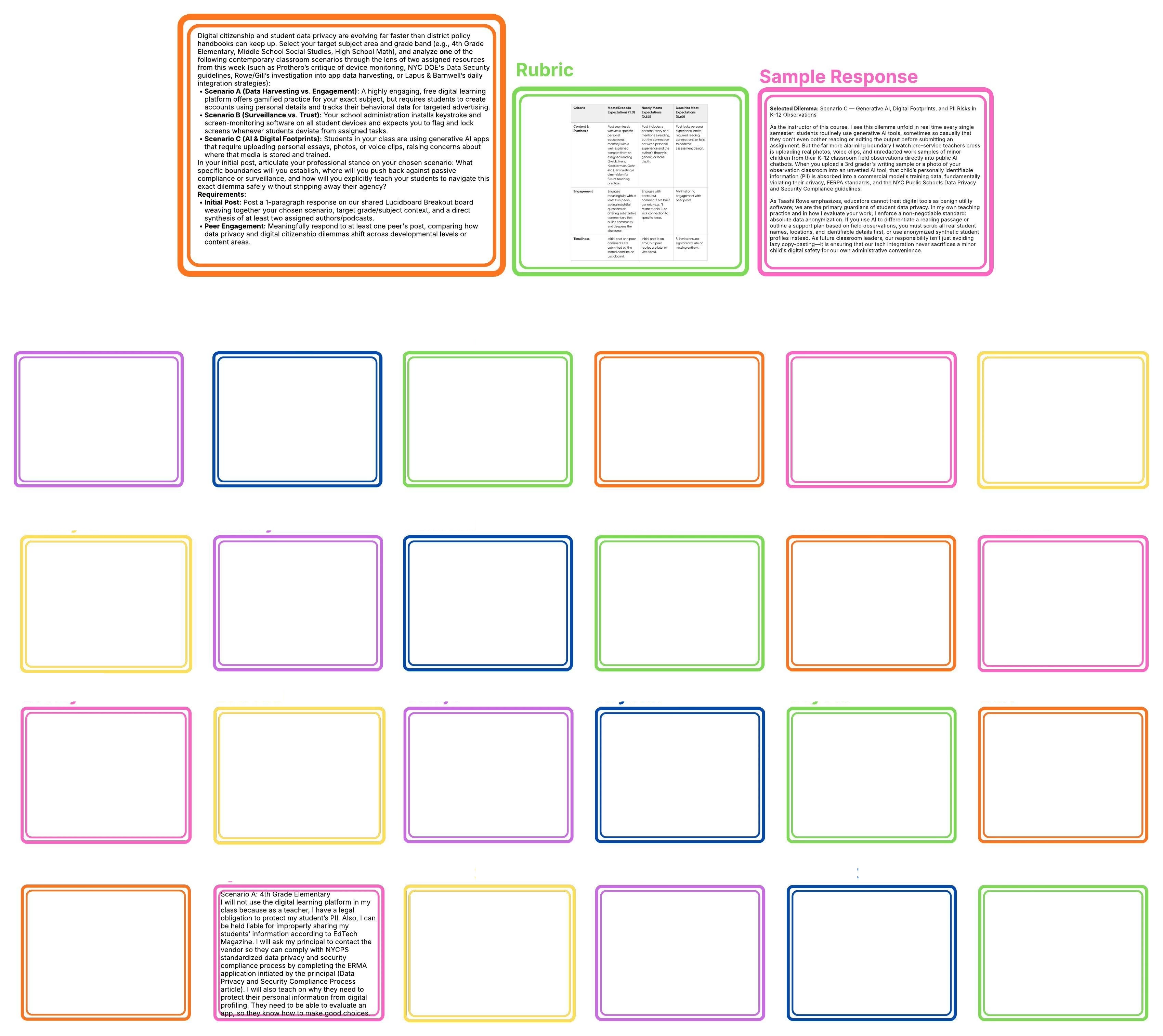
In my course, I use a Lucid board as the landing page for our learning resources, readings, and activities. Like many college classes, we frequently use traditional discussion boards where students read a prompt, follow a rubric, post their responses, and comment on each other's work. While written discussions have an important place, assigning paragraph after paragraph can quickly lead to writing fatigue. Long written responses are simply not the only way for students to demonstrate genuine mastery of course concepts.
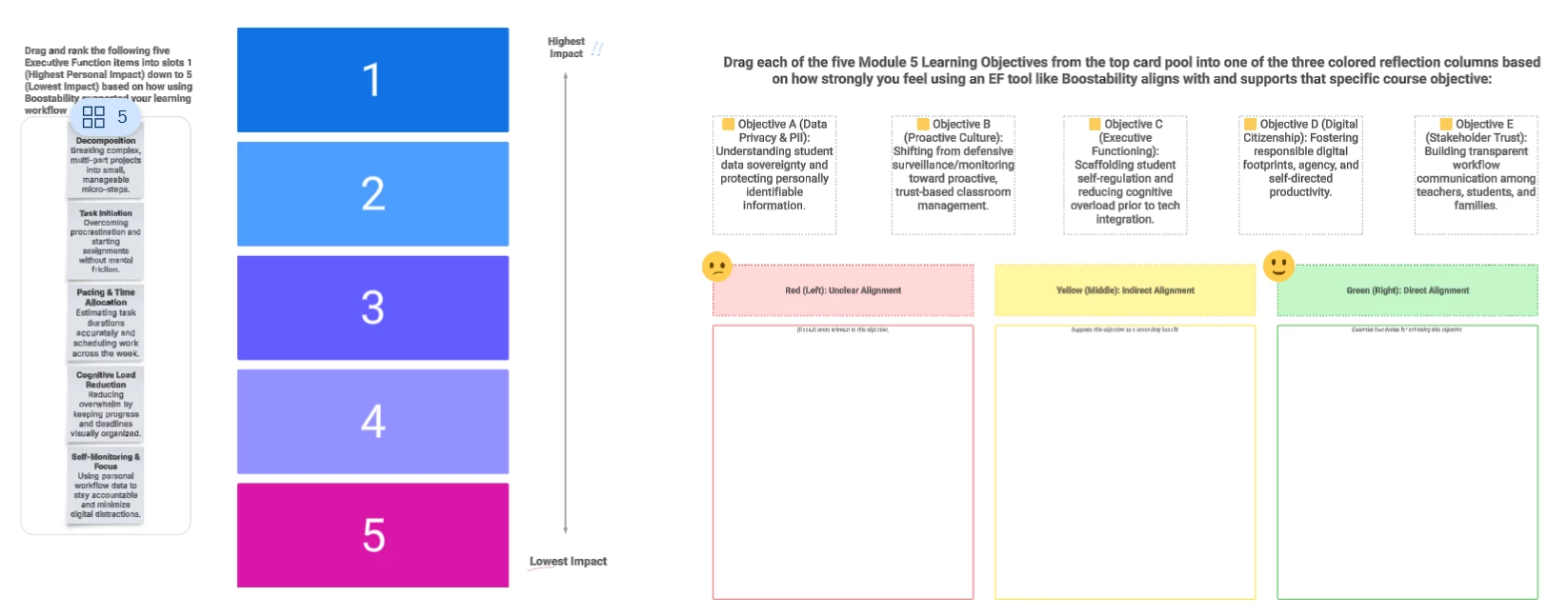
To create a healthier balance between writing and visual synthesis, I built an interactive ranking activity into our unit on digital citizenship, data privacy, and proactive classroom culture. The activity is split into two visual exercises. First, students complete a self-reflection task where they drag five executive function skills into slots numbered one through five, ranking them from highest impact down to lowest impact on their own learning workflow. There is no single right or wrong answer, but it forces them to reflect deeply on how they use educational technology to support their study habits. In the second part, students take five core module learning objectives and sort them into colored columns based on whether a specific tech tool has unclear, indirect, or direct alignment with that objective.
This visual format gives me just as much insight into my students' thinking as a multi-paragraph essay would, if not more. At a glance, I can easily see how they are using the tool, how they connect it to our broader educational frameworks, and where they might need more support. It keeps the critical thinking level high without overwhelming them with text.
You can watch my video walkthrough of the board here: https://youtu.be/uGNZrbyuclY
I have also attached a screenshot showing the workspace for both tasks.
Feel free to make a copy and adapt this visual exercise for your own classes using this link: https://lucid.app/lucidchart/07705230-d84e-4096-94d7-9bc7fb3c9556/edit?viewport_loc=2521%2C-1776%2C1840%2C1070%2C0_0&invitationId=inv_5018bae5-1a22-4976-9334-92651dc9bd06
 Your privacy choices


