

How to upgrade your Canvas quizzes with interactive Lucid activities
Imagine upgrading your Canvas quizzes from simple memorization to active, deeper-level thinking. Adding interactive Lucid activities makes it easy and here are two quick ways to set it up:
Option 1 | Students show mastery by creating from scratch
Instructor Setup:
-
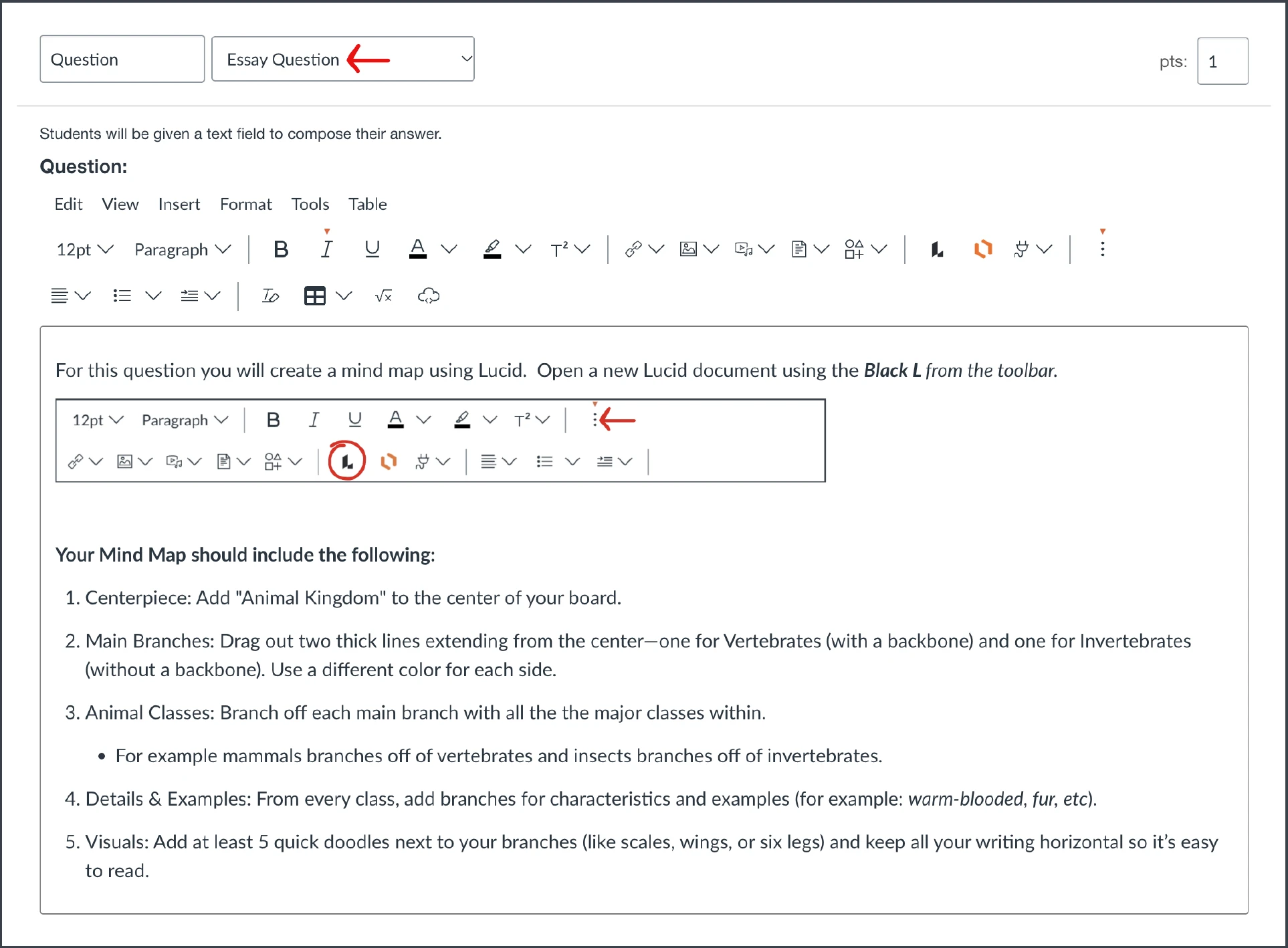
Choose “Essay Question” as the Canvas quiz question type.
-
Add the instructions for the activity to the Canvas quiz question.
Student Action:
-
Students create a new blank Lucid board using the Black L from their toolbar.
-
Then, they complete and submit the quiz question.
Example: Animal Kingdom Mind Map
Option 2 | Students show mastery by completing critical thinking templates
Instructor Setup:
-
Create an activity template in Lucid.
-
Generate a force-copy link for the Lucid activity
-
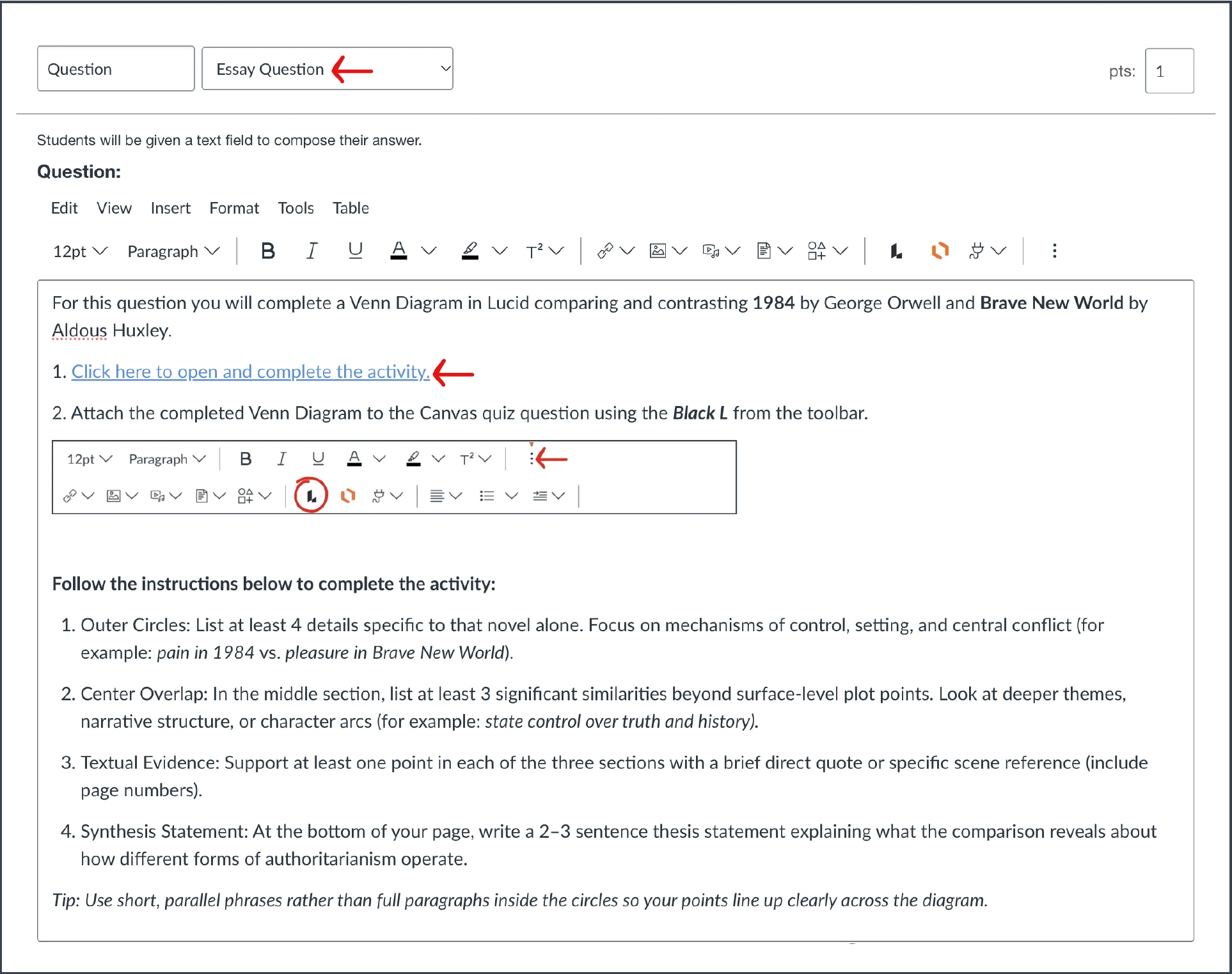
Open Canvas and choose “Essay Question” as the Canvas quiz question type.
-
Add the instructions and paste the force-copy link into the Canvas quiz question.
Student Action:
-
Students click on the force-copy link to open their own copy of the template.
-
Students complete the activity.
-
Then they open, attach and submit the completed Lucid document using the Black L from their toolbar.
Example: Literature Comparison | 1984 vs Brave New World
 Your privacy choices


