

How to ensure students actually read the assigned readings
Idea Spark | Analytical Reading instead of AI Reading Summaries
Template: Analytical Reading and Annotation Template
Video: How to AI Proof your Class Reading Assignments with Text Annotation
Detailed Walkthrough
Instructors across the world are having trouble with students using AI to do their homework and assigned readings. The point of assigning readings is to get students to actually READ and ANALYZE the text on their own. This process both delivers the content to students and gives them the opportunity to develop lifelong analytical/critical thinking skills.
Instructors are turning to Lucidspark to help counteract students using AI to do their thinking for them. By focusing on text annotation and analysis, students actually READ and ENGAGE in their assigned readings by highlighting important sections, adding sticky comments, and identifying different elements with shapes. The best part is that it’s quick and easy for instructors to set up and assign to students.
Let’s start with some tips for successful analytical reading:
Tip #1) Choose short impactful articles
- Digging deeper into a short article is more impactful than students inevitably using AI to summarize a long chapter in a textbook
Tip #2) Give students annotation shortcuts and guides
- For example: red stickies=questions, green stickies=facts, match your highlight color to your sticky comment, encourage the use of emoji reactions to show meaning, etc
Tip #3) Provide students with completed examples
- This helps them understand the expectations and what success looks like
Tip #4) Encourage students to take ownership
- Analytical reading is a lifelong skill that students will use again and again in the future, therefor they should develop their own analytical reading system that best fits them
Now let’s look at how to quickly set this up in Lucidspark:
1- Add the reading to Lucidspark
- Upload a PDF or Image
- Add the text from the reading in the “alt text” box (when needed for screen readers)
- Or copy and paste the reading text directly onto the Lucidspark Canvas
2- Add instructions, annotation shortcuts and lock everything
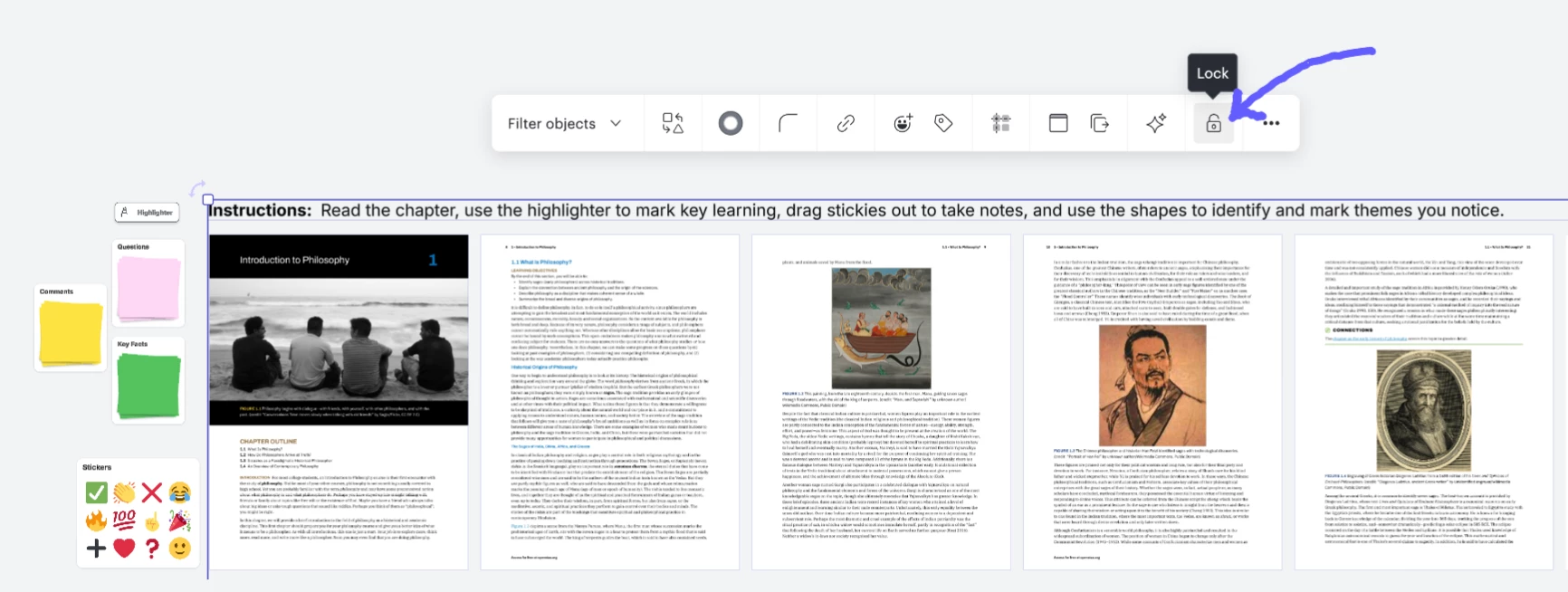
3- Send out the Lucidspark reading to students through your preferred LMS
- How to send out through Canvas
- How to send out through Google Classroom
- How to create a force copy-link
4- Lastly, students actually read the assigned reading and actively annotate using the highlighter, stickies, and shapes.
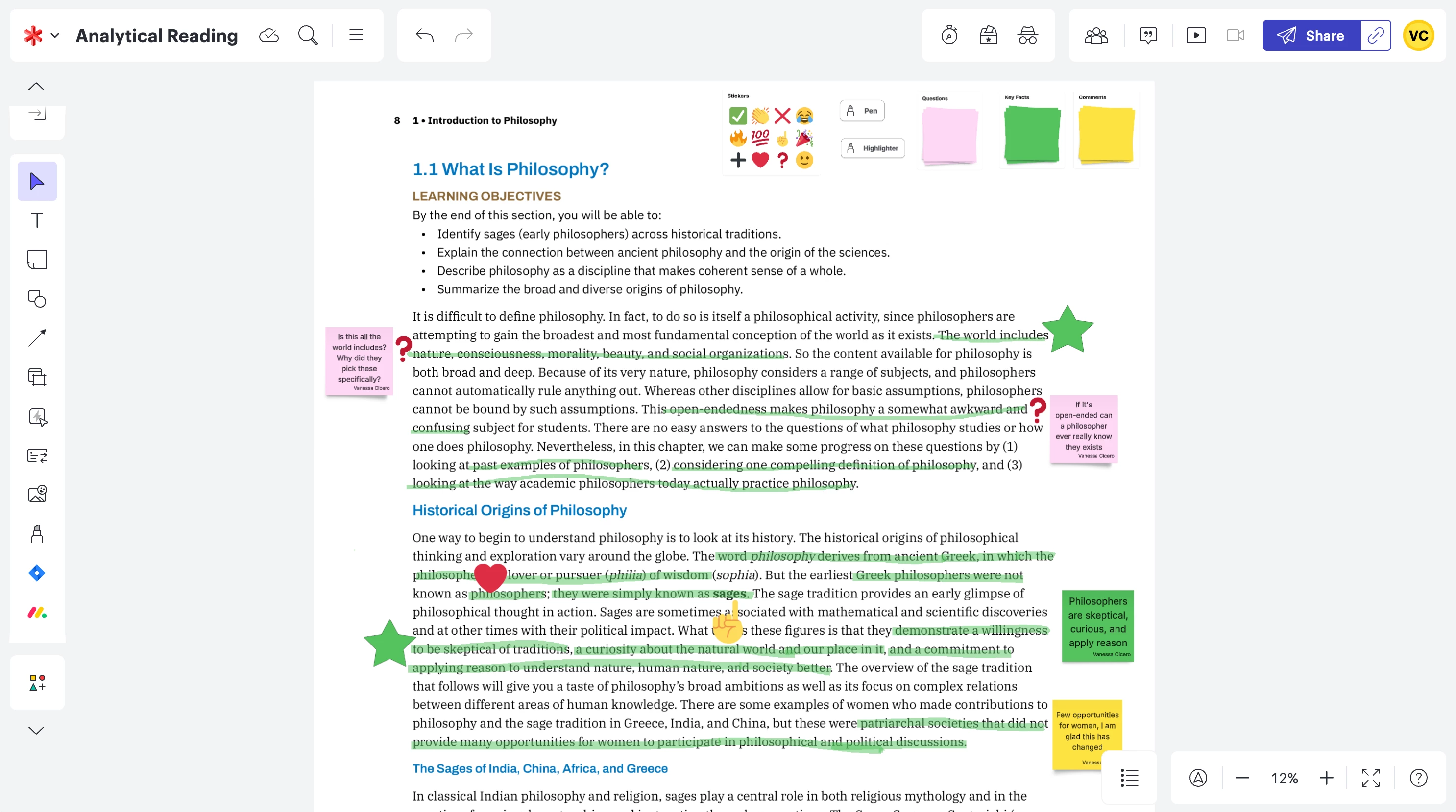
Bonus: Review the version history to watch the evolution of the document and verify the student didn’t just copy and paste someone else's work into their assignment ;)
 Your privacy choices


