

Canvas Update: Copying/Blueprinting functionality is now live for Lucid collaborative embeds in Canvas!
Sharing your collaborative Lucid activities in Canvas just got easier. Copy from one course to another, from one semester to another, from one module to another and more!
How it works:
1. Create the original Canvas “template” that all future copies will pull from. Keep this one clean. Don’t use it or delete it.
-
Embed a collaborative Lucid activity on the page
-
Add instructions in the Canvas RCE, set up the page settings and save.
2. Copy or blueprint the Canvas page
3. Students collaborate together on the copied Canvas page
4. To make another copy you have two options:
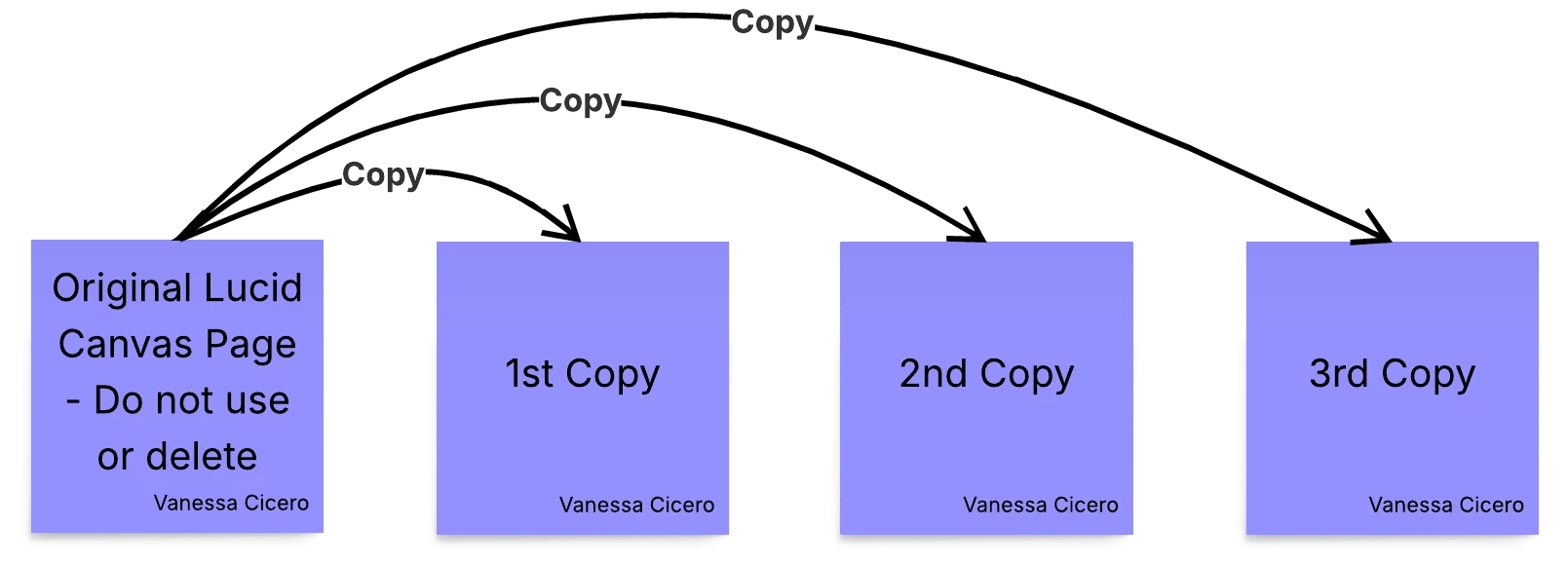
Option #1: Copy from the original
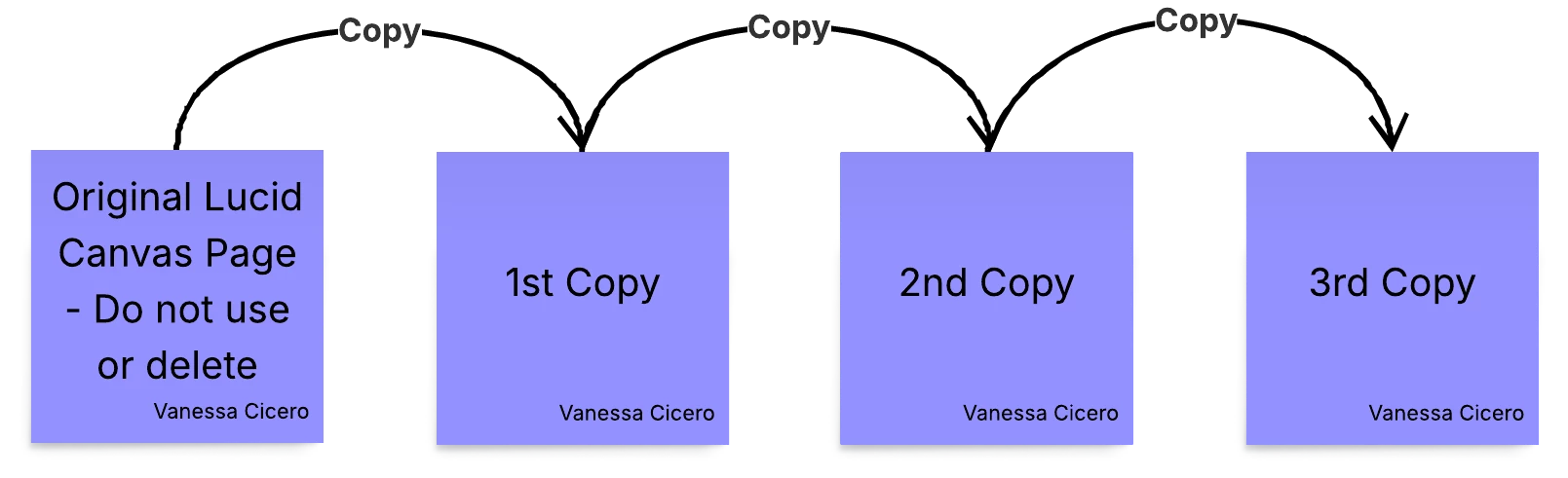
Option #2: Copy from the completed activity
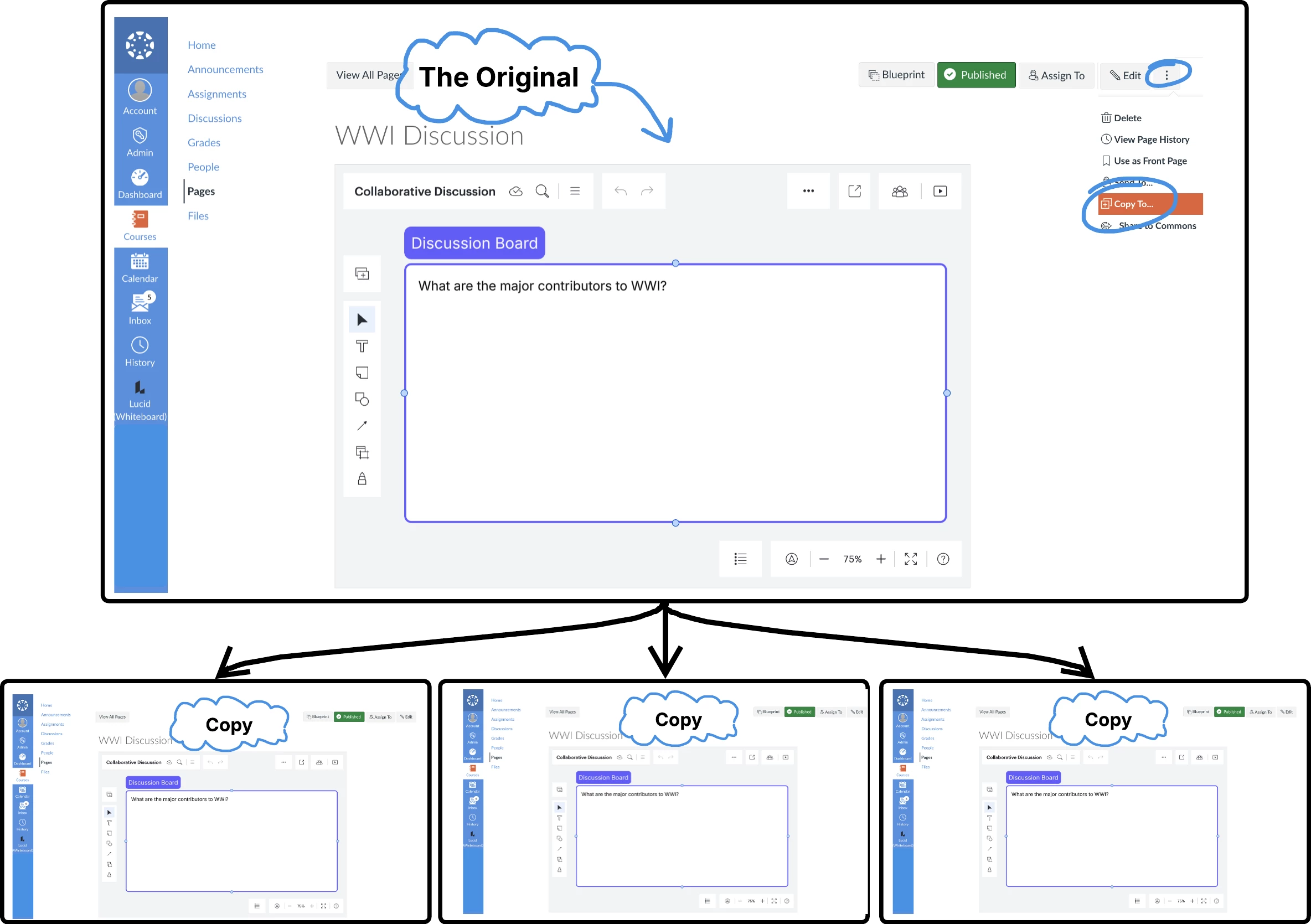
Detailed Walkthrough of each option:
Option #1: Copy from original
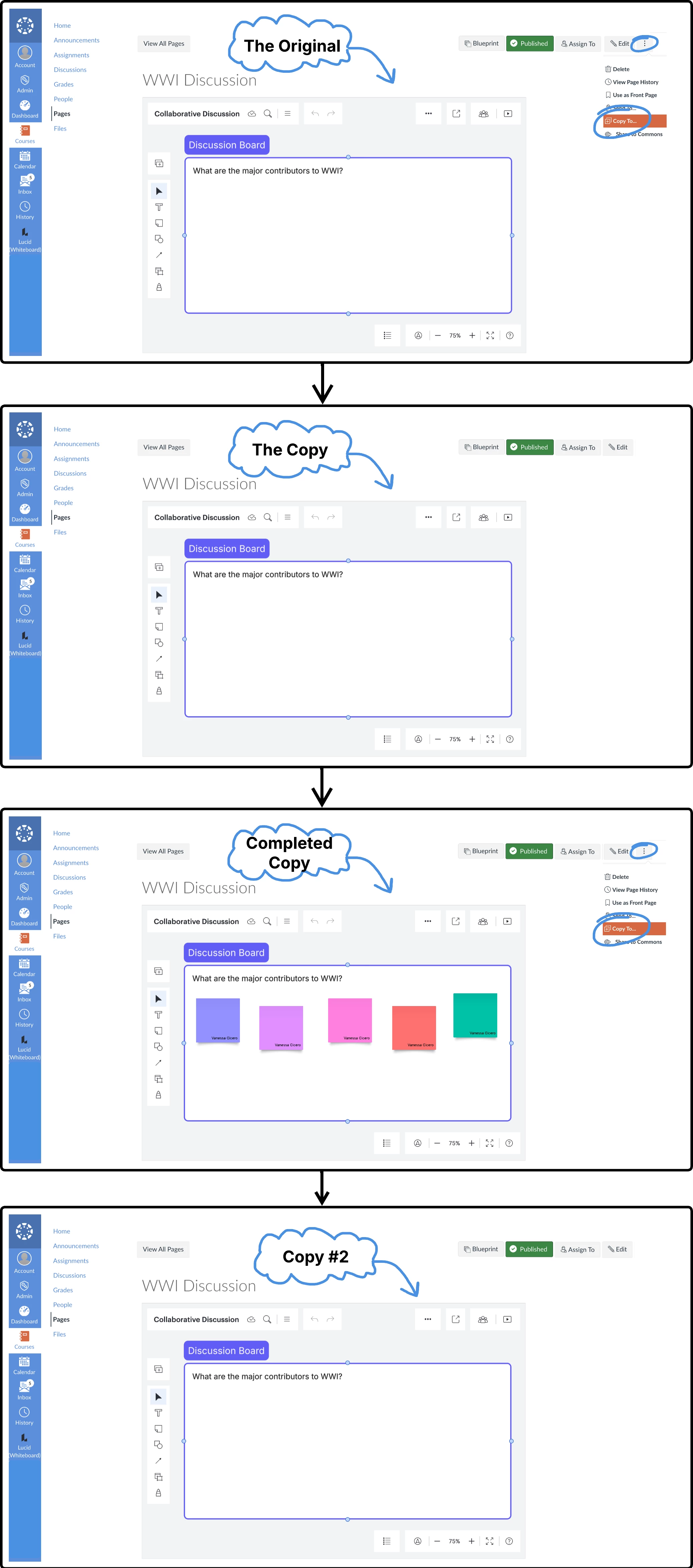
Option #2: Copy from a copy
 Your privacy choices


