Idea

Users with access level "Comment" can't see layers

  • January 28, 2022
  • 1 reply
  • 16 views

Gustaf C

Hi

I use rather heavily laywers to present my flow charts from different perspectives. At the same time I do have a concern that users who have access by mistake do changes to the Flow Chart. It has in fact happened sevaral times.

To avoid this I prefer to give most users access level "Comment" upon which I can control any changes.

Users in who access level "Comment" can't see layers. I see no reason why they should not see the layers. Due to my dependency on using layers I am then forced to give users access level "Edit". 

Unless it is a bug my feature request is that users with access level "Comment" shall see all layers. In case that system to do not support comments on all layers I prefer inform users that they can only enter comments on main layer rather not being able to see at all.


Comments

Liz G
Forum|alt.badge.img+8
  • Lucid support team
  • January 28, 2022

Hi Gustaf

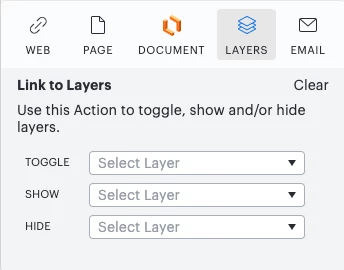
Thank you for posting in the Community! You can add an Action to an object that will allow you to Hide Show or Toggle other layers in the document with the click of a mouse. Users with Commenting access will also have access to the actions. This will allow them to interact with the different layers of your document. 

Below are step by step instructions for adding actions!

  1. Select the object you want to add an Action to.
  2. Click the Actions icon
  3. Select the Layers tab.

  4. From the Toggle Show or Hide dropdown menus select a Layer.
    • Toggle: hide/show layer content like a light switch
    • Show: make layer content visible
    • Hide: make layer content invisible
  5. Select Done.

After adding an Action to an object in a layer you can perform the object’s Action by pressing Command + Shift (on Mac) or Ctrl + Shift (on PC) on your keyboard and clicking the object.

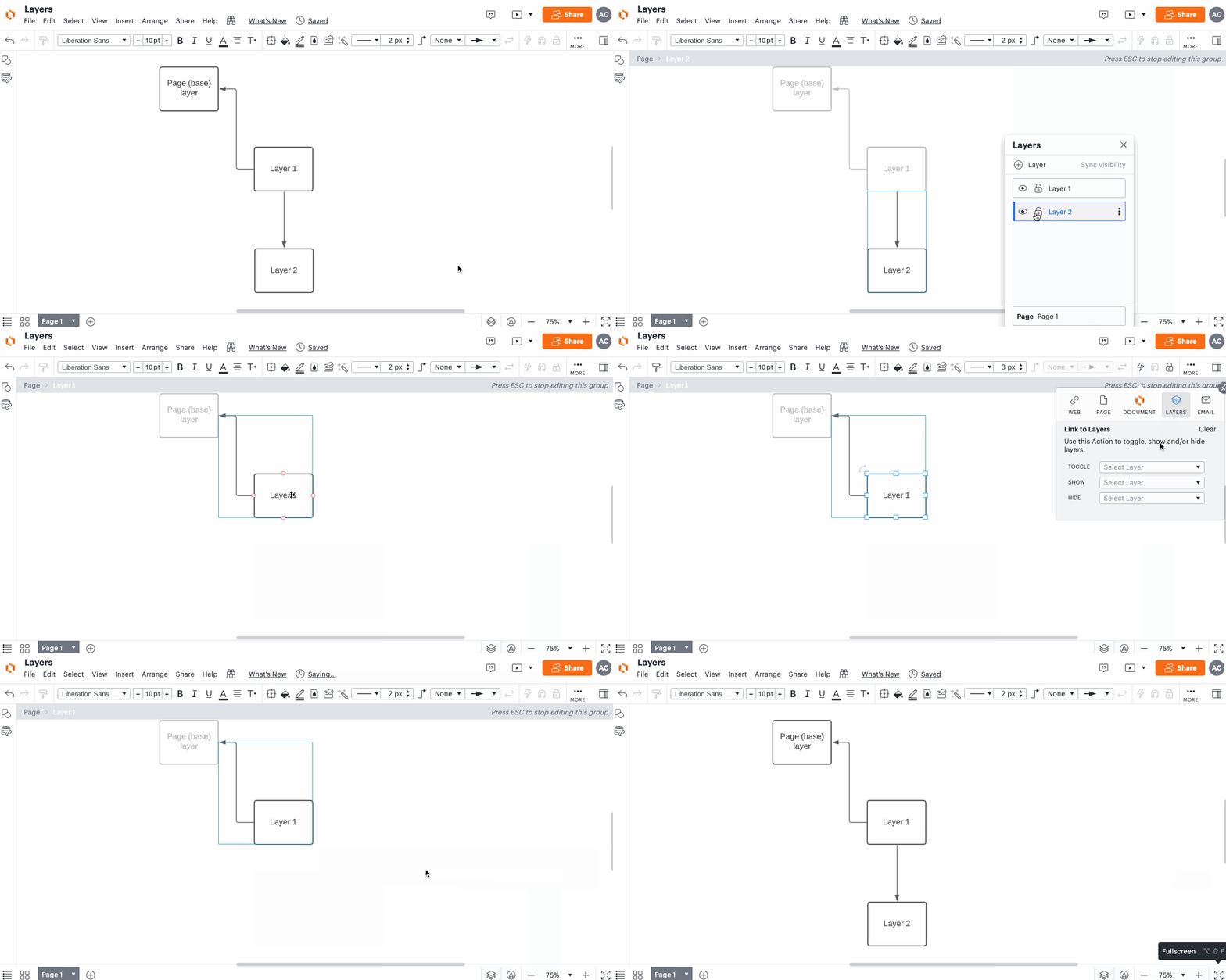
There are many ways to utilize this functionality—here’s one example of what this could look like:

You can reference this article from our Help Center for more information on adding Actions to Layers.

Please let me know if you have any other questions!