

 Hi
Hi
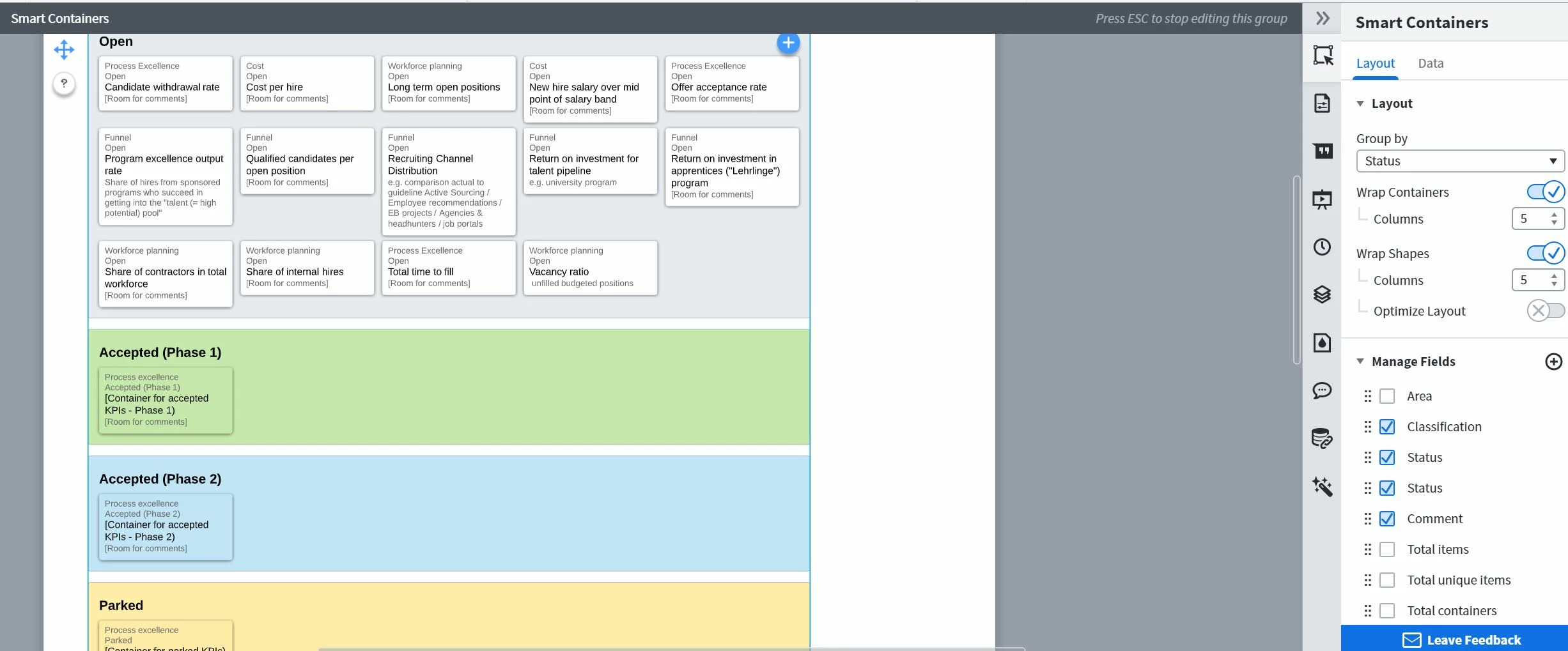
I use smart containers to visualize a list where each record has 4 dimensions (name status classification and comment).
When I group the items by status and show all dimensions how can I achieve that the items in each container and not sorted by alphabet (using the field "name") but using e.g. the field "classification" for sort order?
To give you an example: in the attached image the items of the upper group (items with status "Open") are sorted alphabetically by the field "name" ("Candidate.." before "cost..." before "Long..." till "Vacancy..." at the end).
I would like to sort those items by the field "Classification" - so first all with classification = "Cost" then "Funnel" then "Process excellence" and finally all with classification = "Workforce planning".
I am aware that I can drag the items around manually but that doesn't do the trick for me since it's not a permanent solution (e.g. when I refresh the data).
Any ideas? Thank you!


