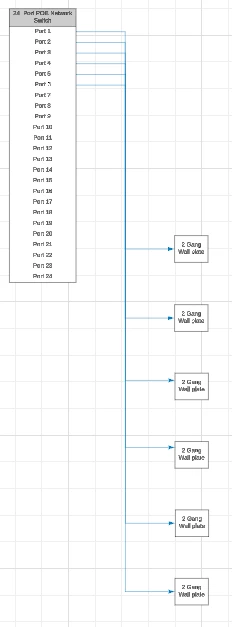
I have am having a issue with multiple lines running to close together and I can not clearly see the pathway for each line. See image, all blue lines have joined together to run down the page.
The main issue i have is I do a complex network cable schematic with lots of lines. I know I can individually manipulate lines and space them apart one by one. But that takes alot of time particularly on larger schematics. Also if I then do the “Reset all Lines” function. It undoes all my hard work and rejoins all the lines. I need to be able to visually follow each line and see what port connects to where.
Is there anyway to increase the spacing between all lines so each line pathway is clearly visible? This would be a good feature to have available.