
Delivered

Please provide a way to lock a board/document

Related products:Lucidspark
  • July 12, 2024
  • 7 replies
  • 234 views

mfnicewarner
Forum|alt.badge.img+1

In Lucidspark, we did a sprint retro session and have everything including action items.  I want to keep this information as a reference for the future, but I don’t want anyone editing it.  I can export it as an image, but then links to Jira tickets are lost.  The PDF export doesn’t work very well.

So, please add a “Lock entire document” option for the author (or anyone who has delete permission).  This could be tied to the Status = “Complete”.  All links, comments and notes would work as expected, but all would be read-only.  There should be a way to “unlock” the document as well, same permissions.  The objective is to make it harder to accidentally delete or edit cards on the board.

The use case is that the board is a team document, so everyone on the team has edit access to the documents.  This isn’t the “View” link thing, because everyone can just navigate to the document and change it.

Thanks.

August 16, 2024

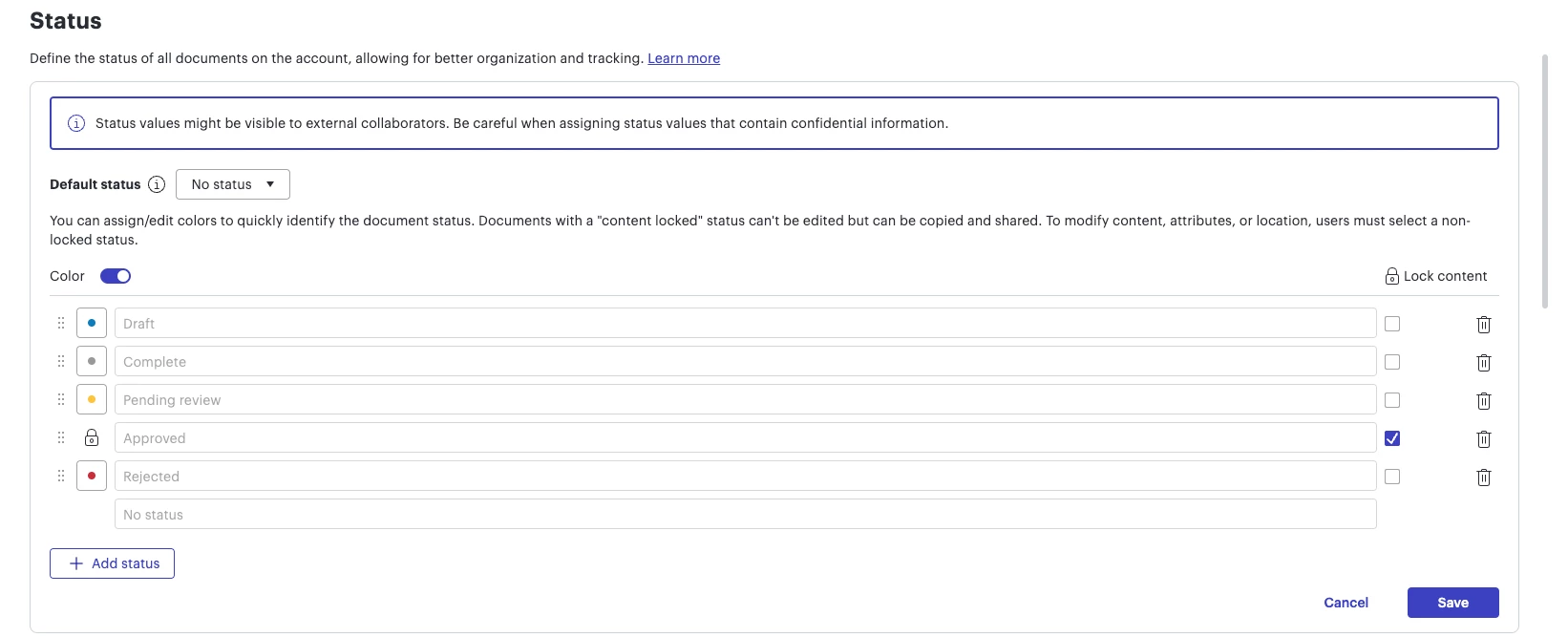
Hi! Thanks for your feedback. This feature is available with our Enterprise accounts, where an admin can set a status level to "lock content" for all documents assigned that status. You can find more details in the documentation linked here. Hope this helps!


Comments

Micah
Forum|alt.badge.img+20
  • Lucid community team
  • July 12, 2024

Hi, thanks for this idea! We encourage anyone else who’s interested in this to upvote this post and share any additional details about your use case or what you’d like to see in this experience. For more information about how we manage feedback in this community, please take a look at this post:


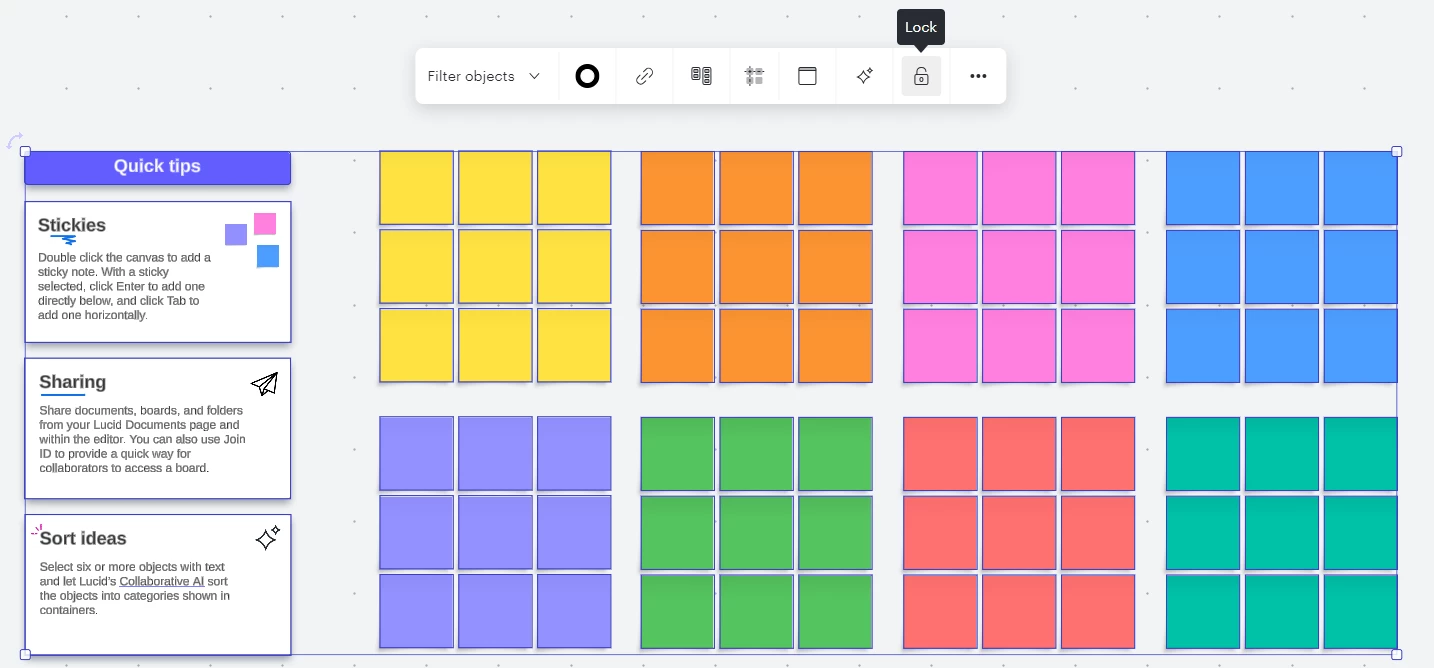
I do want to mention one additional tool for your consideration - Locking the objects on your board. You can do so by selecting all objects (ctrl/cmd+ a), then choosing Lock in the context toolbar. it is not a perfect solution as it’s not permission-based, but may help prevent accidental deletions or edits from an errant click. 


Jordan B
Forum|alt.badge.img+2
  • Lucid product team
  • August 16, 2024

Hi! Thanks for your feedback. This feature is available with our Enterprise accounts, where an admin can set a status level to "lock content" for all documents assigned that status. You can find more details in the documentation linked here. Hope this helps!


Micah
Forum|alt.badge.img+20
  • Lucid community team
  • August 16, 2024
IdeaDelivered

Forum|alt.badge.img

In Lucidspark, we did a sprint retro session and have everything including action items.  I want to keep this information as a reference for the future, but I don’t want anyone editing it.  I can export it as an image, but then links to Jira tickets are lost.  The PDF export doesn’t work very well.

So, please add a “Lock entire document” option for the author (or anyone who has delete permission).  This could be tied to the Status = “Complete”.  All links, comments and notes would work as expected, but all would be read-only.  There should be a way to “unlock” the document as well, same permissions.  The objective is to make it harder to accidentally delete or edit cards on the board.

The use case is that the board is a team document, so everyone on the team has edit access to the documents.  This isn’t the “View” link thing, because everyone can just navigate to the document and change it.

Thanks.
 

IdeaDelivered


We cannot do this thru the API, right? And only if we’re using enterprise? Sadly, this does not seem to meet our needs.


Micah
Forum|alt.badge.img+20
  • Lucid community team
  • August 26, 2024

@mackenzie.moore Would you mind telling us a bit more about your use case and what you’re hoping to do? That will help us provide a recommendation for you!


Forum|alt.badge.img

Yes @Micah - thanks! 


My team is building software that works with multiple cloud storage providers’ APIs. For simplicity sake, imagine a “Create a New Version” button. When the user hits the button, there’s a new copy of the document in the CSP (whether it’s google drive, box, etc) and the old one is not editable anymore. 


We have been doing this for years in other CSPs, but we have yet to find this functionality in Lucid. It’s posing a bit of a problem because we don’t have feature parity; compared to the files stored through other providers, it’s a little weird that we’re calling the new document a new version if the old one is still editable. 


Micah
Forum|alt.badge.img+20
  • Lucid community team
  • August 29, 2024

Thank you @mackenzie.moore for this detailed description of what you’re looking to do. I’ve raised this internally with our API team and product manager @Ian Baenziger for his input!