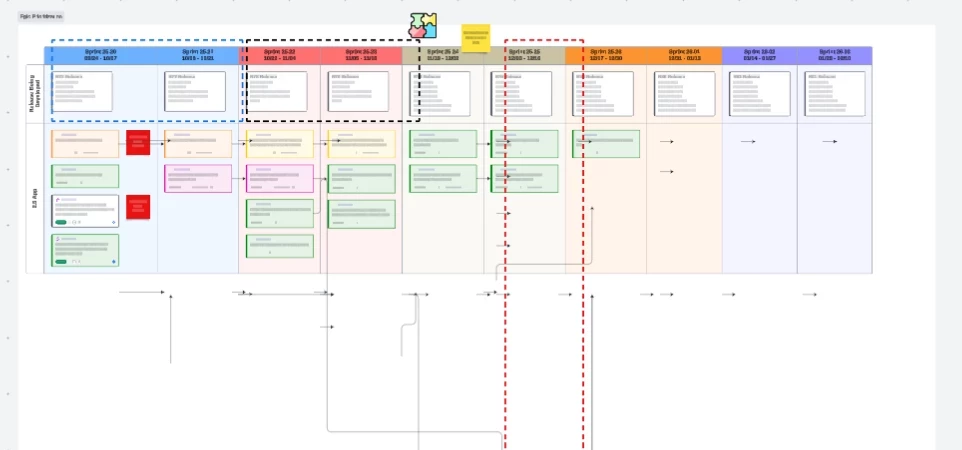



Would like to be able to Hide (and UnHide) a row within a Dynamic Table. Another approach would be the ability to set a freeze line for headers (horizontally most important but vertically would be good as well) like one would do in Excel. Both solutions would be welcome because there may be times where you want to freeze the top rows as a header and then hide one or more rows of data.
Here’s the use case example - I have a dynamic table of epics from Jira and placed into rows by development team. The header is the sprints and the first row is important information about the release dates for each sprint.
When I discuss with each team, I’d like to hide the proceeding team rows so that I can display the header and the first row of release dates with each specific team’s row of epic data so that I don’t have to keep scrolling up to discuss dates and then back down to discuss epics when I’m zoom’d in to a data readability level.
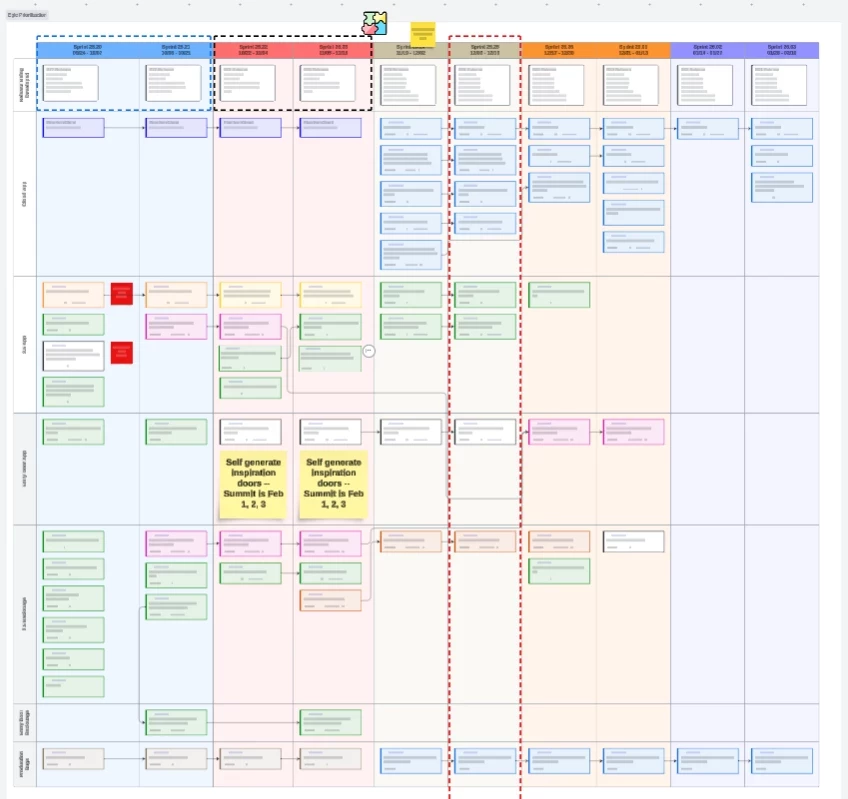
My current work around is to copy the table, and then delete non-pertinent rows. But that has problems with the sizing and shape because everything shifts dynamically to the current data. Additionally, the arrows between epics don’t delete when deleting a row leaving all sorts of confusion.
Here’s an example of the workaround with its issues of doing it this way…