

I have a Lucidchart (A) one of the business teams have provided and I want to include a copy as another tab in a set of related processes in my Lucidchart (B) - how can I get a copy into (B)?
- There is no option to Export as a Lucidchart from (A) and import it to (B) (I’ve tried various methods but to no avail)
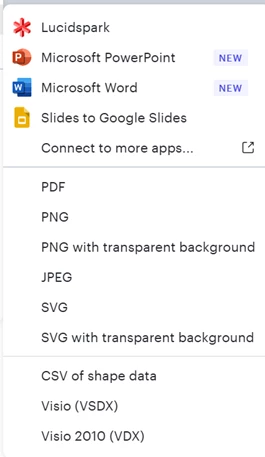
- Copy and paste this is not working well at all because I then have to manually resize, reformat, adjust swim lanes, text, shapes etc. whereas I want to copy all (including page settings for (A) as-is, into (B). There are many more processes I need to move so I am looking for an efficient way to bring them into (B)
- On the Import options there is no option to import Lucidchart (only Lucidspark)
- While I can create a duplicate from the original for myself that does not solve how to add it to my collection (B)
I have scoured previous posts and have not found an answer. Surely this is a common issue for people who are create Lucidcharts (thus I anticipated a solution for this)? If anyone has the solution or an effective workaround, please share.
If this functionality simply does not exist, I suggest adding it to to the development list.
Options might be enabled as a ‘move’ from source (A) to target (B) or an Export Lucidchart/Import Lucidchart option.


