Idea

Applying tags to text boxes or shapes in Lucidspark

Related products:Lucidspark
  • October 13, 2023
  • 2 replies
  • 83 views

Andrew B102

I'm looking to add a tag to a text box which I am using in Lucidchart but I'm unable to find a tag icon in the Context Box. When I look in Lucid Spark I can find one. Any help appreciated

October 13, 2023

Hi Andrew

Thanks for posting in the Community!

Unfortunately tagging a text box or shape is a feature that is only available in Lucidspark and is not currently supported in Lucidchart.  However we are always looking for ways to improve. Would you mind sharing your feedback or any clarifying details about what you'd like to use the letter numbering for? We greatly appreciate your feedback!

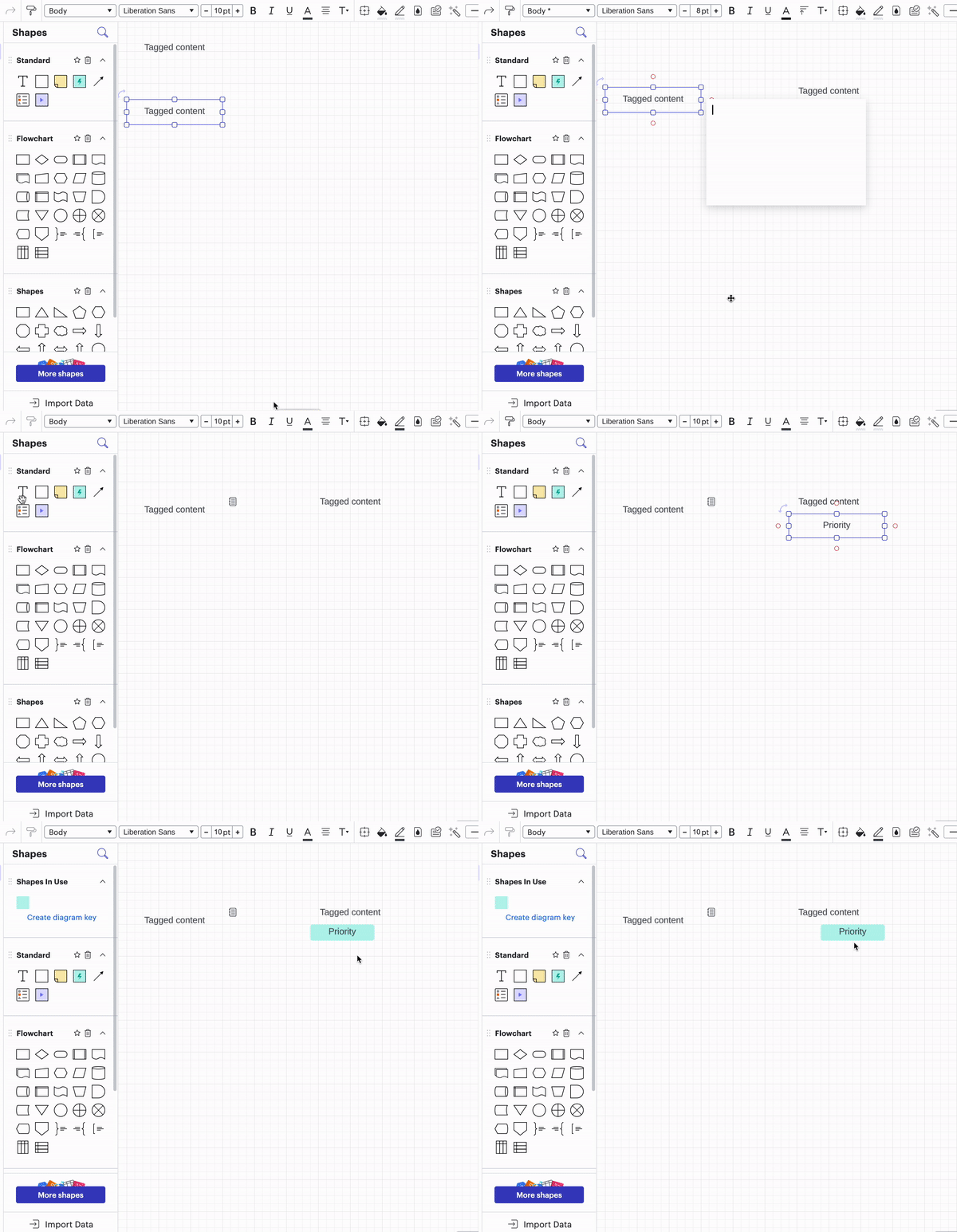
As a workaround I would recommend “tagging” your post using the 'add note' feature or by adding an additional textbox and grouping them together. For more information on how to add a note to a shape or text box please check out this Community post. If you want to learn more about how to group elements together please review our Customize Shapes Help Center Article. You can also view the GIF below for an example of how to do this.


Comments

Leah W
Forum|alt.badge.img+9
  • Lucid support team
  • October 13, 2023

Hi Andrew

Thanks for posting in the Community!

Unfortunately tagging a text box or shape is a feature that is only available in Lucidspark and is not currently supported in Lucidchart.  However we are always looking for ways to improve. Would you mind sharing your feedback or any clarifying details about what you'd like to use the letter numbering for? We greatly appreciate your feedback!

As a workaround I would recommend “tagging” your post using the 'add note' feature or by adding an additional textbox and grouping them together. For more information on how to add a note to a shape or text box please check out this Community post. If you want to learn more about how to group elements together please review our Customize Shapes Help Center Article. You can also view the GIF below for an example of how to do this.


Forum|alt.badge.img
  • April 15, 2024

Good day, 

I was also looking for this. If we can vote on functionality I would vote for this as it is a great feature to use.

Kind regards,

Herman