
New Blog Post: Classroom Management Tips and Tricks

  • March 29, 2024
  • 4 replies
  • 64 views

Vanessa C101
Forum|alt.badge.img+14

Read our newest blog post to learn a few of our favorite tips and tricks that support classroom management during your collaborative lessons.  Look through what we recommend and share with the group your favorite ways to facilitate and structure student collaboration in Lucid!




Comments

Kathy R
Lucid Legend Level 5
Forum|alt.badge.img+10
  • Lucid Legend Level 5
  • April 1, 2024

I like the ‘show author’ because it allows students to take ownership of what they post, and it allows me to see who has contributed. (But, it also allows me to delete mistakes or multiple cards when I know who has posted them, or accidently double clicked to add a sticky) :) 


Cara S
Forum|alt.badge.img
  • April 1, 2024

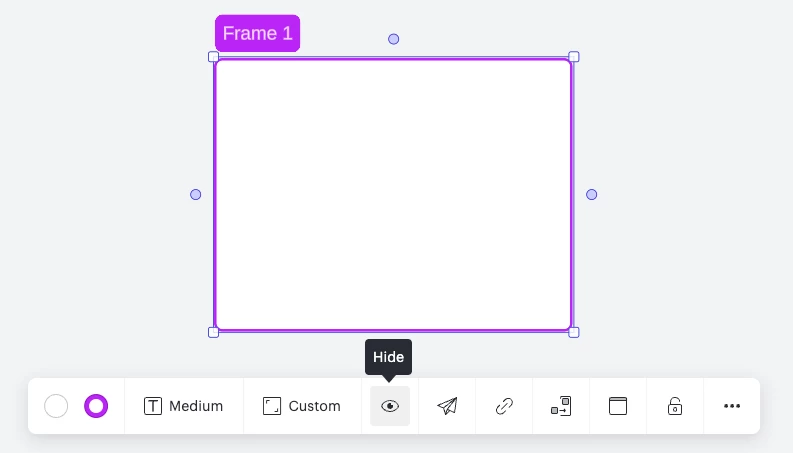
One of may favorite features is “Hide Frame.”  This helps me keep my students focused on what we are currently working on instead of working ahead or going back and changing their initial answers.  


Ashley T101
Forum|alt.badge.img

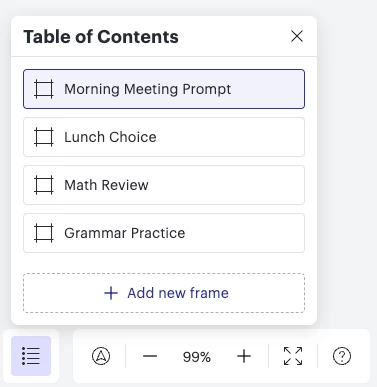
I am a big fan of the table of contents.  I like how it is automatically created when I add a frame to the board.  It’s also really cool that I can rearrange it to put it into the correct order I want students to go through.  This helps students navigate between different activities on the board easily.  Here is an example from a self start board I use in the morning with my students.


Stacey R
Lucid Legend Level 5
Forum|alt.badge.img+10
  • Lucid Legend Level 5
  • April 1, 2024

For student-paced activities, I think Paths and the Table of Contents are such standout features for navigation. On the topic of clearly communicating instructions and providing students guidance when working on a Lucidspark activity independently, the Loom integration is particularly awesome. It makes it so simple to record an embedded message or screencast.